11
CML International S.p.A.
PROCEDURES FOR BEND MAKING
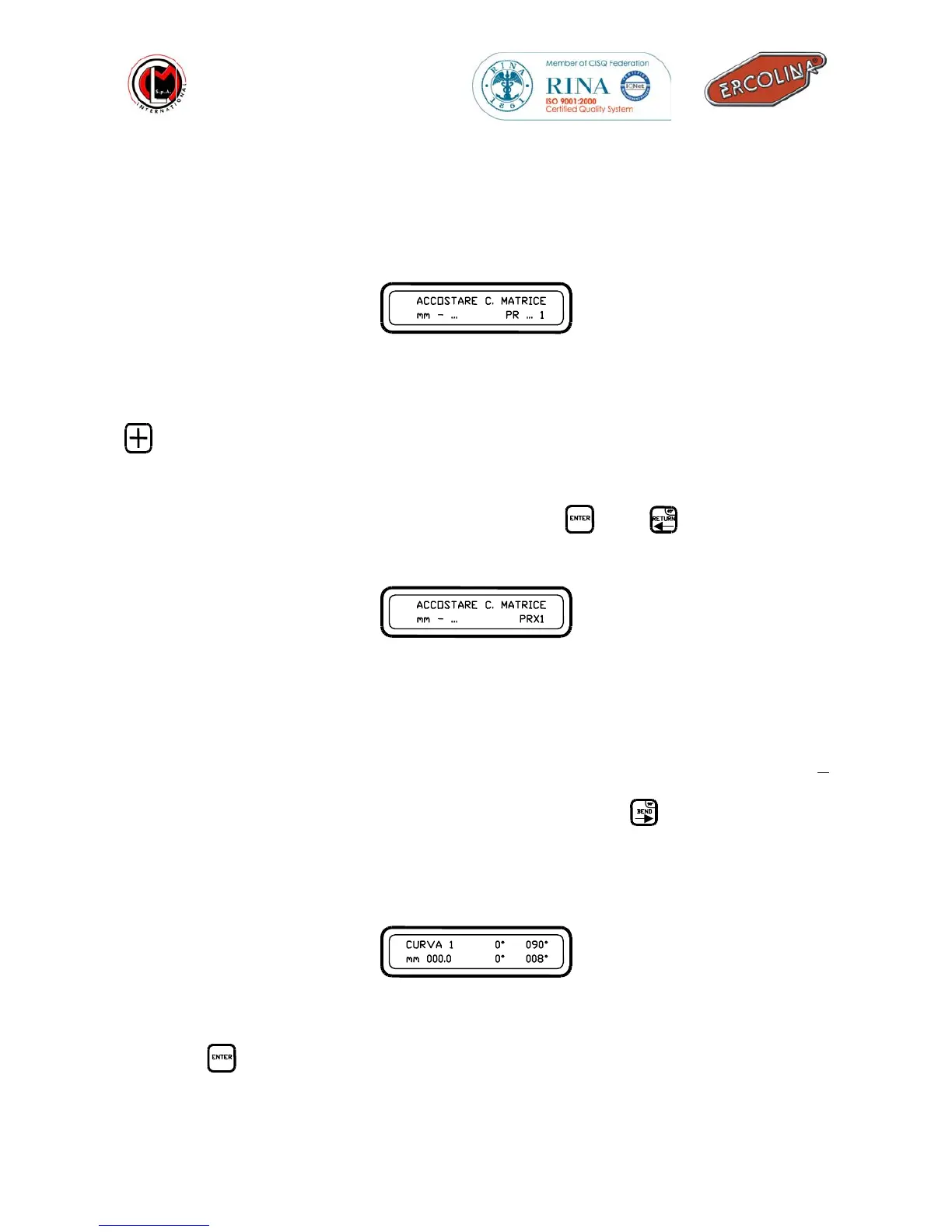
After the full data entry will be finished the machine will be in stand by mode with
the following message :
Stand by mode
In this position if the bend angles memorised are more than one, with the use of the
button you may scroll through and choose the bend angle you would like to use .
Set all tooling on the machine, former and counterbending die of the same size of the
material to be bent. Set in position the support bracket and adjust initial pressure on
tube against the former. With the use of the keys,
and
you will need to
memorize the cursor counterbending die postion :
Setting the electronic counterbending die position
The position of the counterbending die (mm 000.0) is controlled by the
microprocessor which enables the machine to carry out the following bends repeating
exactly the position of the cursor and counterbending die with a tolerance of +
0.2mm.
It will be possible to begin the first bend now by pressing the
button; the tube will
begin to move in the tools until it will be possible that it will visibly begin to bend the
angle moved will be our spring-back angle. See example in the bottom indicating
what the display will show:
Spring back
Press the
button to memorise the spring back angle (see below).
FORWARD C.BEND DIE
Mm - … PR … 1
FORWARD C.BEND DIE
Mm - … PRX1
BEND 1 0° 090°
Mm 000.0 0° 008°



 To Next Page