D2 Series
User Guide, Rev. 00 (Feb 2015)
13
Software configuration
Download from ERE web site (www.erewireless.com) the latest version of configuration software
(confSW_D1).
The configuration must be done through a RS232 interface
System Requirements
Operative System: Windows 98 SE, Windows ME, Windows2000, Windows XP, Windows Vista,
Windows 7
Minimum screen resolution: 800 x 600 dpi.
Preliminary Operations
Connect with a right cable (NO Null Modem) the serial port of the personal computer (COM1 or
COM2 depending on the personal computer characterisation) to the serial port of the Radiomodem
and successively start the program.
Push the Option label to select the serial port and the operative band of the radiomodem. The
band choice must be congruent with the radiomodem characteristics.
Connect the radiomodem supply (+12,5 Vdc) and push the Power ON button in the configuration
software to enable the computer serial port. In this way the DTR criteria turns on the radiomodem
and simultaneously the Power on button disappears after the serial port activation. Turning on the
unit, the radiomodem checks itself and if a previous configuration is installed, the Ready Led
(green) is turned on otherwise it blinks. During the production checks the test configuration is
installed and stored in the modem, so the green led is normally turned on at the end of the
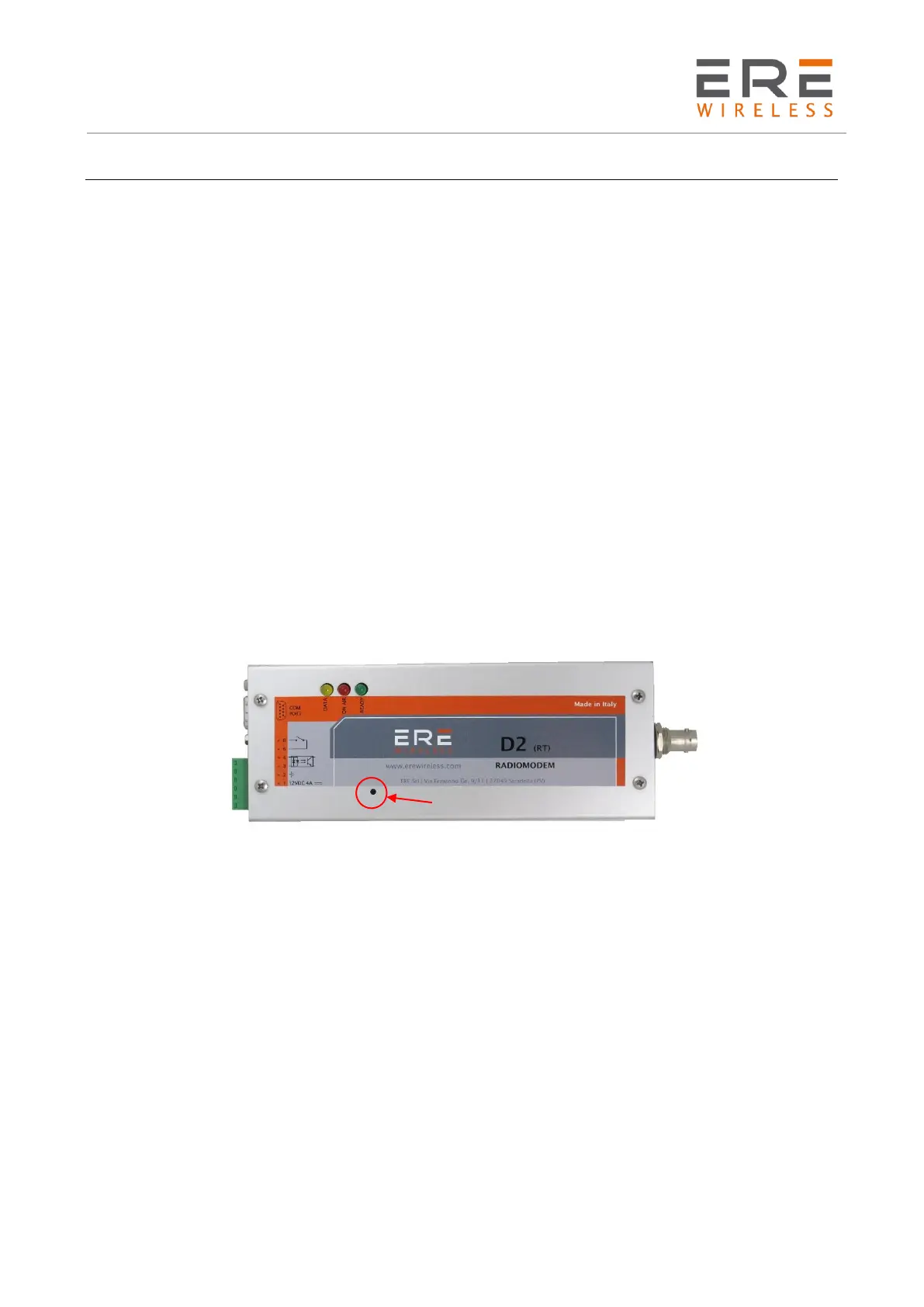
initialisation process. To install a new configuration push the Configuration switch on the modem
board, for at least two seconds, to force it in the Configuration Mode.
In this condition the Ready Led (green) is turned on while the Data Led (yellow) is blinking.
The field selection is possible using the TAB and Up, Down, Left and Right arrow keys. An option
is activated when the related box is selected otherwise is inactive.
After the modem configuration, push, for at least two seconds, the Configuration switch on the
board to restore the operative condition and quit from the program. In this mode the Ready Led
(green) is turned on while the Data Led (yellow) is turned off.



 To Next Page