D2 Series
User Guide, Rev. 00 (Feb 2015)
16
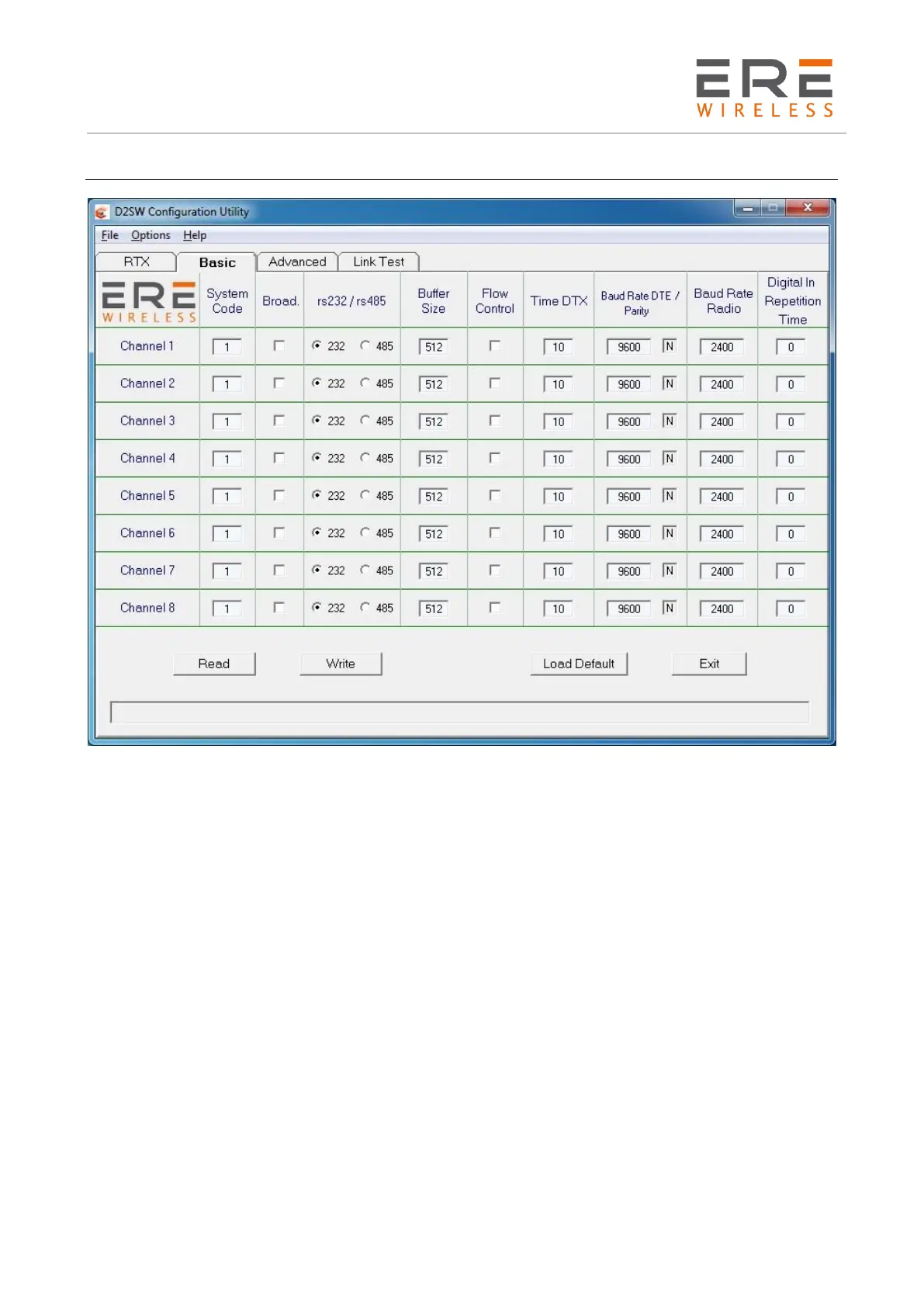
Basic configuration
The Basic menu contains the fundamental parameters of the communication between two or more
radiomodem units.
System Code [ 0....63 ] : It's the network identifier. Of course all the units in the network must have
the same System Code
Broadcasting [ON/OFF] : If selected, the radiomodem transmits a message can be received by all
the units having the same System Code, independently from the target address. This option is
allowable only if ACK and Echo are disabled.
RS-232 / RS-485 : To select the desired serial port standard. The Flow Control is available only for
RS-232.
Buffer Size [1..640 /256] : To select the desired internal buffer size. The available sizes vary from
1, without the Flow Control, or 5, with the Flow Control, to a maximum of 640 bytes. In the
RMO400 Compatible Mode this size is set to 256 bytes in according with the RMO400 series
parameters.
Flow Control [ON/OFF] : If selected, the RTS and CTS criteria of the RS-232 serial port manage the
data flow from the DTE. If inactive, the DTE must manage the correct timings between the packets.
TimeDTX [0...255] : Defines the time interval, in milliseconds, between the end of the received data
on the com port and the start of the radio transmission. If an incomplete message is sent, increase
this time to mask the intervals between the bytes in the incoming message.
Baud Rate DTE [1,200/2,400/4,800/9,600/19,200/38,400] (bps) : To select the serial port speed.



 To Next Page