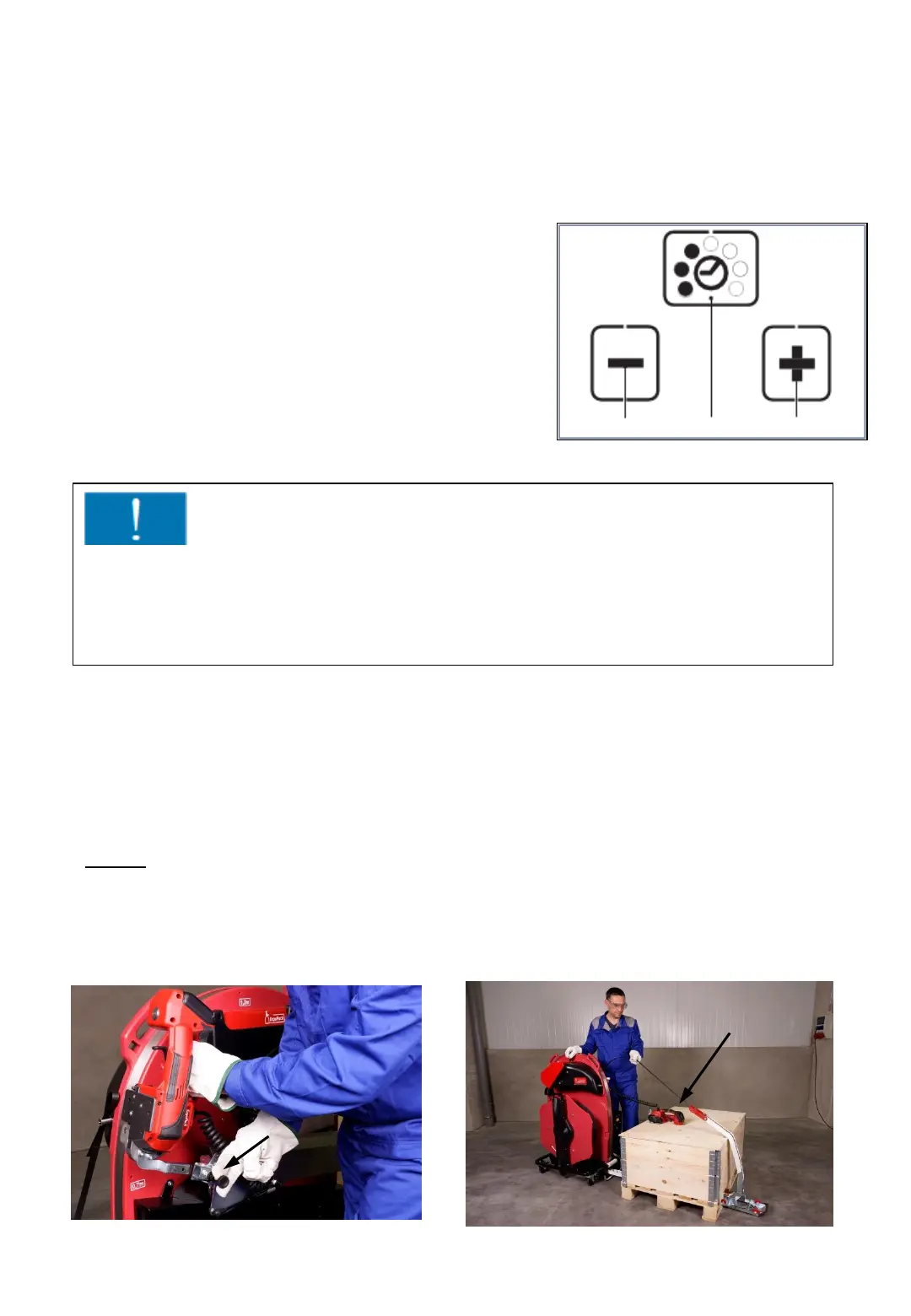
6.11 Setting the welding time
6.12 Tensioning and sealing of pallets below
70 cm height
1.Step
Pull out the black knob of the locking bolt. Afterwards, pull the sealing head
forward out of the holder and place it on the package to be strapped.
- 52 -
Fig. 70
Fig. 71 Fig. 72
- press Button “welding time“ (2)
• unused displays disappear.
• The filled dots of the current set welding time
flash for 5 seconds.
• + and – appear.
- press button + (1) or – (3) until the desired
welding time appears..
- Save: Press button “welding time” (2) or
wait 5 seconds.
3
2
1
The set welding time is displayed continuously by
filled dots when the system is ready for operation.
Important!
If the necessary welding time is between 6 or 7 to produce a good welding
according to point 6.10, there maybe a fault with the tool or worn
components in the welding mechanism. Usually both tooth plates of the
welding mechanism have to be replaced.



 To Next Page