-15-
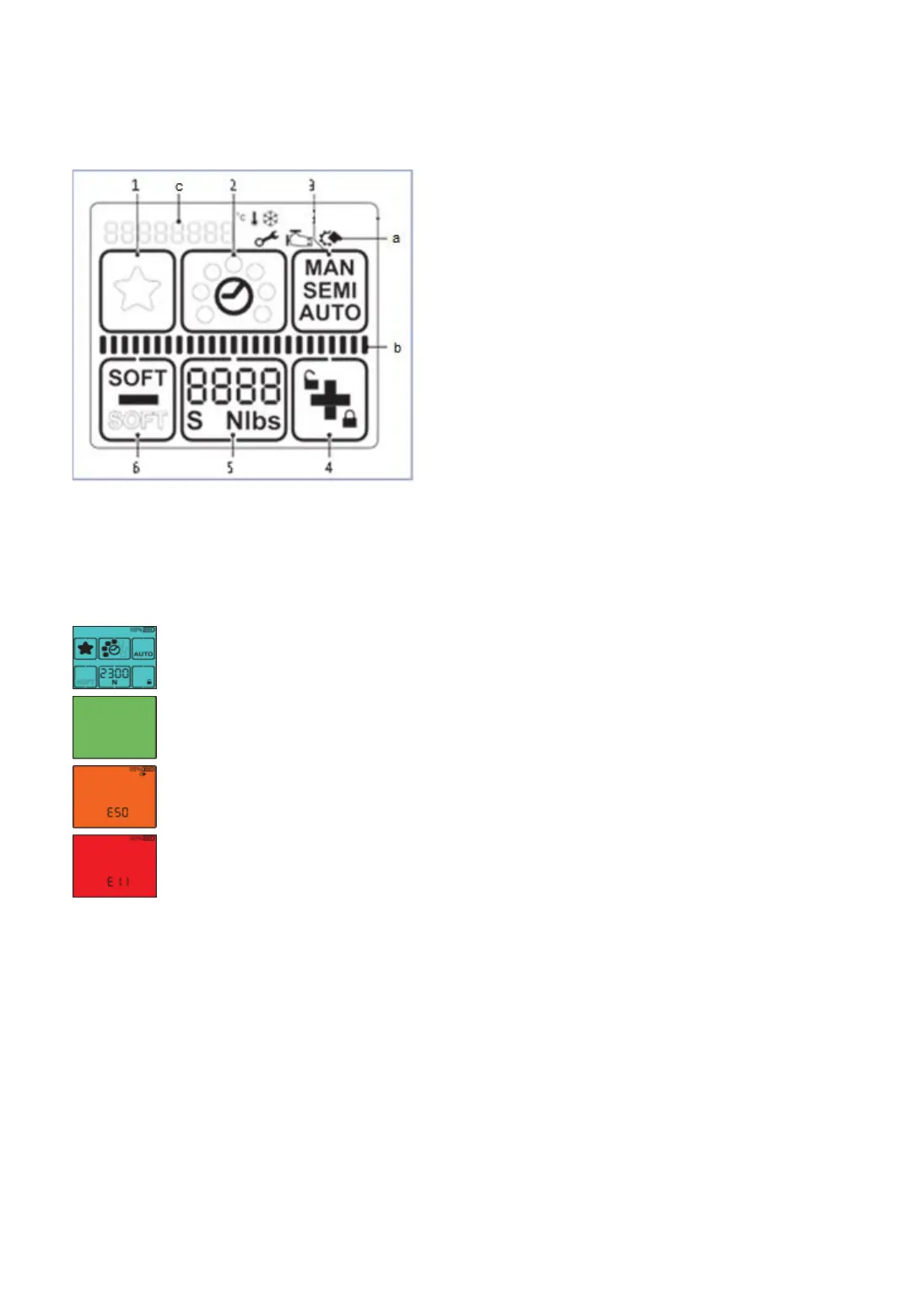
4.4 Control panel sealing head
1 „Favourite“
2 „Welding time“
3 „Operating mode“
4 „Plus & Keylock“
5 „Tension force“
6 „Minus & Soft tension“
a „Information symbols“
b Status indicator bar „Tensioning/Welding“
c Display „Messages“
Fig. 10
Display activated.
Welding process is finished, tool can be removed.
Application error: Temporary system error, can be rectified by the
operator.
Tool fault: static system error, rectify error. If the error cannot
be rectified -> ErgoPack service partner



 To Next Page