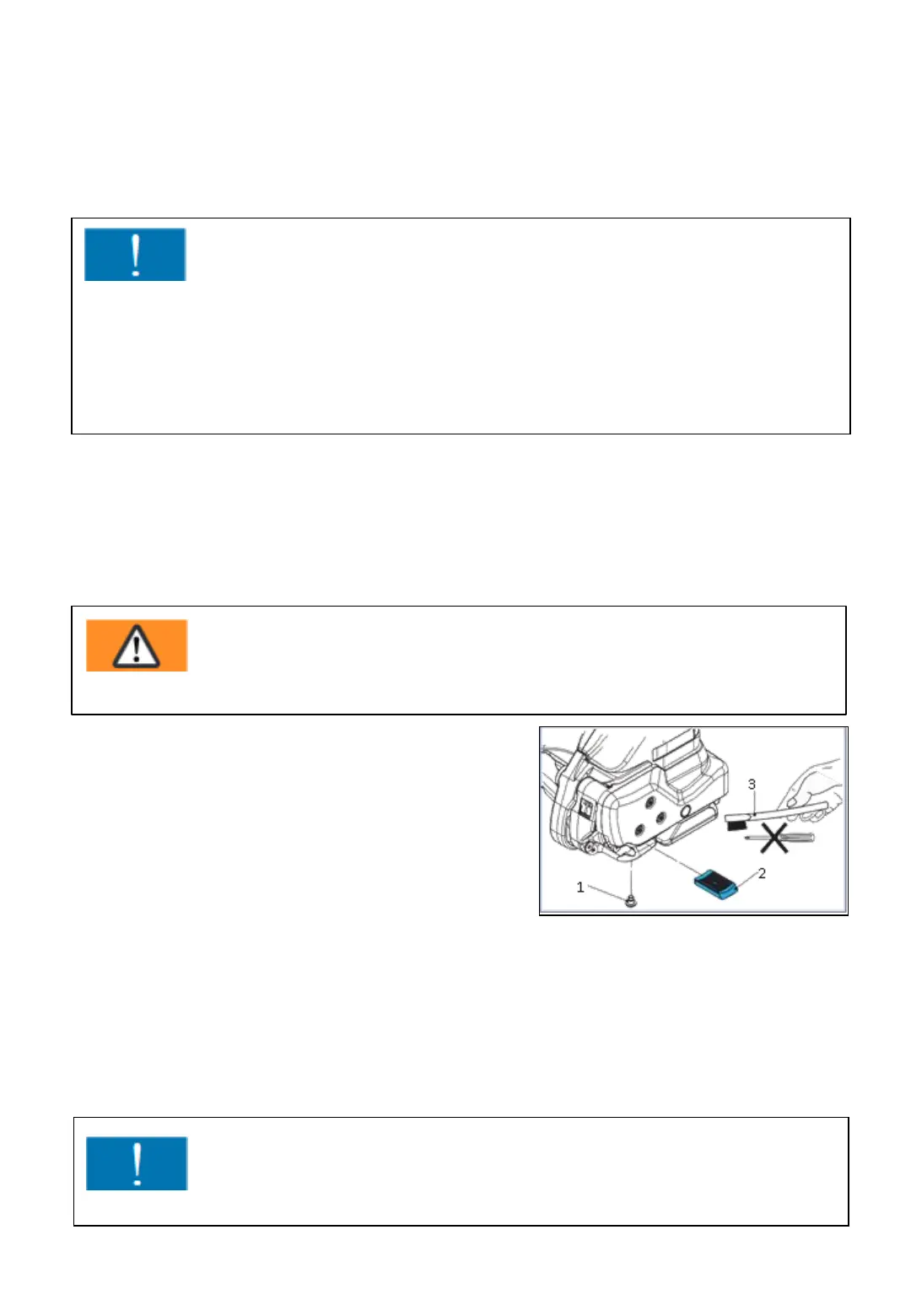
10.11 Cleaning/replacing the tooth plate at
the sealing head
Remove pan head screw (1).
Lift the rocker lever towards the handle
and remove tooth plate (2).
Clean tooth plate with compressed air.
If the tooth plate teeth are covered with
heavy dirt, they must be cleaned carefully with the wire brush supplied.
Check tooth plate for worn teeth, if necessary, replace tooth plate.
Installation is done in the reversed order of the disassembling.
Secure pan head screw (1) with screw locking varnish "medium-tight“.
Fig. 143
-83-
Installation is done in the reversed order of the disassembling.
Grease interior gear teeth of the tension wheel lightly with Klüber grease
GBU Y 131 (Microlube).
Attention!
The tension wheel is extremely sensitive when it comes into contact with
hard, especially metallic objects. A hard object, such as a screwdriver or
similar, must not be used under any circumstances whatsoever for cleaning.
The tension wheel must not be cleaned in an installed state when it is
rotating. Risk of breakage teeth.
Warning !
Wear eye protection when cleaning with compressed air!
Attention!
The tooth plate (2) must be placed so that it can move freely in the rocker!



 To Next Page