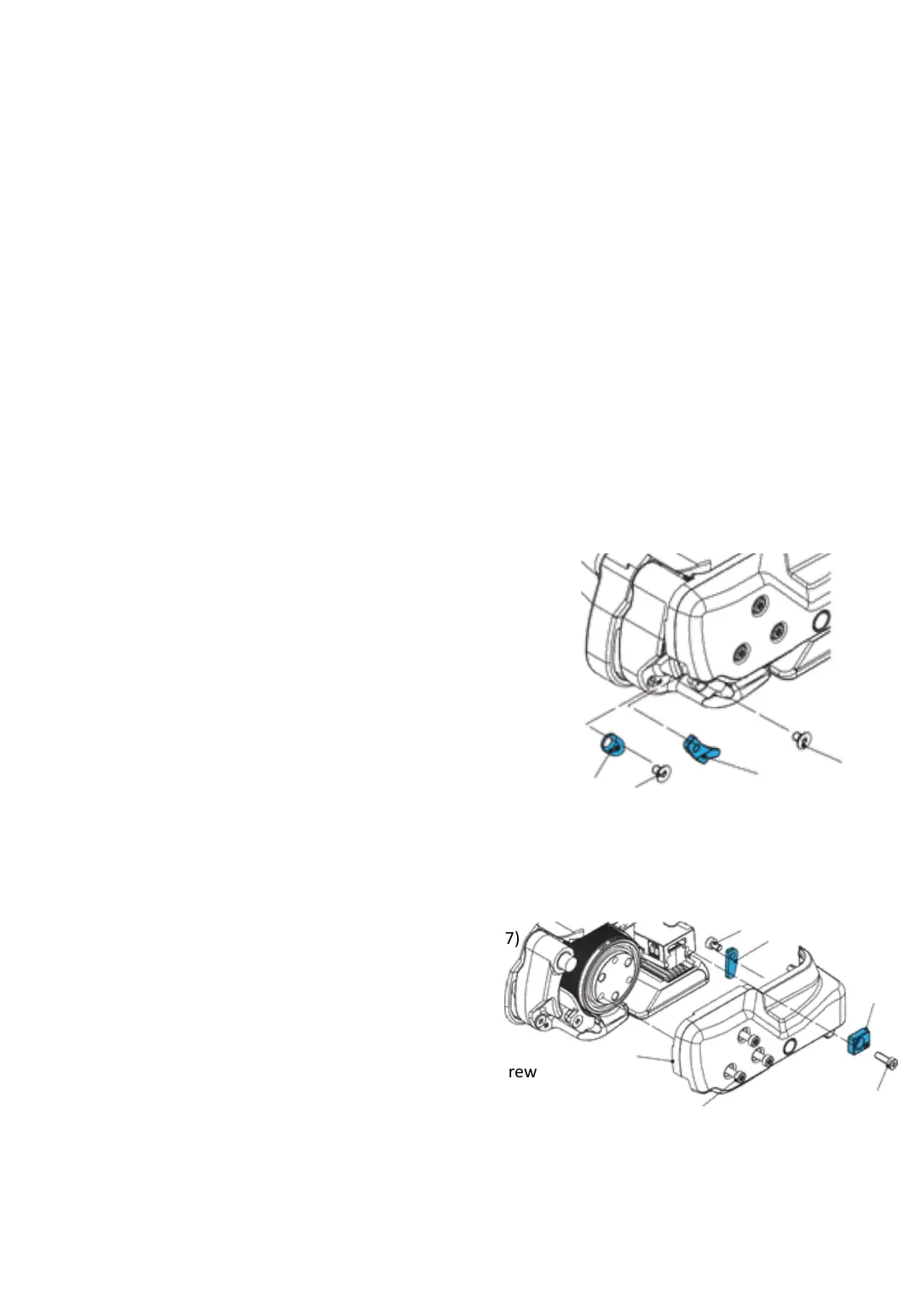
7.3 Setting strap width at the sealing head
a) Change strap width from 12–13 mm to 15–16 mm
• Switch the strapping system off
• Release three cylinder screws Torx (6). Lift the rocker lever
towards the handle, release cylinder screw Torx (7) and
remove strap guide rear13mm (8).
• Remove side cover (5).
• Release counter-sunk screw Torx (2) and remove strap guide
front 13 mm (1).
• Release counter-sunk screw Torx (4) and remove strap guide
front 13 mm (3).
• Release cylinder screw Torx (10) and remove strap guide
rear 13 mm (9).
• Fit side cover (5) (secure cylinder screw with screw locking
varnish “medium-tight”. Install strap guide rear 16 mm (8).
b) Change strap width from 15-16mm to 12-13 mm
•Release three cylinder screws Torx (6). Lift the rocker
lever towards the handle, release cylinder screw Torx (7)
and remove trap guide rear 16 mm (8).
•Remove side cover (5).
•Fit strap guide front 13 mm (1) (secure counter-sunk
screw with screw locking varnish “medium-tight”).
•Fit strap guide front 13 mm (3) (secure counter-sunk screw
with screw locking varnish “medium-tight”).
•Fit strap guide rear 13 mm (9) (secure cylinder screw
with screw locking varnish “medium-tight”).
•Fit side cover (5) (secure cylinder screw with screw locking
varnish “medium-tight”). Install strap guide rear 13 mm (8).
The sealing head can be used with different strap widths:
ErgoPack 713X 9-10 mm or 12-13 mm
ErgoPack 726X 12-13 mm or 15-16 mm
ErgoPack 745X 15-16 mm or 18-19 mm
Fig. 23
Fig. 22
The setting of the strap width is explained using the example of model 726X.
The setting of the strap width with the models 713X from 9-10 mm to 12-
13mm and 745X from 15-16mm to 18-19mm works accordingly.
1
2
3
4
10
9
8
7
6
5
-26-



 To Next Page