- 14 -
vii. Adjustment for RF AGC
a. Receive RF signal (62±3dBµV).
b. Enter into ADJUST MENU.
c. Pressing channel “
” and “ ” keys on the remote handset, and on-screen display will be shown as follows:
d. Press Volume "+" or "-" on the remote handset to change the value of RFAGCDP until snow noise on the screen just
disappears.
e. Press “M” KEY to exit from ADJUST MENU.
viii.Adjustment for Sub-brightness
a. Receive MONOSCOPE Pattern.
b. Press key “I.P.C” on the remote handset to set Brightness and Contrast at Natural State.
c. Enter into ADJUST MENU.
d. Pressing channel “
” and “ ” on the remote handset, the display on screen will be:
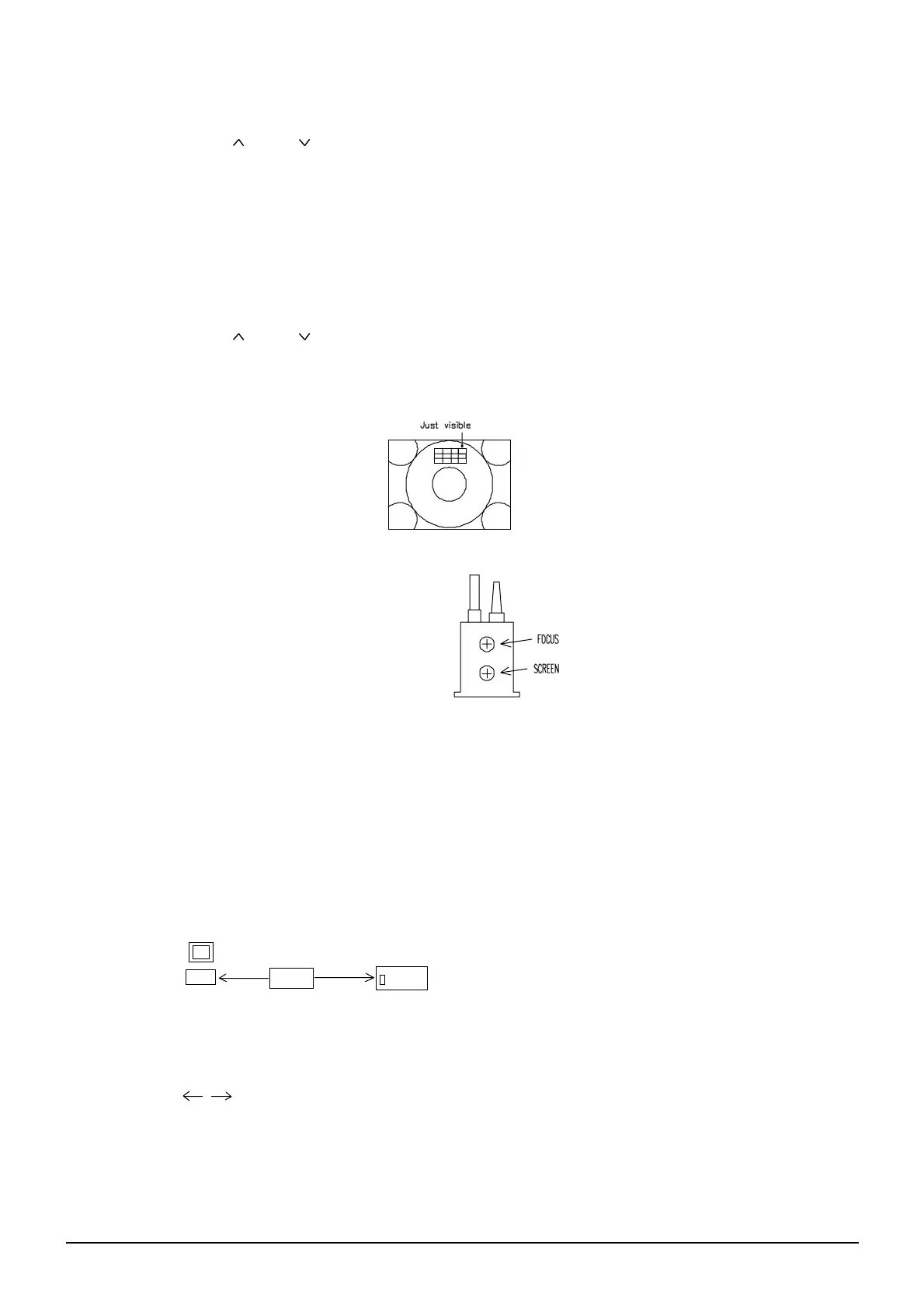
e. Press Volume “+” or “-” on the remote handset to change the value of SUB BRI until eight and half of portions
indicated in FIG.2 is just visible. Press “M” key to exit ADJUST MENU.
ix. Adjustment for FOCUS (See FIG.3)
a. Press key "I.P.C." on the remote handset to set
brightness and contrast both at normal position.
b. Adjust knob "FOCUS" on FBT to make the picture
on the screen to be the most distinct.
x. Adjustment with computer
INTRODUCTION
"UBM" is an adjustment program for colour TV set which use NN5199K/NN5198K as the chroma I.C..
This program controls the TV set though IIC interface and provides Auto Adjustment of the White-Balance by using the
Colour Analyzer (MINOLTA CA-100.)
SET UP
1. The computer must be installed with the software program named UBM.
2. Power on the TV set and your computer.
3. Connect the computer and connect the adjustment cable from computer to the TV chassis at vocation CN601 as
following:
4. C:\ cd UBM ENTER
5. C:\ cd UBM > UBM ENTER
CHOICE CPU PROGRAM
Use keys “ ” in the computer to select the software program named UBM, then press
‘ENTER’ key in the computer, the screen will display:
SUB BRI XX
RFAGCDP XX
( FIG.3 )
( FIG. 2 )
COM1
CN601
TV set chassis


 To Next Page
 Loading...