10
5.2 Setting your 3D printer
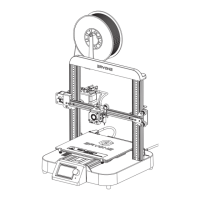
Copy these code to your Start-Gcode area:
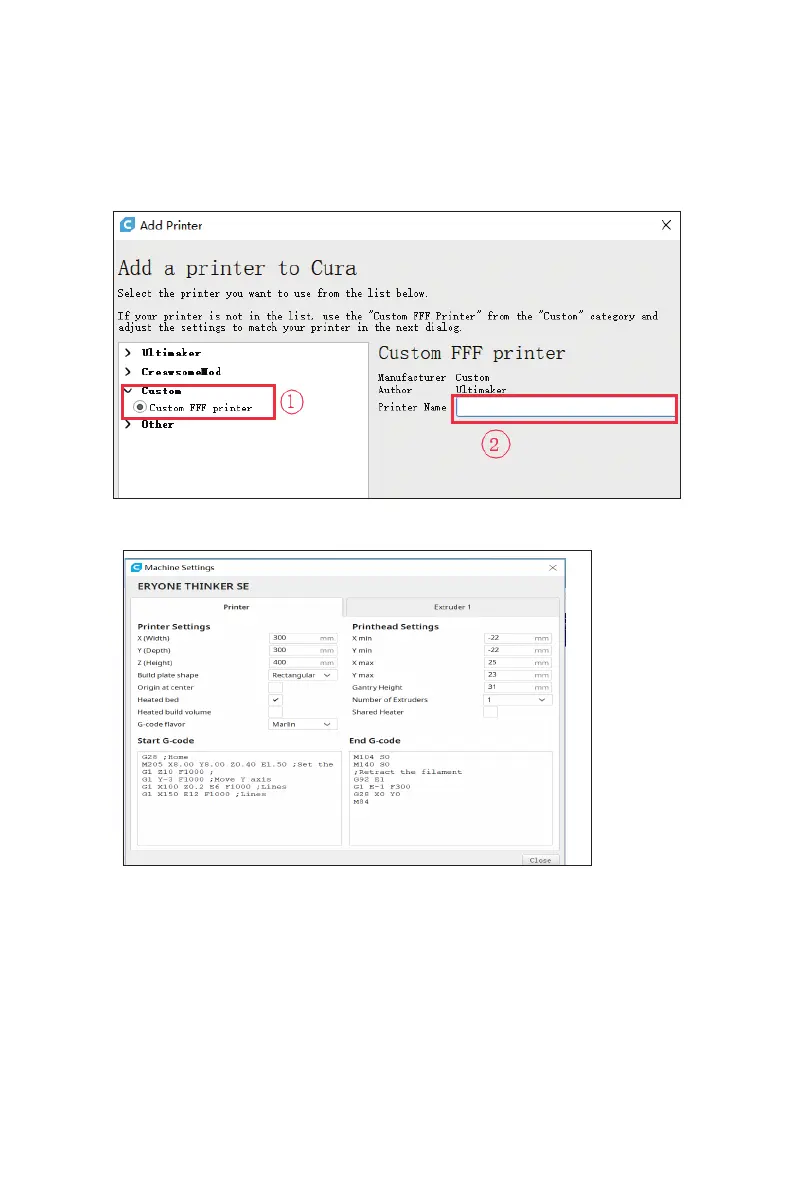
1.Open the Cura then add the new printer :
Click “Custom” →“Custom FFF printer” then input your printer name
G28 ;Home
M205 X8.00 Y8.00 Z0.40 E1.50 ; sets the jerk limits
G1 Z10 F1000;
G1 Y-3 F1000;Move Y axis
G1 X100 Z0.2 E6 F1000;lines
G1 X150 E12 F1000;lines
For the End Gcode, you can use the default of the Cura
2.Set the correct values on machine settings
Eryone thinker SE


 To Next Page