6
3. Printer Assembly
4. First steps
For the Eryone Thinker SE 3d printer, we suggest you following the “Eryone Thinker SE
Quick Starter Guide”
After a successful completion, continue to the next step.
Assembly guide video: https://www.youtube.com/c/Eryone3D
4.1Test before print
About the LCD layout, you can refer chapter 6.
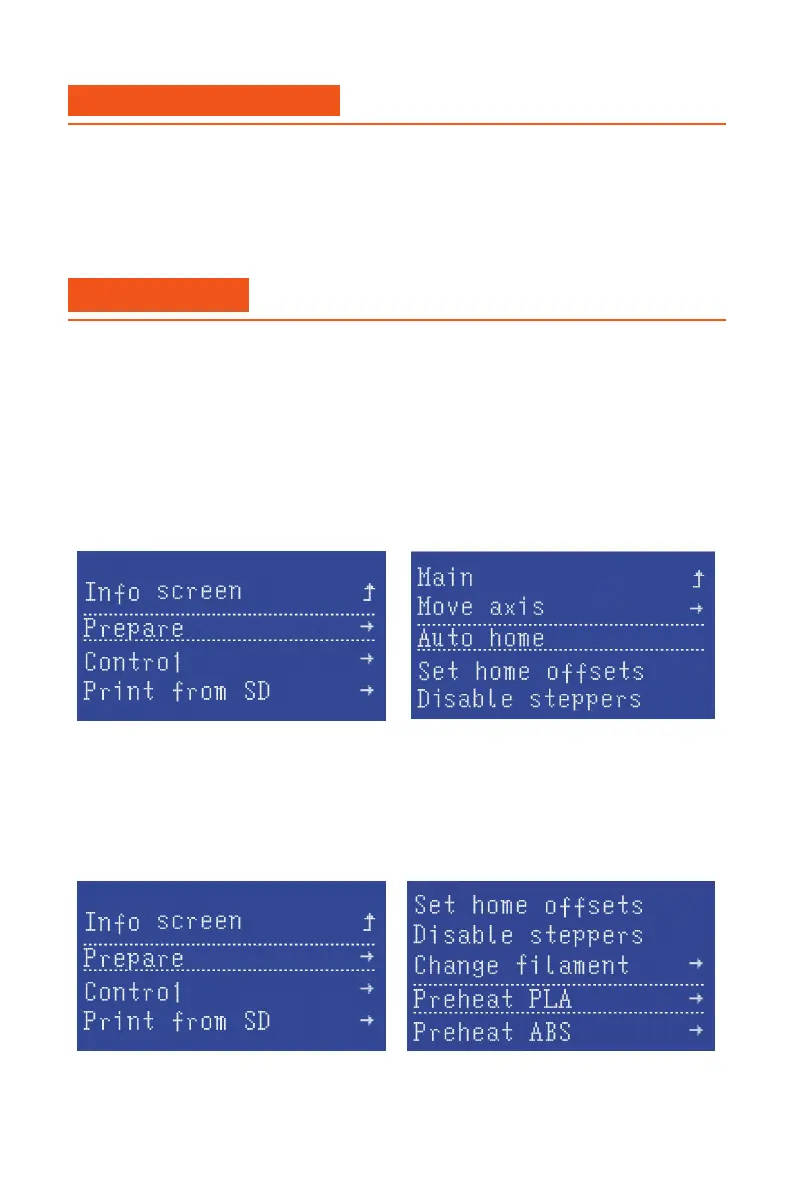
Click LCD button :
LCD→Prepare→Auto home
Then the 3d printer all axis will home all axis by hitting the limit switch.
Click LCD button:
LCD→Prepare→Preheat PLA→Preheat PLA
Then the 3d printer hotend and heated bed will heat to the correct temperature.
-Movement test
-Preheat hotend and heated bed


 To Next Page