Need help?
Do you have a question about the Eryone Thinker S and is the answer not in the manual?
Crucial safety practices for operating the printer to prevent injury or damage.
Guidelines for protecting the printer from environmental factors and safe handling.
Disclaimers regarding warranty, liability, and copyright protection.
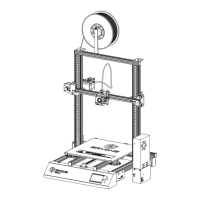
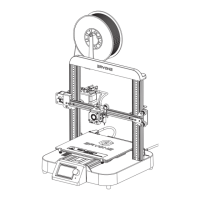
Visual guide to identifying the main components of the Eryone Thinker S 3D printer.
Step-by-step guidance for assembling the Eryone Thinker S 3D printer.
Procedures for performing essential tests like axis movement and preheating before first print.
Detailed instructions for properly inserting filament into the printer's extruder.
Ensures the gantry frame is perpendicular to the Z-axis for accurate printing.
Guides on adjusting the heated bed for optimal nozzle distance and first layer adhesion.
Instructions for installing necessary USB drivers to connect the printer to a computer.
Guides on adding and setting up the Eryone Thinker S printer within slicing software.
Details setting machine parameters like build volume and G-code in the slicer.
Specifies setting nozzle and filament diameters in the slicer for accurate prints.
Instructions for loading the dedicated printer profile into the slicing software.
Guides on adding filament material profiles to the slicer for optimized printing.
Covers importing, positioning, and scaling 3D models within the slicing software.
Details rotating models for optimal print orientation and initiating the slicing process.
Lists and describes various control options and settings accessible through the LCD menu.
Highlights the benefits of the flexible, magnetic printing surface for easy print removal.
Explains the internal components contributing to the printer's reduced noise levels.
Mentions the pre-assembled design facilitating a quick setup time of 10-20 minutes.
Discusses the printer's large build volume and quality components ensuring reliable printing.
Details the function that allows the printer to resume prints after a power interruption.
Notes the printer's support for external auto-leveling sensors through firmware updates.
Provides troubleshooting steps for a loose X carriage, focusing on tightening eccentric nuts.
Offers solutions for Z-axis movement problems, including wire checks and lubrication.
Addresses common issues where filament fails to stick to the heated bed, suggesting solutions.
Guides users on troubleshooting and fixing under-extrusion problems during printing.
Explains the Mintemp error and provides steps to check thermistor connections and wiring.
Details the Maxtemp error, its causes, and troubleshooting steps involving cable checks.
Explains the Thermal Runaway error and suggests checks for cables and heated block components.
 General
| Brand | Eryone |
|---|---|
| Model | Thinker S |
| Category | 3D Printers |
| Language | English |


 To Next Page