Page 11
Eseye | + 44 1483 802501 | +1 512-813-0599 | +27 87 551 8200 | +33 9 87 67 53 36 | +61 8 9551 5200
Eseye, AnyNet and Eseye Logos are registered trademarks of Eseye Ltd © Eseye 2017 Limited. All Rights Reserved
enquiries@eseye.com | eseye.com
3.2 Frequently Used Buttons and Phrases
The following buttons will be displayed in the top right of the relevant pages:
‘Save’, displayed on editable pages, it is necessary to click 'Save' for any changes to take
effect
‘Reset’, displayed on editable pages, click 'Reset' if you have made unsaved changes and
wish to revert to the last saved version
‘Help’, displayed on all pages, click 'Help' to show possible actions on the page, and relevant
definitions
The following button may appear on some pages:
‘Refresh’, , displayed on all pages, click refresh to get the information displayed updated
from the Hera.
Input areas can turn different colours:
Blue, this input has been verified and is acceptable
Orange this input has been verified and is not acceptable or if blank input is required before
saving
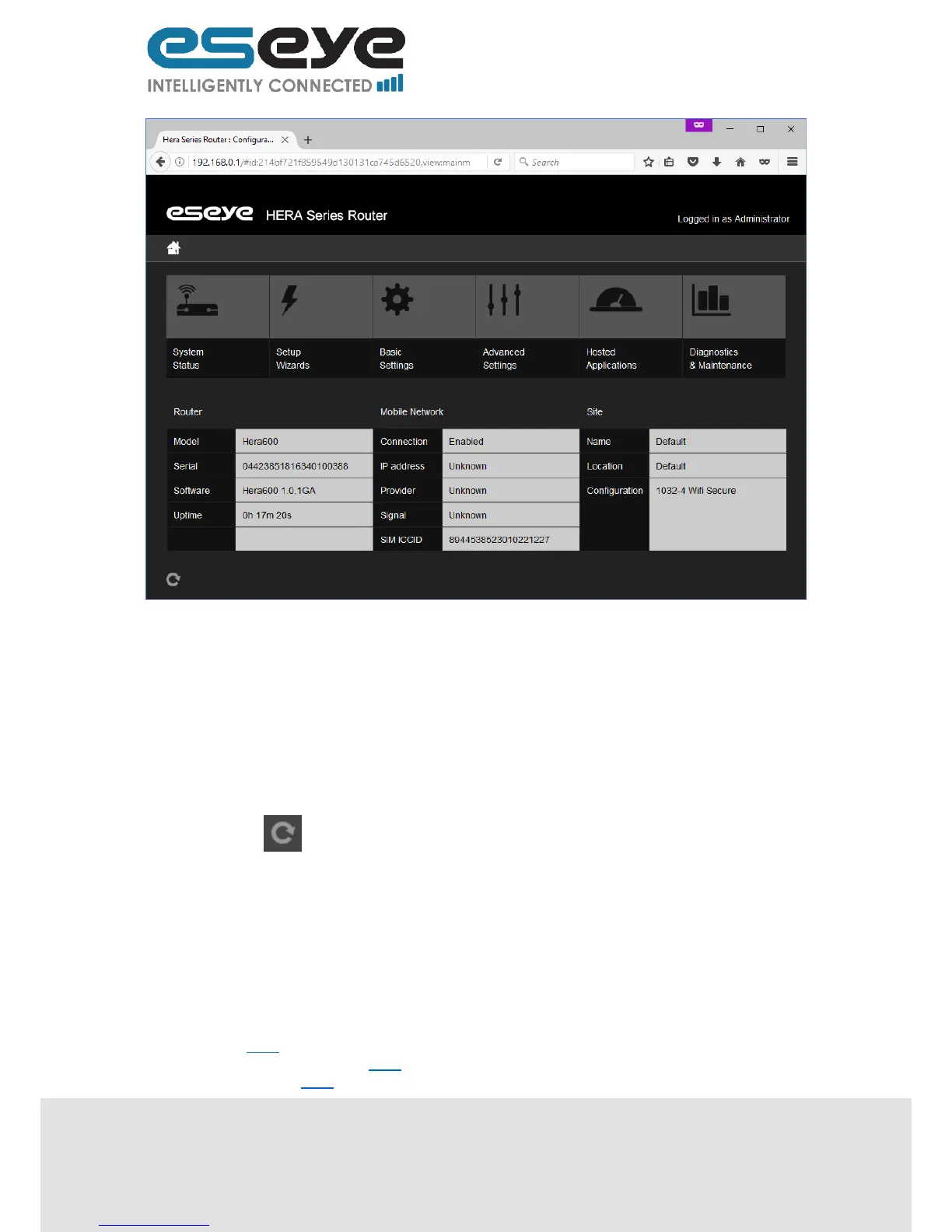
3.3 System Status
This page displays links to the pages for the following sections:
Router 3.3.1
Local area network (LAN) 3.3.2
Mobile network 3.3.3


 To Next Page