Page 16
Eseye | + 44 1483 802501 | +1 512-813-0599 | +27 87 551 8200 | +33 9 87 67 53 36 | +61 8 9551 5200
Eseye, AnyNet and Eseye Logos are registered trademarks of Eseye Ltd © Eseye 2017 Limited. All Rights Reserved
enquiries@eseye.com | eseye.com
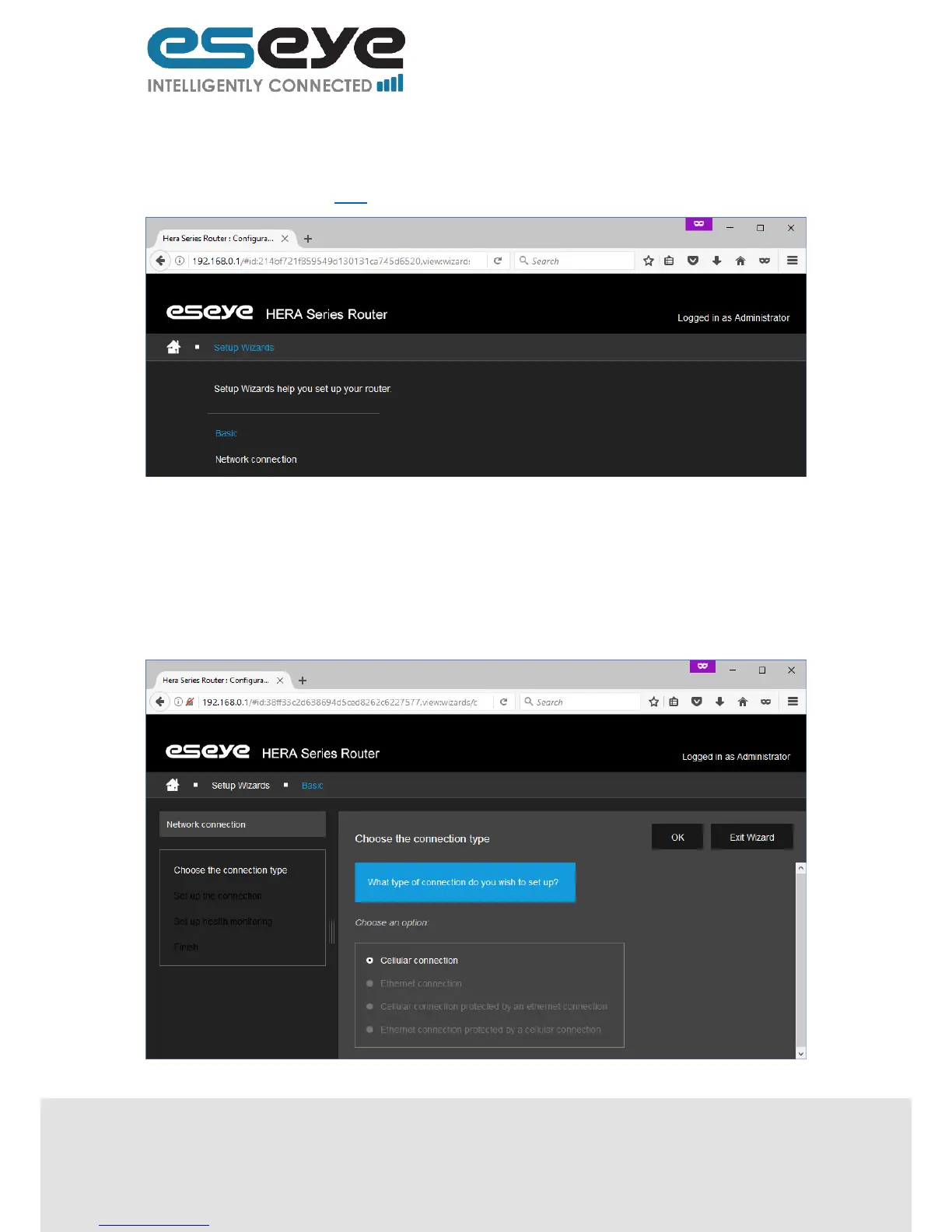
3.4 Setup Wizards
This page displays links to pages for the following sections:
Network Connection 3.4.1
3.4.1 Network Connection
For simple step by step instructions for configuring the network types listed below, follow the on-
screen wizard:
Cellular connection
Ethernet connection
Cellular connection protected by an Ethernet connection
Ethernet connection protected by a cellular connection


 To Next Page