Page 24
Eseye | + 44 1483 802501 | +1 512-813-0599 | +27 87 551 8200 | +33 9 87 67 53 36 | +61 8 9551 5200
Eseye, AnyNet and Eseye Logos are registered trademarks of Eseye Ltd © Eseye 2017 Limited. All Rights Reserved
enquiries@eseye.com | eseye.com
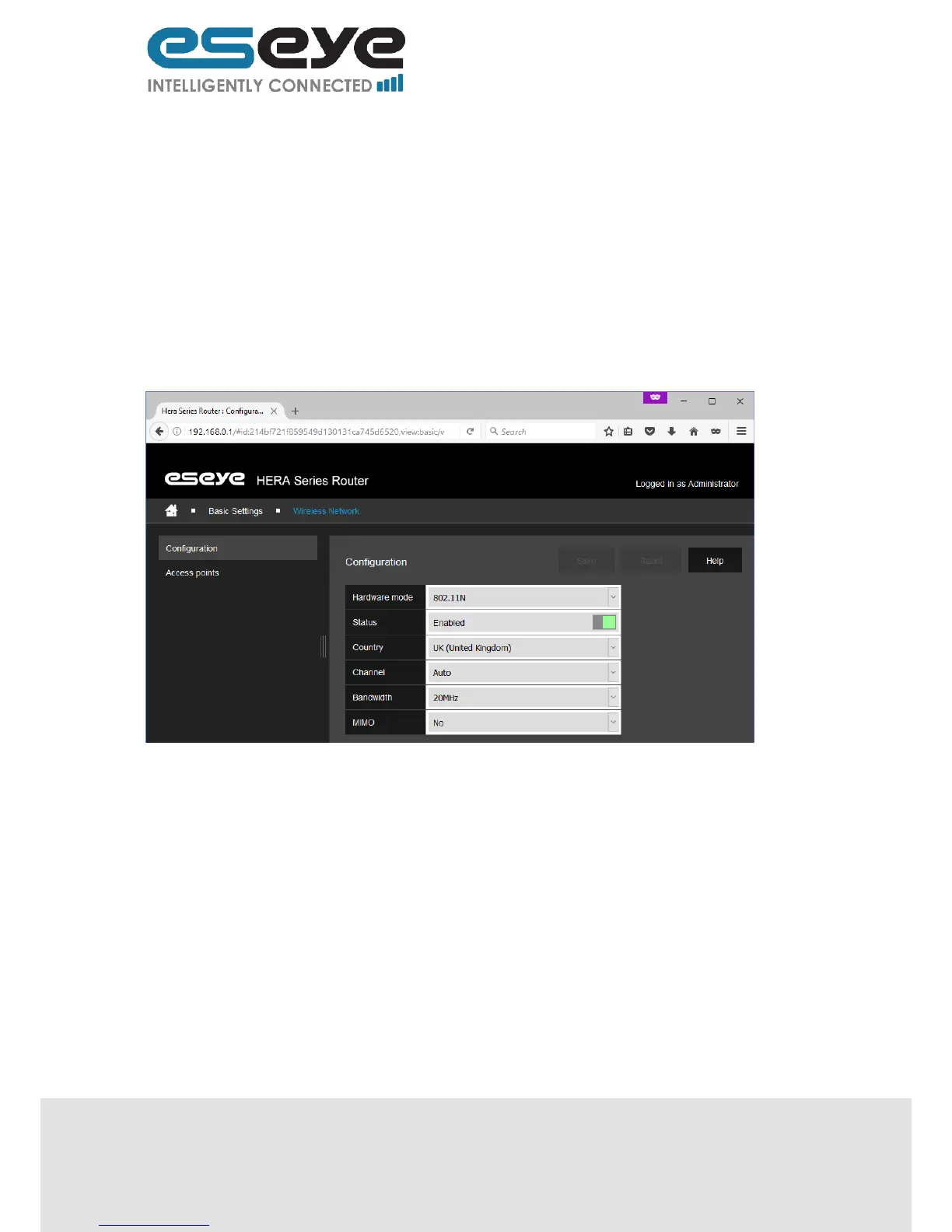
3.5.3.1 Configuration
This page displays the following editable information:
Hardware mode (dropdown menu, 5GHz options are: 802.11A and 802.11NA, 2.4Ghz options
are: 802.11B, 802.11G, 802.11N, 802.11BG, and 802.11NG)
State (switch, enabled or disabled)
Country (dropdown menu, all countries)
Channel (dropdown menu, some channels are unavailable in some countries, options are:
Auto or 1-13)
Bandwidth (dropdown menu, only applies to 802.11N, 802.11NA and 802.11NG, options are:
20MHz, 40MHz-primary channel upper (HT 40-), or 40MHz-primary channel lower (HT 40+))
MIMO (dropdown menu, only applies to 802.11N, 802.11NA and 802.11NG, options are: yes
or no)
After editing click ‘Save’.
3.5.3.2 Access Points
This page displays the following editable and read only information:
Name (read only, this is used for easy identification of the access point)
Status (switch, enabled or disabled)
Network name – SSID (text box, this is the Wi-Fi network name that other devices connect to)
SSID visibility (switch, broadcast or hidden)
Security (dropdown menu, options are: none, WEP-open system, WEP-shared key, WPA-
PSK, or WPA-PSK2)
Pass phrase or 64-character key (text box, unavailable if security is set to none, this is the
password for the other devices connected)
MAC address filtering policy (dropdown menu, options are: no filtering, white list, or black list)
Filtered MAC addresses (text box, only available if MAC address filtering policy is set to white
list or black list, MAC addresses entered are permitted or blocked depending upon it being
white or black list)
Remove (button, use to delete the row, will change to Reinstate after use, and will only
remove the row from view after clicking Save)
Promote (button, use to re-order the rows)


 To Next Page