Page 2
Eseye | + 44 1483 802501 | +1 512-813-0599 | +27 87 551 8200 | +33 9 87 67 53 36 | +61 8 9551 5200
Eseye, AnyNet and Eseye Logos are registered trademarks of Eseye Ltd © Eseye 2017 Limited. All Rights Reserved
enquiries@eseye.com | eseye.com
Thank you for choosing the
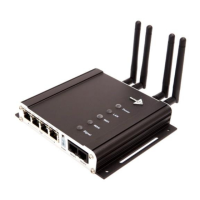
Eseye™ Dataflex Hera600 Series Router
All Eseye Dataflex products are M2M-grade and utilise the AnyNet SIM globally managed cellular
connectivity (eseye.com). Please note: there are so many different connected applications for which
this router can be deployed that not all can be included all in this document. We do however regularly
add to the suite of Hera600 Series user guides, and you need information that you do not find here
please contact support@eseye.com .
This guide has been written for use by technically competent persons with a good understanding of
the communications technologies used for 3G and Wi-Fi router products; and of the requirements for
their specific application
This document is a companion to the Quick Start guide which came with your product and describes
its features. Specifically, it will provide you with more information on how to configure your Hera600
Series device to work with your existing network infrastructure.
Eseye Dataflex Hera600 Series products are available in a range of form factors.
All models can be configured by command line (CLI), web interface (HTTP or HTTPS) or via an
approved management system such as SNMP or a TR-069 platform.
Important
The contents of this document are subject to revision without notice due to continued developments in
methodology, design, and manufacturing.
This document assumes that the Hera600 Series router is preloaded with configuration: 1032-4 Wi-Fi
Secure, if this is not the case the default LAN IP address, username, password and other elements of
may differ from this guide.
Make sure you are using the latest information by downloading the latest version of this document
from www.eseye.com


 To Next Page