Additionally, in case of cabinets equipped with refrigerating unit:
Do not cover ventilating holes located on the metal sheets that protect the frame.
Do notcover ventilation holes in metal sheets that
protect the refrigerating unit.
NOTE: The refrigerated cabinet is not designed for freezing the
products but only for storing them. Products with temperature
exceeding set-up temperature should not be placed in this device. For
example, if set-up temperature is 23°C, then all stored products should
have temperature lower or equal to 23°C.
4.4. Alteration of controller settings (thermostat)
The device may be equipped with individual controller (thermostat) that controls
operation of the device. It may also beconnected to external controller. If the device has been
equipped with a controller (thermostat) for controlling the device operation, it is built into the
control box. The controller is factory set to the optimum temperature within the range of the
device operational conditions. However, the operating temperature can be changed within the
range provided for the device.
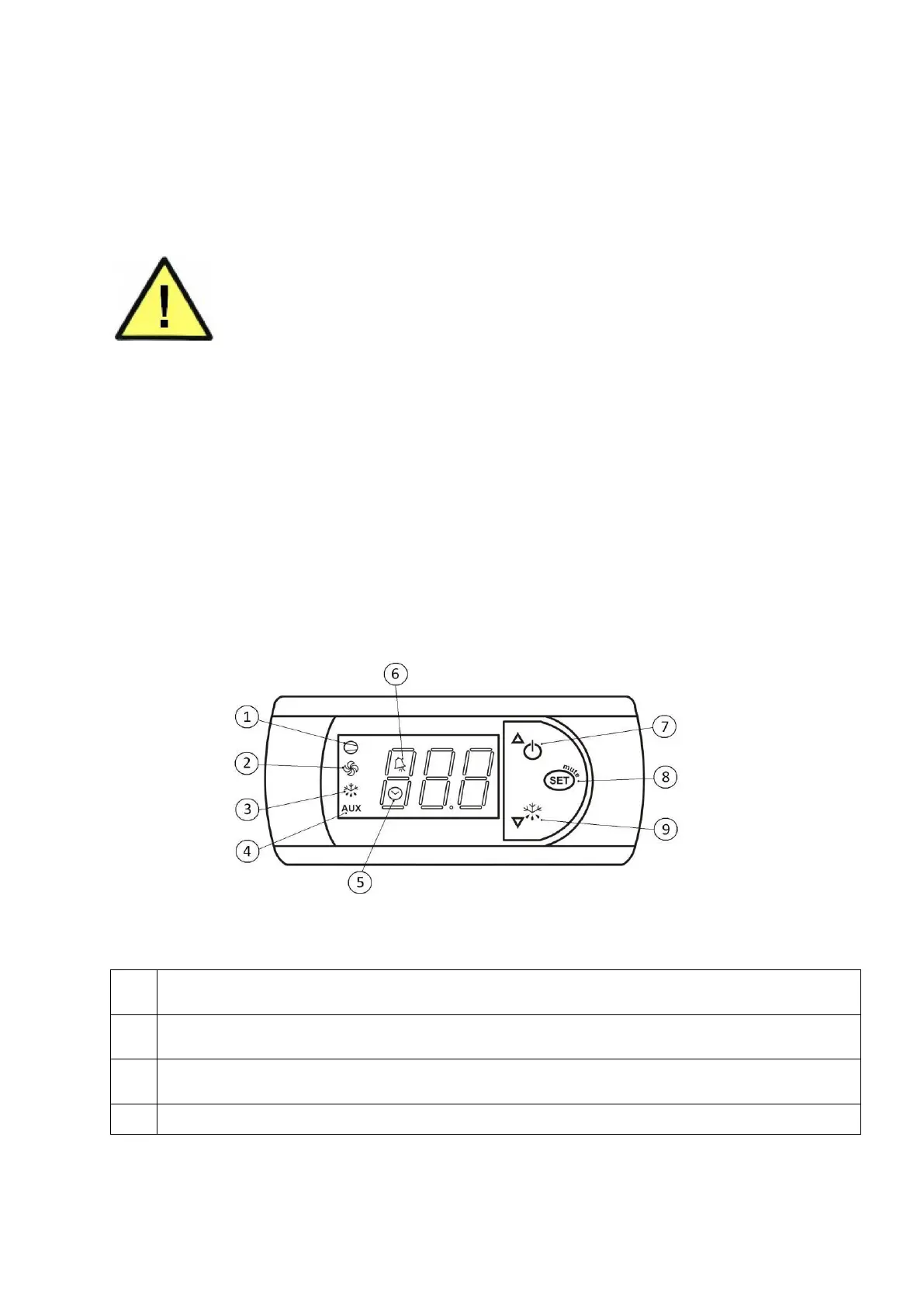
4.5. CAREL PJ EASY (PJEZC) controller description
Fig. 6 Carel controller
Description of Carel PJ EASY [PJEZC] display diode
Compressor: this symbol is visible when compressor is running. It flashes when compressor start is
delayed by a protective procedure. It flashes in the following cycle: two flashes – interruption when
continuous operation mode is active.
Fan: this symbol is visible when evaporator fans are active. It flashes when start-up of fans is delayed due to
external switch-off or in case any other mode is in progress.
Defrosting: this symbol is visible when de-frosting mode is active. It flashes when the start of defrosting is
delayed due to external switch-off or in case any other mode is in progress.
AUX: this symbol is visible when additional AUX output is active


 To Next Page