The Multicooler is a dynamic refrigerator designed for the exposition, storage, and direct sale of products, maintaining a temperature range of 0 to +4 °C. It features insulated panels on three sides and a hinged, self-closing door with double-glazed glass on the front, allowing for clear product presentation while minimizing heat loss. The device is equipped with two airtight cooling systems, each with evaporators and cold air supply ventilators to ensure consistent cooling within the usable space. Water generated during automatic defrosting is directed to a vapor container located at the back of the device. The entire cooling system is insulated with polyurethane foam.
The exhibition surface of the Multicooler consists of the device's floor, which is adapted for loading goods, and suspended shelves. The position of these shelves can be adjusted by changing the position of their holders. An internal illumination system is provided, comprising two fluorescent lamps fitted vertically on the sides of the device and an illumination panel on the ceiling. Additionally, an advertising panel with one fluorescent lamp is fitted above the door to serve as a light source.
Important Technical Specifications:
The Multicooler is available in different modules (60, 107, 162), each with varying dimensions and capacities:
- Module 60: Total length (incl. sides) 600 mm, Height 2170 mm, Width 890 mm, Usable capacity 760 dm³, Weight 152 kg.
- Module 107: Total length (incl. sides) 1070 mm, Height 2170 mm, Width 890 mm, Usable capacity 967 dm³, Weight 215 kg.
- Module 162: Total length (incl. sides) 1620 mm, Height 2170 mm, Width 890 mm, Usable capacity 1380 dm³, Weight 310 kg.
All modules operate on a supply voltage of 230 V, 50 Hz. The device type is "cooling," and it falls under temperature class 3M1 and climate class 3. The temperature range is 0 to +4 °C, using a cooling agent (refrigerant) and having a thickness of sides of 43 mm. The noise emitted by the device is 70 dB.
Power consumption varies by module:
- Module 60: Monoblock power 629 W, Lighting power 3 Quantit, Nominal power consumption 675 W, Nominal electric energy consumption 12.8 kWh/24h.
- Module 107: Monoblock power 629 W, Lighting power 3 Quantit, Nominal power consumption 680 W, Nominal electric energy consumption 12.9 kWh/24h.
- Module 162: Monoblock power 1390 W, Lighting power 3 Quantit, Nominal power consumption 1450 W, Nominal electric energy consumption 18 kWh/24h.
The device is designed for indoor use only, with ambient conditions not exceeding 60% relative humidity, +25°C ambient temperature, and an ambient air flow rate of less than 0.2 m/s.
Usage Features:
- Placement: The device should be placed on a horizontal and flat floor, away from heat sources (radiators, heaters, spotlights) and direct sunlight. If necessary, blinds or roller blinds should be used on windows. Airflow from air conditioners or integrated ventilation systems should not be directed at the device. For devices with a built-in refrigerating unit, ensure proper air supply to the evaporator and maintain a minimum distance of 80 cm (parameter A) from surrounding objects.
- Electrical Connection: The device requires a 230 V, 50 Hz alternating power supply. If equipped with a power cable and plug, it must be inserted into a socket with a protective pin (earthing) and secured with a suitable 15 A time-delay cut-out. Only one device should be connected to a single fuse. The socket should not be covered by the device. All other electrical connections must be performed by authorized and qualified personnel, complying with all general (EU) and local (national) regulations to prevent electrical shock or accidents.
- Controller Operation: The device is equipped with an individual controller (thermostat) for operation control, factory-set to optimum temperature. Users can alter the operating temperature within the device's operational range.
- Carel PJ Easy (PJEZC) Controller: Displays symbols for compressor activity, evaporator fans, defrosting mode, and auxiliary output. Alarms are indicated by codes such as "E0" (adjustment detector damage), "E1" (evaporator or product detector damage), "dOr" (open-door alarm), "L0" (low-temperature alarm), "HI" (high-temperature alarm), "cht" (contaminated condenser alarm).
- Eliwell IDPlus 974 Controller: Displays symbols for compressor activity and defrosting mode. Alarms include "AH1" (maximum temperature alarm), "AL1" (minimum temperature alarm), "EA" (external alarm), and "Opd" (open door alarm).
- Manual Defrosting: For refrigerating units, automatic defrosting is programmed. Manual defrosting can be activated by pushing and holding the DOWN/DEFROST button for more than 3 seconds.
- Product Display: When stocking, care must be taken not to throw goods into the display case or exceed the load limit specified in the technical specifications. Products should be placed with at least 10 mm spaces between them on the display area and should not protrude from shelf edges or cover air inlets and outlets. Inappropriate stock replenishment can disturb air circulation and affect unit operation.
- Safety: Entering or climbing onto the upper part of the unit is forbidden. Special care is required when handling glass elements to avoid injury. Storage of flammable, hazardous materials, explosives, aerosol cans, or flammable propellant cans in the device is strictly prohibited. If the refrigerant is suspected to have leaked, ventilate the room.
Maintenance Features:
- Cleaning: Before first use, the device should be thoroughly cleaned inside and out with a mild, non-toxic, and non-caustic detergent. All surfaces must be carefully dried, and the water container emptied.
- Regular Cleaning: Perform cleaning activities every 3 months. This involves turning off the display case, emptying it, waiting for it to reach ambient temperature, removing all product residues, inspecting and removing impurities from the water drainage, washing external surfaces with a mild detergent and soft cloth, and then drying. After cleaning, turn on the unit as per start-up guidelines.
- Condenser Cleaning: For devices with an integrated refrigerating unit, the condenser's cleanliness should be checked at least once a month. Dust and impurities blocking airflow from the condenser ribs should be removed using a soft brush or a vacuum cleaner. This is crucial to prevent frequent failures or malfunctions.
- Automatic Defrosting: The controller automatically manages defrosting. Water from defrosting flows to drainages at the bottom of the unit and then to the drainage system. During defrosting, the internal temperature may rise above zero, which is normal and does not affect frozen products. Condensation on internal surfaces, especially door glass, is a typical effect that will abate after defrosting. A total de-frosting should be carried out once a week. Sharp objects should never be used to remove excess ice during defrosting.
- Troubleshooting: In case of malfunction, first check for continuous power supply, an undamaged electrical system, proper unit adjustment, a clean and uncovered condenser, properly arranged products, undisturbed airflow, and whether defrosting is in progress. If the cause is not determined, turn off the unit and contact an authorized service point.
- Lighting Item Replacement: For units with fluorescent lamps, damaged lamps can be replaced by the user. This involves disconnecting the unit, removing the lamp cover, rotating and removing the old lamp, inserting a new one, rotating it to fit, and turning on the unit. Only fluorescent lamps conforming to manufacturer recommendations should be used. If double-shelter fluorescent lamps were used, they must be replaced with identical items. A starting switch (if applicable) should also be exchanged. For LED lighting, replacement must be ordered through an authorized service point.
- Disposal: At the end of its design life, the device must be disposed of according to local rules and regulations. Professionals should be contacted for advice on disposing of harmful and recyclable substances.

 Need help?
 General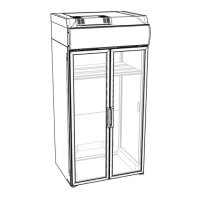

 To Next Page
