4.5.2. Temperature settings control
Temperature was previously set by the manufacturer to optimal value on the basis of
operational range which is designed for a particular unit.
The user may alter operational temperatures only within operational temperature range.
Temperature ranges are specified in a table in section 2.
The temperature change procedure can be activated as follows:
Pushand hold SET button until the temperature value flashes. Use the UP and DOWN
buttons to determine the limit operational temperature from among available temperature
range. To confirm pressSET button.If you do not confirm within 15 seconds, the settings
will return to previously set values.
Refrigerating units:
In case of refrigerating units, automatic defrosting has been programmed. If necessary
„manual de-frosting”may be carried out.
Procedure for manual de-frosting may be activated as follows:
During normal operation, push and hold DOWN/DEFROST button for more than 3
sec. and it will cause activation/disactivation of manual de-frosting mode.
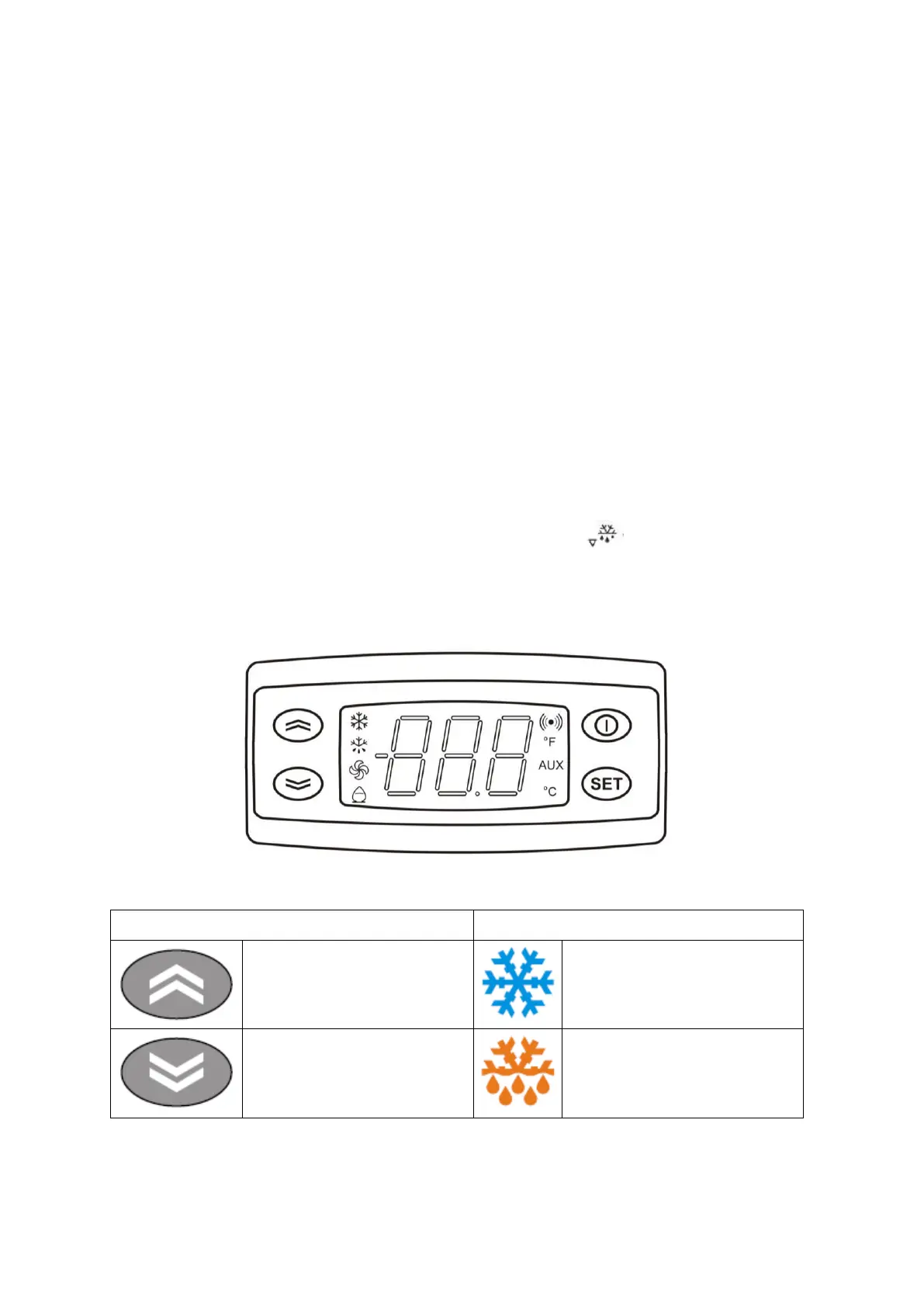
4.6. ELIWELL IDPlus 974 controller
description
Fig. 7 Eliwell controller
Description of the display LEDs
“UP” button
Increases the parameter value
.
Activates manual defrosting.
Compressor
Is lit when the compressor is on. Flashes
when parameters related to delay or
protection of compressor are activated.
“DOWN” button
It is used for parameter change and
value decrease
.
Defrost
Is lit during automatically
activated
de-frosting mode. It flashes when the
defrosting mode is activated manually.


 To Next Page