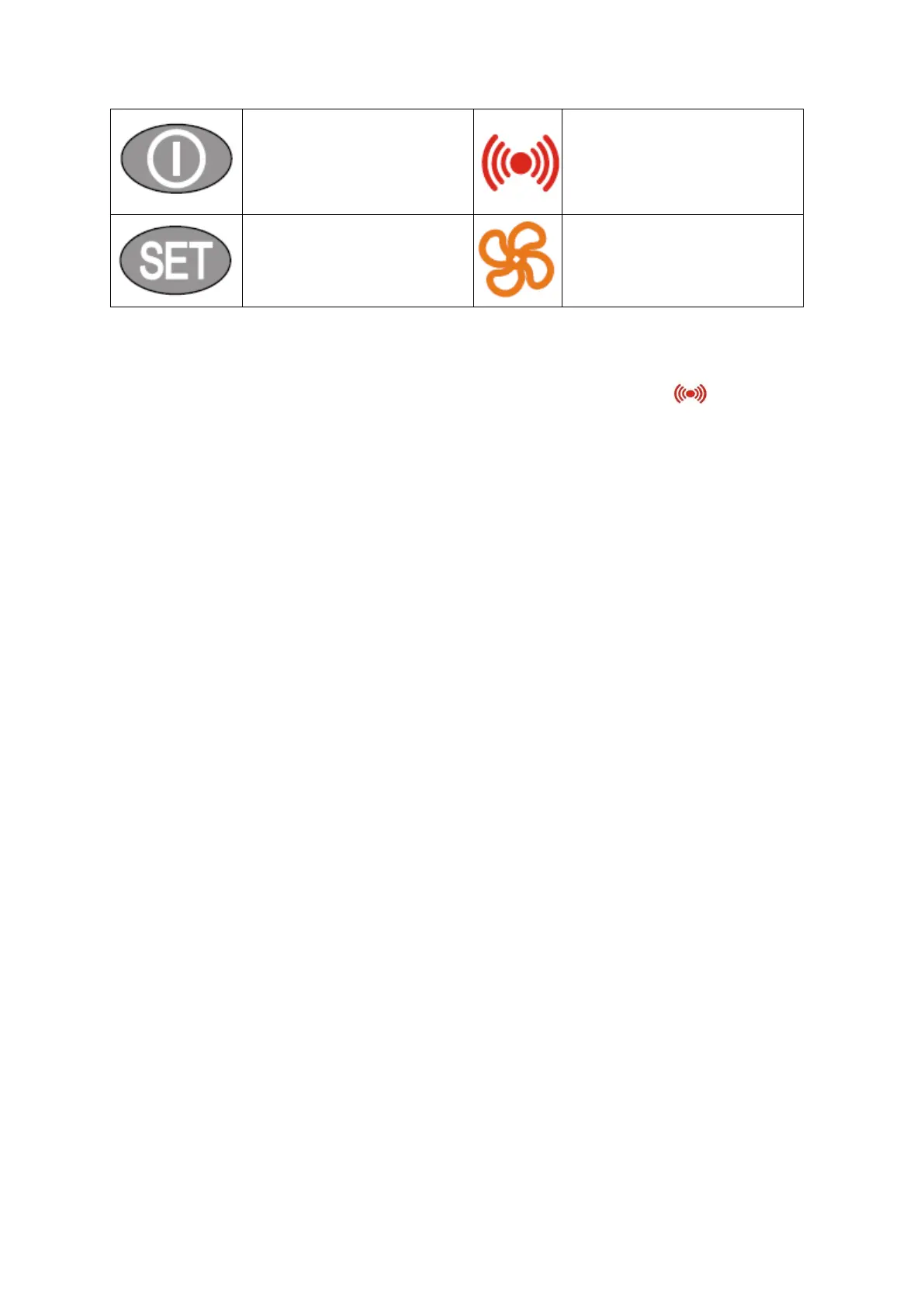
“STAND-BY” (ESC) button
Escape
Return to previous menu level.
Confirmation of parameter value.
Activation of stand-by mode (par.
H08).
Alarm
Is lit when the alarm is active. Flashes
when the alarm is muted.
“SET” button
Alarm display (when
activated)
Entering basic menu. Entering
the programming menu.
Fan
Is lit when the fan is running.
4.6.1. Displayed messages
In case of alarm, the user is informedthrough operation of the diode or buzz (if
applicable). When the "SET" button is pressed
(if alarm is activated), the display shows"AL"; when "SET" button is pushed down again, ,
following messages will be displayed "AH1", "AL1", "EA" or "Opd" meaning
appropriately:
maximum temperature alarm "AH1" - exceeding the
maximum set temperature;
minimumtemperature alarm "AL1" - exceeding the minimum set temperature;
external alarm "EA" – other set alarms;
! open door alarm"Opd" – when the door open time limit has been exceeded
Additionally, following alarms may be directly displayed :
E2 - defrosting temperature sensor damage
4.6.2. Temperature settings control
Temperature was previously set by the manufacturer to optimal value on the basis of
operational range which is designed for a particular unit.
The user may alter operational temperatures only within the operational temperature range.
Temperature ranges are specified in a table in section 2.
The temperature change procedure can be activated as follows:
Press the SET button twice and then select the defrosting limit temperature using the UP and
DOWN buttons. Confirm this operation by pressing the STAND-BY button twice
Refrigerating units:
In case of refrigerating units, automatic defrosting has been programmed. If necessary
"manual de-frosting"may be carried out
.
The manual defrosting procedure can be activated as follows:


 To Next Page