EasyManua.ls Logo

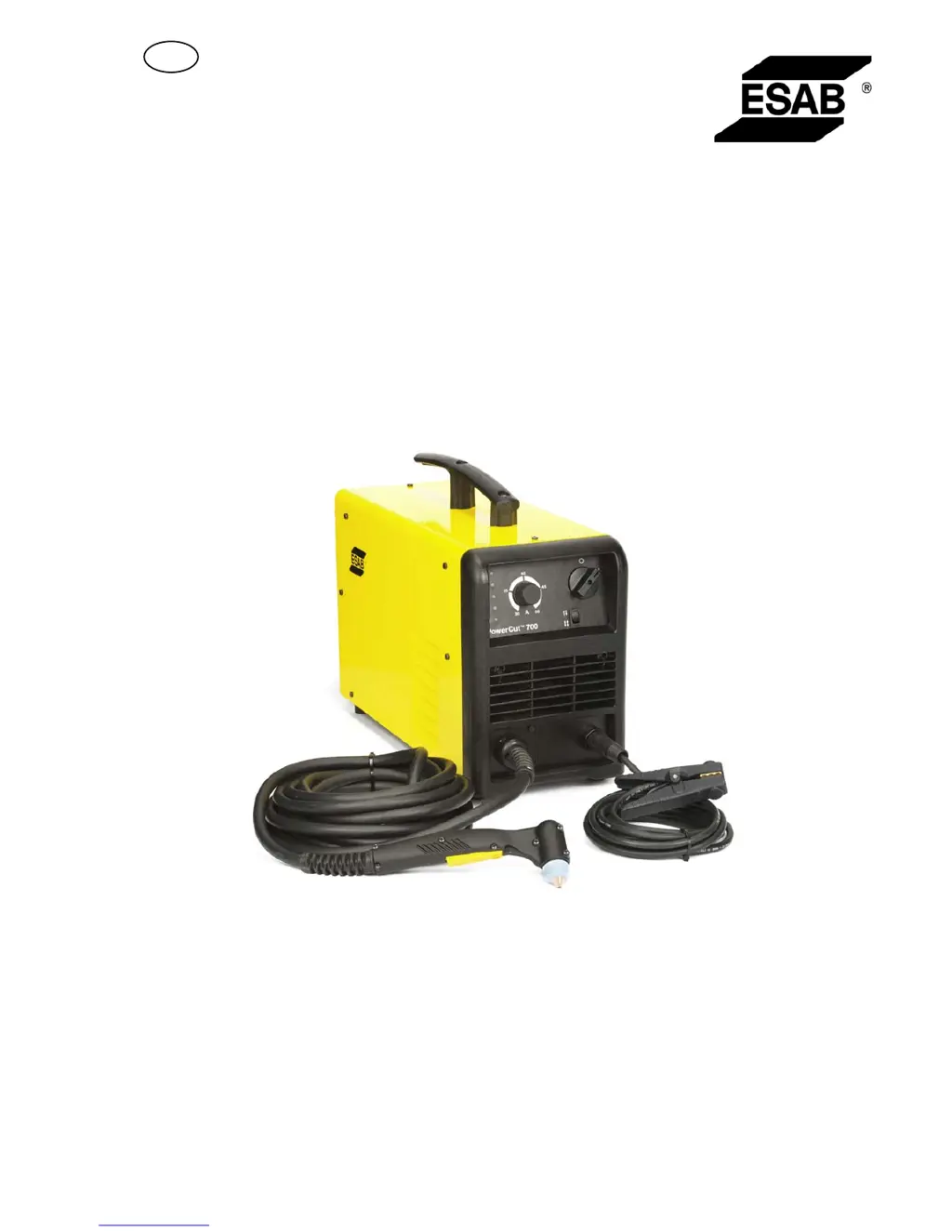
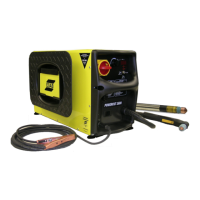
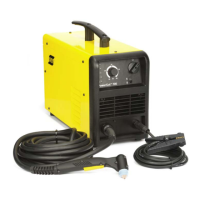
ESAB PowerCut 700 PT-39 - User Manual

ESAB PowerCut 700 PT-39
30 pages
Print Icon
To Next Page IconTo Next Page
Loading...
GB
Valid for serial no. 145-xxx-xxxx0463 339 001 GB 20121125
PowerCutâ„¢ 700
PT-39
Instruction manual

Questions and Answers

  • J
    jasonthomasAug 14, 2025
    Why does the arc disappear during cutting with my ESAB PowerCut 700 PT-39?
    • C
      Cody RileyAug 15, 2025
      If the arc disappears during cutting with your ESAB Welding System, several factors could be at play. First, worn torch parts may be the culprit, so inspect the torch and replace any worn parts. Overheating can also cause this issue; check if the yellow OVER TEMPERATURE LED is lit and allow the unit to cool down. Insufficient air pressure could be another reason; check the yellow AIR PRESSURE LED and increase pressure if needed. Finally, low voltage on the incoming line might be the cause, so ensure the incoming line is adequate.
  • C
    Cory HickmanAug 18, 2025
    What to do if the thermal switch trips during cutting with ESAB PowerCut 700 PT-39 Welding System?
    • S
      Sheila GutierrezAug 18, 2025
      If your ESAB Welding System's thermal switch trips during cutting, it may be due to the power source requiring more power than is available from the incoming line. Try reducing the cutting current using the front panel command or shortening your cutting time. Also, avoid using other appliances on the same line to prevent overloading the circuit.
  • A
    Alyssa PerezAug 21, 2025
    What to do if the orange FAULT LED remains lit on my ESAB PowerCut 700 PT-39 Welding System?
    • H
      harrismartinAug 21, 2025
      If the power source of your ESAB Welding System is on, but the orange FAULT LED remains lit, it indicates that the power source is not enabled. This can happen if a safety switch or cover has been activated. Ensure that the consumables are correctly placed and tightened, and verify that the side panel (torch connector inspection side) is properly closed.
  • A
    Annette GarciaAug 25, 2025
    Why is the yellow AIR PRESSURE LED lit on my ESAB Welding System?
    • J
      Johnny HolmesAug 25, 2025
      If the power source of your ESAB Welding System is on, but the yellow AIR PRESSURE LED remains lit, it indicates that the air pressure is low or no air is present. Increase the air pressure or check if air is supplied to the system.
  • A
    albert79Aug 28, 2025
    What to do if pilot is working but there is not sufficient current for cutting with ESAB PowerCut 700 PT-39 Welding System?
    • L
      Laura OrrAug 28, 2025
      If the pilot is working but there is not sufficient current for cutting with your ESAB Welding System, check the earth clamp to ensure it has good contact with the workpiece. Also, inspect the connection of the positive pole at the torch cable to the socket, including the internal connections.
  • N
    Nicholas MurphyAug 31, 2025
    Why is the yellow OVER TEMPERATURE LED on my ESAB Welding System still lit?
    • D
      Dustin MillsAug 31, 2025
      If the power source of your ESAB Welding System is on, but the yellow OVER TEMPERATURE LED remains lit, it means the power source is still overheated. Allow it to cool down, which will happen faster if the fan is on. Switch on the power source and wait a few minutes before resuming work. If the issue persists, the thermal switch may be faulty, and you should contact authorized service technicians.
  • E
    ericahartSep 3, 2025
    How to fix non-perpendicular cuts with my ESAB PowerCut 700 PT-39?
    • A
      Alexandra CookSep 3, 2025
      If the cut is not perpendicular when using your ESAB Welding System, the electrode or nozzle may be worn. Replace both the electrode and the nozzle to resolve this issue.
  • G
    George TurnerSep 7, 2025
    Why is the yellow PIP LED lit on my ESAB Welding System?
    • B
      Brandon ValdezSep 7, 2025
      If the power source of your ESAB Welding System is on and the yellow PIP LED remains lit, it indicates a parts-in-place error. Ensure that all consumables are correctly placed and properly tightened.
  • L
    leebradSep 12, 2025
    How to troubleshoot power LED not lighting on ESAB PowerCut 700 PT-39 Welding System?
    • A
      alexjohnsonSep 12, 2025
      If the green LED (power) does not light up when the ON/OFF switch of your ESAB Welding System is in position 1, it indicates that there is no power present or the circuit breaker has tripped. Check the power supply and the breaker.

Summary

SAFETY

TECHNICAL DATA

INSTALLATION

Primary power supply

Details on connecting the correct mains voltage and fuse rating.

OPERATION

Control devices

Explains the various controls and indicators on the equipment panel.

Cutting

Detailed procedure for performing plasma cutting operations.

MAINTENANCE

TROUBLESHOOTING

Troubleshooting guide

A guide to identify and resolve common faults and issues.

ESAB PowerCut 700 PT-39 Specifications

General IconGeneral
Input Frequency50/60 Hz
Protection ClassIP23
Duty Cycle60% at 70 A
Cutting Capacity25 mm
Weight25 kg (55 lbs)
Dimensions21.3 in x 10.6 in x 16.9 in

Related product manuals