-
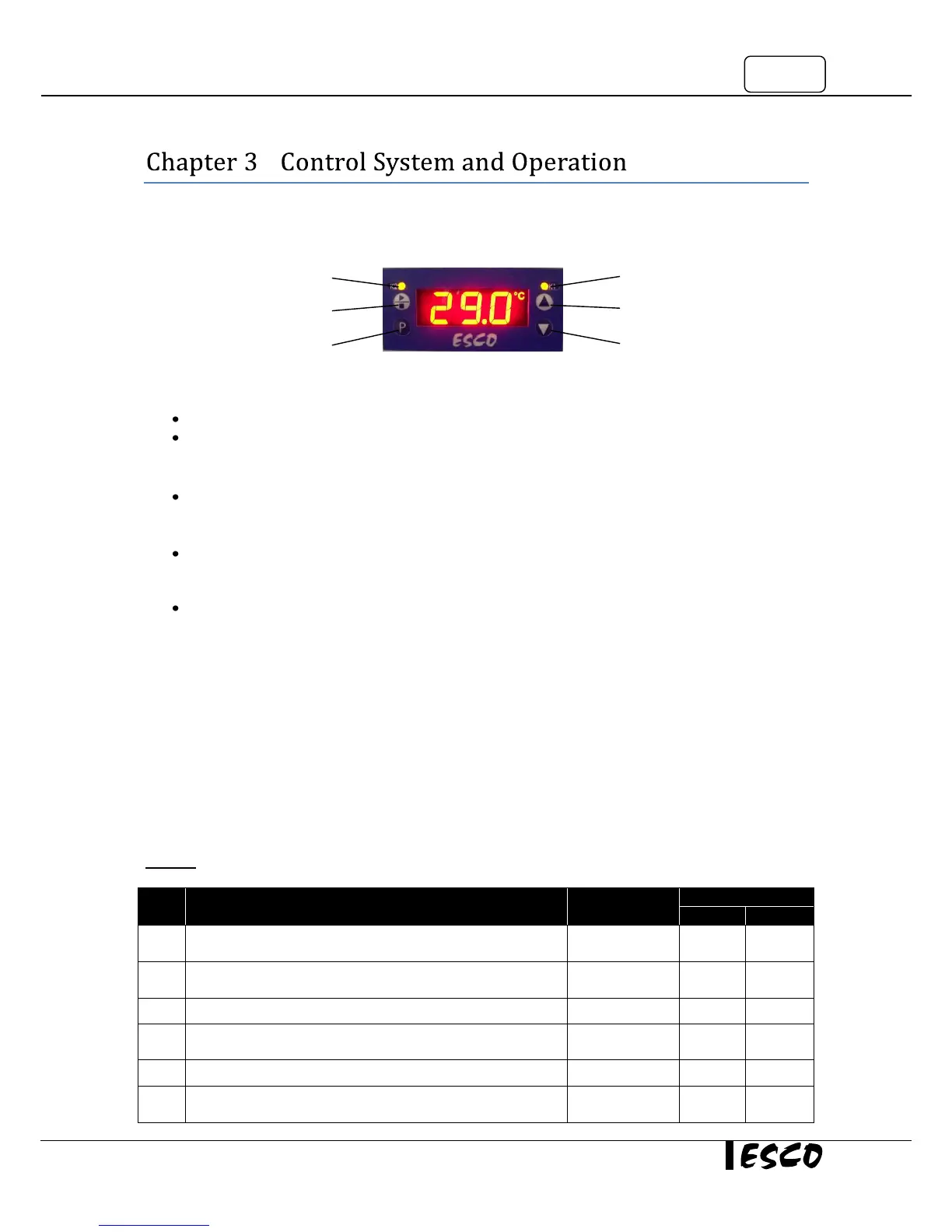
3.1 Freezer Control System
LED K1, K2
LED K2 lit up when respective relay connected to high/low temperature alarm energized
LED K1 lit up when the respective relay connected to 1
st
stage compressor energized
START/STOP Button
To start/stop the freezer operation
PROGRAMMING (P) button
To set up freezer’s programming
UP and DOWN button
To increase or decrease a value in the menu options
3.2 Temperature Offset Calibration
The control probe may need to be calibrated once the unit has passed the stabilization period. A good
laboratory practice would require at least annual calibration check.
Calibrating the Control Probe
Place a calibrated temperature recording instrument next to the PT100 sensor located inside the sensor cover
at the bottom right corner of the cabinet. Allow the freezer to stabilize for at least 2 hours if the unit has been
in service or at least 12 hours if the freezer is being started up for the first time. Compare the calibrated
temperature reading to the freezer display temperature. The offset value is determined by the difference
between the two readings.
Warning: It is imperative that only properly calibrated reference instruments should be used for calibration



 To Next Page