17
Chapter 4 • Operation :
4.5 Buzzer Setup:
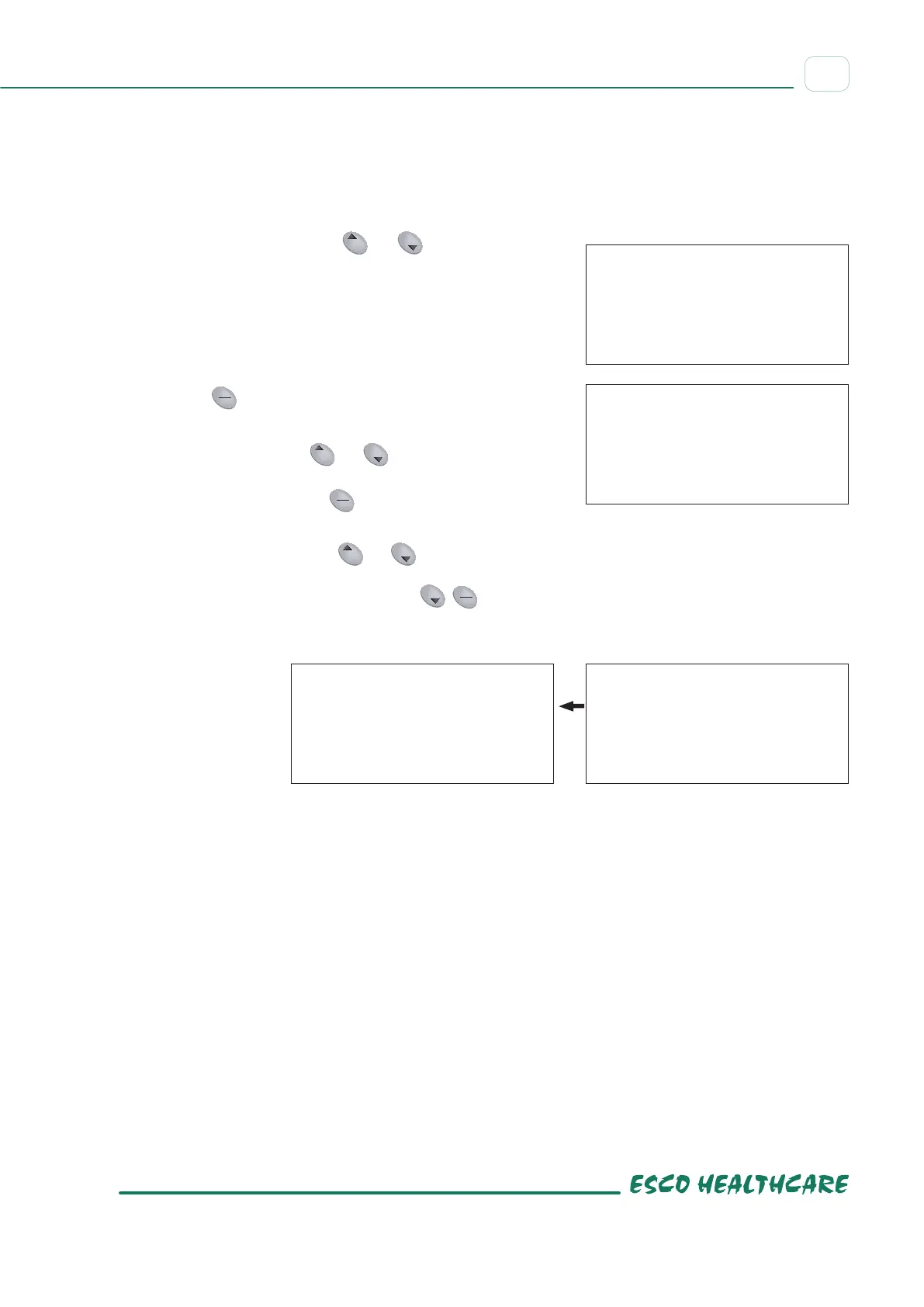
A – When a program has ended, or in case of an instrument failure, an alarm will sound. This can be disabled.
The default setting is ON.
B – This instrument keyboard can beep when buttons are pressed. This can be disabled. The default setting is
ON.
a) Simultaneously press both
Temp Time
Speed
TimeTemp
Prog
Speed
Start
Stop
Short
and
Temp Time
Speed
TimeTemp
Prog
Speed
Start
Stop
Short
The display will show
On, Beep
b) Press
Temp Time
Speed
TimeTemp
Prog
Speed
Start
Stop
Short
once to change ON to OFF.
c) Simultaneously press
Temp Time
Speed
TimeTemp
Prog
Speed
Start
Stop
Short
and
Temp Time
Speed
TimeTemp
Prog
Speed
Start
Stop
Short
to save the setting.
The display will show the keyboard beep status. The display
will show On K_S. Press
Temp Time
Speed
TimeTemp
Prog
Speed
Start
Stop
Short
to change ON to OFF.
d) Simultaneously press both
Temp Time
Speed
TimeTemp
Prog
Speed
Start
Stop
Short
and
Temp Time
Speed
TimeTemp
Prog
Speed
Start
Stop
Short
to save the setting. The
keyboard beep will be disabled.
If you want to exit during set up, press
Temp Time
Speed
TimeTemp
Prog
Speed
Start
Stop
Short
Temp Time
Speed
TimeTemp
Prog
Speed
Start
Stop
Short
. The setting
will be disabled.
ON
BEEP
OFF
BEEP
ON
Y_S
OFF
Y_S


 To Next Page