Introduction
Introduction
PRODUCT SERVICE AND SUPPORT
For any questions about operating or installing this new Escort product, please contact us rst so
that we can answer your questions or resolve any issues. Our product support experts will do their
best to ensure you are completely satis ed with your product. The contact information for Escort will
vary depending on the country in which you purchased and utilize the product. For the latest contact
information, please go to www.escortradar.com/support
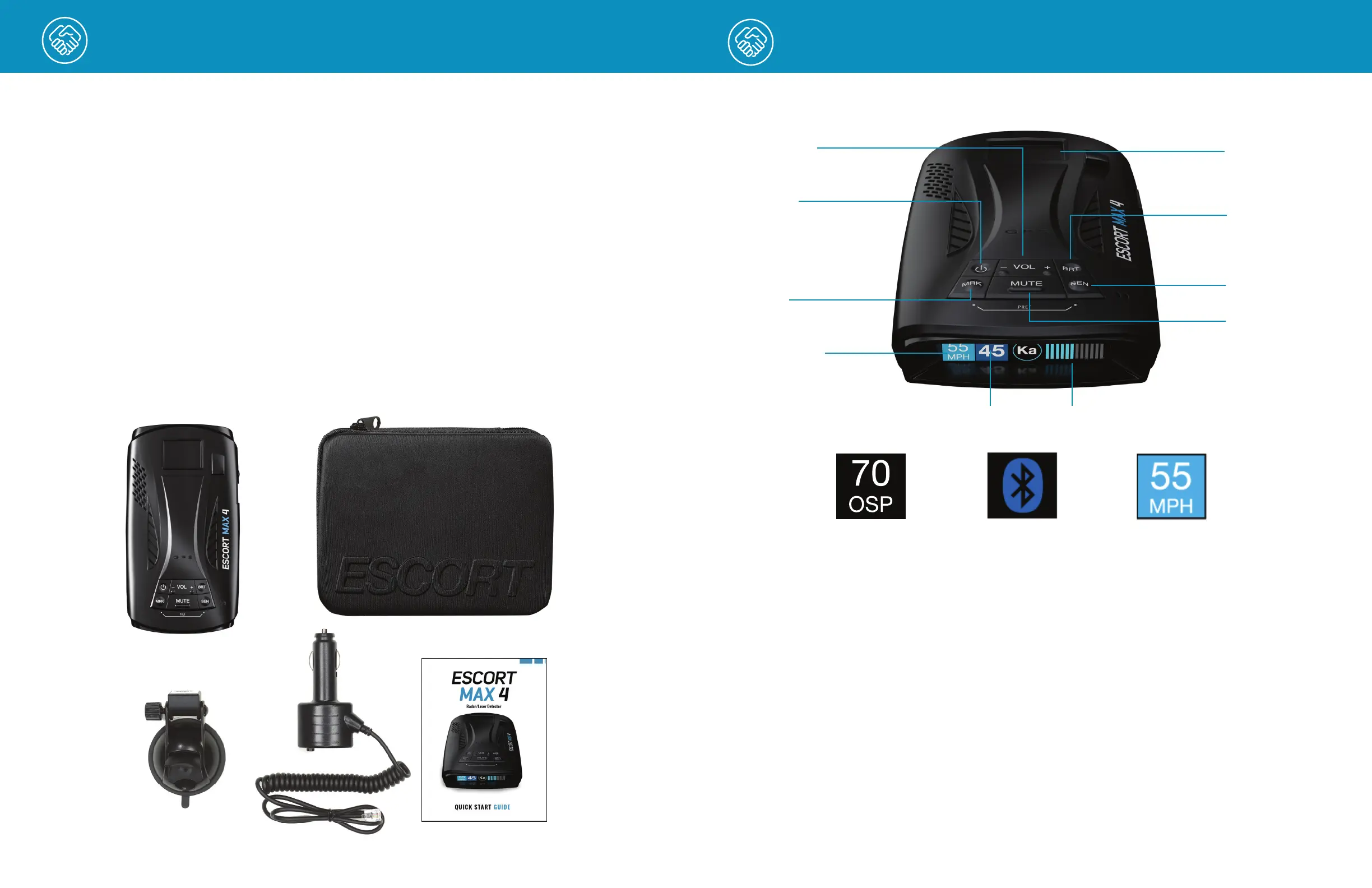
WHAT’S IN THE BOX
• MAX 4
• SmartCord
®
USB
• EZ Mag Mount
™
• Carry Case
• Quick Start Guide
3 4
CONTROLS & FEATURES
EZ Mag Mount™
Area
Power
Mark
Sensitivity
Mute
Alert Area
Brightness
SENSITIVITY MODES
The SEN button selects radar sensitivity/range.
The choices are:
Highway – Full sensitivity.
Auto – Reduces X and K band sensitivity based
on the speed of the vehicle.
AutoNoX – Same as Auto but without X band
detection.
AutoLoK – Same as Auto but with lowered
K band sensitivity at all times.
FALSE ALERT FILTERING
MAX 4 is designed to provide you with the most
accurate alerts and to minimize the distraction of
false alert signals from xed-location and moving
sources.
• Adjustable Sensitivity: allows you to adjust
detection sensitivity to your driving environment,
reducing false alerts from xed location sources
such as automatic door openers. Auto modes
automatically adjust detection sensitivity based on
your vehicle speed.
• IVT Filter: automatically reduces false alerts
from moving In-Vehicle Technology sources
such as collision avoidance systems and
adaptive cruise control.
Volume
Overspeed
Setting
Current Speed/
Vehicle Voltage
Over Speed
Alert Setting
Bluetooth
®
is connected
to smartphone
Speed Limit data from
Driver Smarter
®
, “--“
means no data is available


 To Next Page