Installation
8
Operation
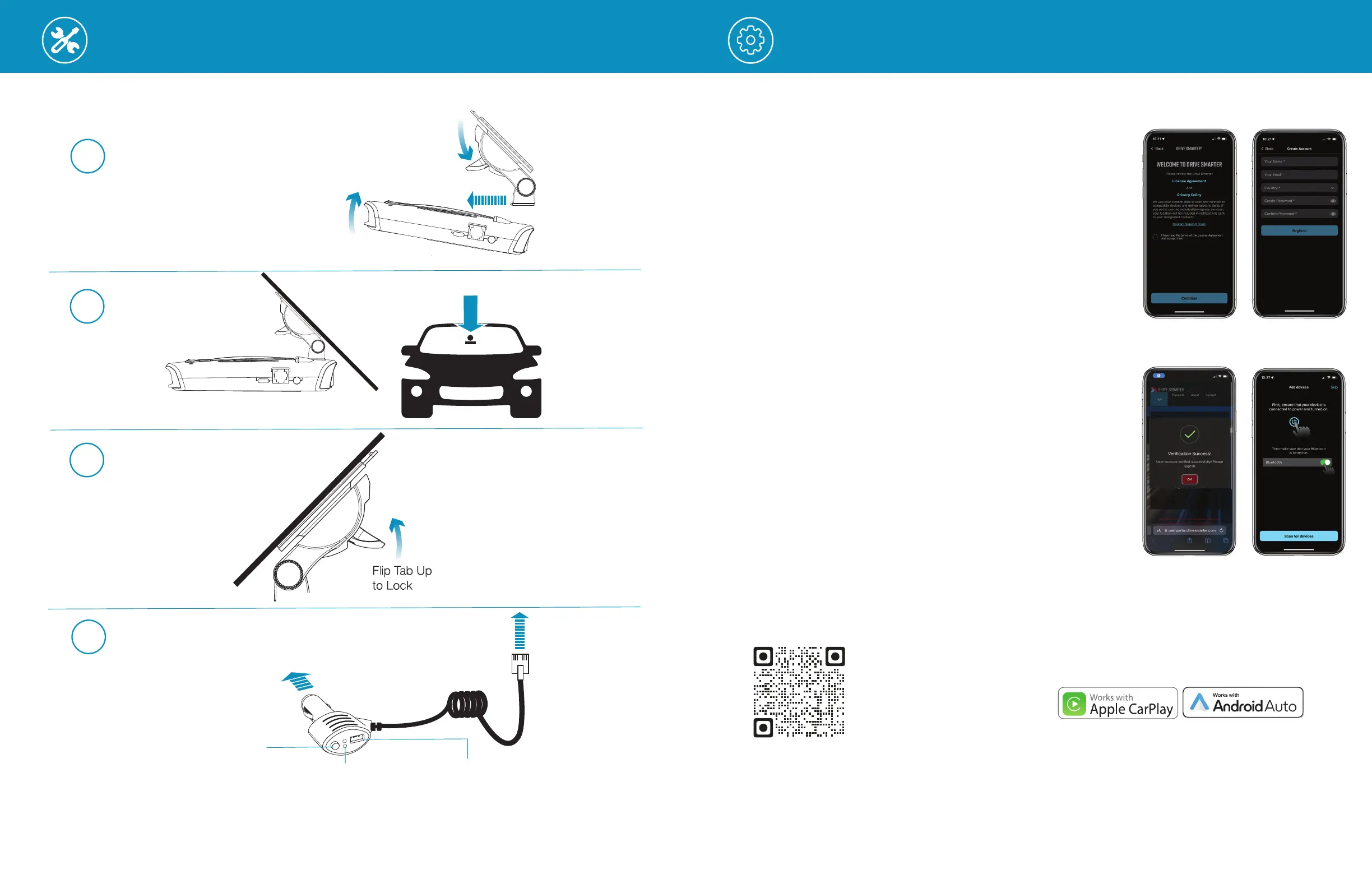
Attach EZ Mag Mount
™
to MAX 4
MAX 4
Lock Mount
Connect and Power
To 12V Power Source
1
4
3
Flip Tab Down
Mount
2
To MAX 4 Power Port
Alert & Power LEDs
Blinks red when receiving
a radar or laser alert
2A USB Port
Charge smartphones, tablets
and other USB-charged devices
Mute Button
Press to mute the audio for a
specific alert, lock or unlock a false
alert or manually report to other
users a verified X or K-band and
other alerts when connected to
®
Windshield Surface
Windshield Surface
7
DOWNLOAD AND CONNECT TO DRIVE SMARTER
®
1 Power on MAX 4.
2 Install and run the Drive Smarter
®
app on your smartphone.
3 If you’re using Drive Smarter
®
for the rst time, you will be
prompted to set up an account.
4 Fill in your account information within the “Create Account”
screen and click “Register”.
5 A message will be sent to the email address speci ed in your
account set up, which will verify your new account.
6 Be sure Bluetooth
®
is actived on your smartphone. In the
Drive Smarter
®
app, press the Account button then select
“Add devices”.
7 Follow the prompts in the Drive Smarter
®
app to connect
MAX 4.
Download
Drive Smarter®


 To Next Page