Introduction
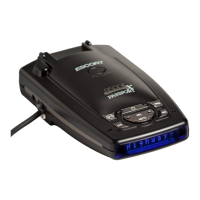
CONTROLS & FEATURES
5
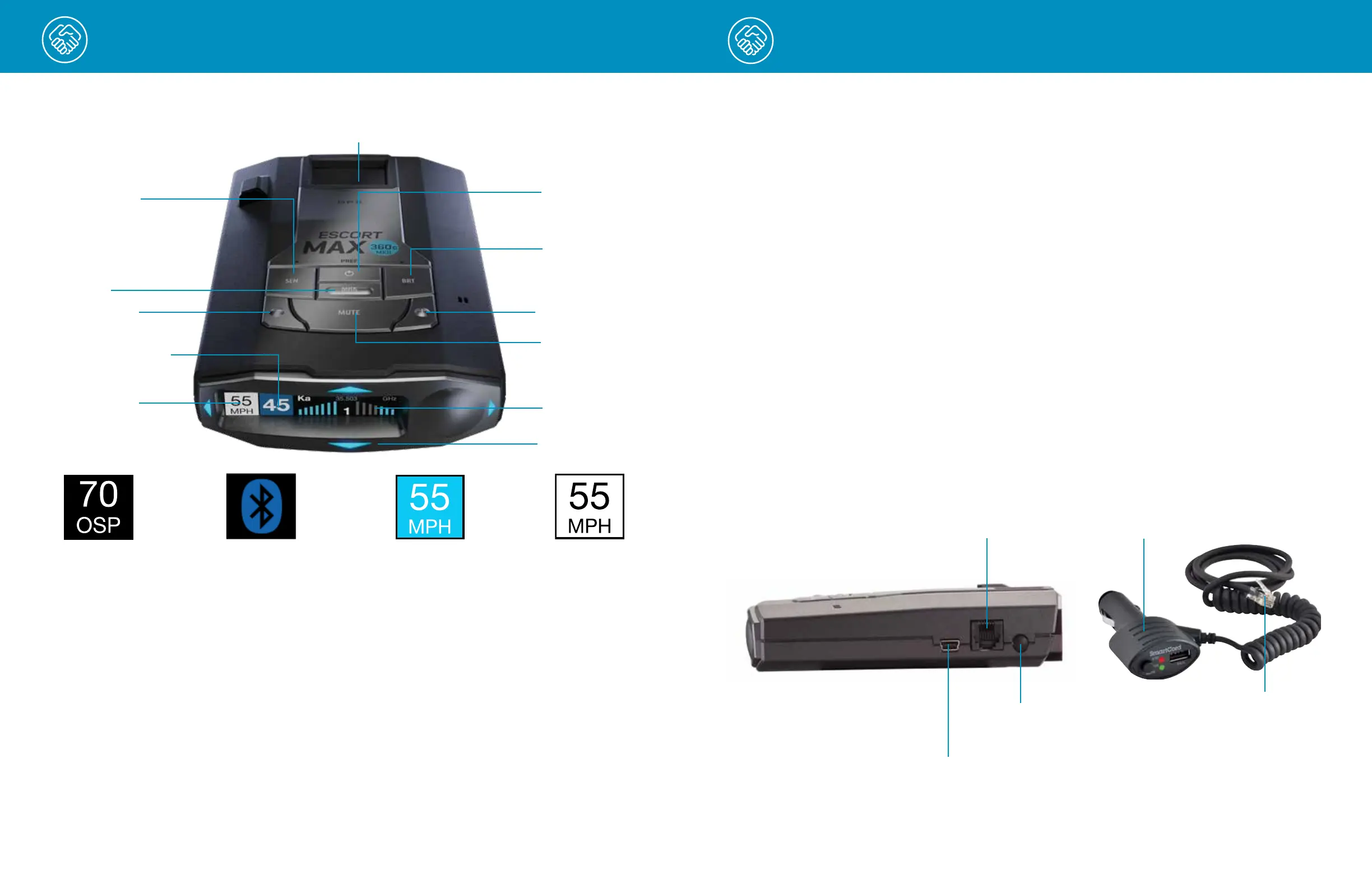
EZ Mag Mount™ Area
Power
Mark
Sensitivity
Mute
Alert Area
Brightness
SENSITIVITY MODES
The SEN button selects radar sensitivity/range.
The choices are:
Highway – Full sensitivity.
Auto – Reduces X and K band sensitivity based
on the speed of the vehicle.
AutoNoX – Same as Auto but without X band
detection.
AutoLoK – Same as Auto but with lowered
K band sensitivity at all times.
FALSE ALERT FILTERING
MAX 360c MKII is designed to provide you the
truest alerts and minimize the distraction of
erroneous signals from fixed-position and moving
sources.
• Adjustable Sensitivity: allows driver to adjust
sensitivity to driving environment, reducing false
alarms from fixed position sources such as automatic
door openers. Auto modes automatically adjusts
sensitivity based on vehicle speed.
• IVT Filter: system automatically reduces false
alerts from moving In-Vehicle Technology sources
such as collision avoidance systems and
adaptive cruise control.
Introduction
Using MAX 360c MKII
1 Plug small end of SmartCord into modular jack
on MAX 360c MKII and large end of SmartCord
into your car’s lighter/accessory socket.
2 MAX 360c MKII should power on automatically.
If not, press the device’s PWR button.
Software Updates
MAX 360c MKII’s red light and speed camera
database and firmware are updated by connecting
MAX 360c MKII to a Wi-Fi hotspot with internet
access using the Drive Smarter
®
app on your
smartphone. Once connected, MAX 360c MKII
will check for available updates. If an update is
available, MAX 360c MKII will prompt you to install
the update. If you refuse to perform the update, or
if the prompt times out, MAX 360c MKII will check
again when it connects to a Wi-Fi hotspot.
Importantly note that Defender database updates
require first registering MAX 360c MKII to activate
the included 90 day Defender subscription.
Defender subscriptions are available at
EscortRadar.com
Using SmartCord USB
• Mute Button:
- Press to mute the audio for a specific alert.
- Press three times to lock out a false alert.
- Press twice while receiving a locked-out alert
to unlock.
- When connected to the Drive Smarter
®
app
press and hold the mute button on unit or
cord to manually report to other user
a verified X or K-band alert, or police office
observing traffic.
• Alert Light: Blinks red when receiving an alert.
• Power Light: Lights green when device is
powered on.
• USB Charging Port: Charge smartphones,
tablets and other USB-charged devices.
Modular Jack
Connects to SmartCord
powering your device
6
Mini USB Jack
Connects to your computer
via USB A/mini B cable
Earphone Jack
Connect to optional
3.5 mm stereo earphone
Smartcord USB Adapter
Connects to lighter/accessory
socket
Modular Connector
Plugs into detector jack
Volume +
Overspeed
Setting
Current Speed/
Vehicle Voltage
Over Speed
Alert Setting
Bluetooth
®
is connected
to smartphone
Speed Limit data from Drive
Smarter, “--“ means no data
is available
Speed Limit data from
Wi-Fi hotspot connection
Volume -
360° Directional
Alert Arrows











 To Next Page