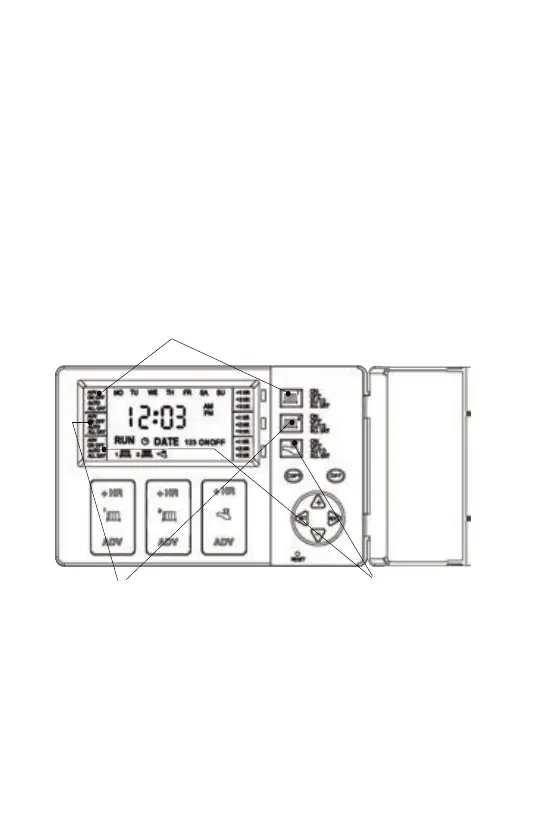
Fig. 1
Operang the Unit
Choosing the Operang Mode
HW Mode
CH2 Mode
CH1 Mode
5
The last leer of the configuraon (either U or A) will be L if the
Central Heang and Hot Water programmes have been linked. In
this mode the Hot Water (and second Central Heang channel in 3
channel programmers) will run from the Central Heang 1
programme, so changes to the programme need only be made once
and this will affect both Central Heang and Hot Water (and second
Central Heang channel in 3 channel programmers).
To link the programmes hold down the COPY buon whilst pressing
RESET. To switch the linked off, just hold down the COPY buon
whilst pressing RESET.
ON : Central Heang and Hot Water is ON connuously
AUTO: Central Heang and Hot Water will be switched ON and
OFF in accordance with set programmes
ALL DAY: Central Heang and Hot Water will switch ON at the first
ON and switch OFF at last OFF
OFF: Central Heang and Hot Water will be permanently OFF
Linking Central Heang & Hot Water Times


 To Next Page