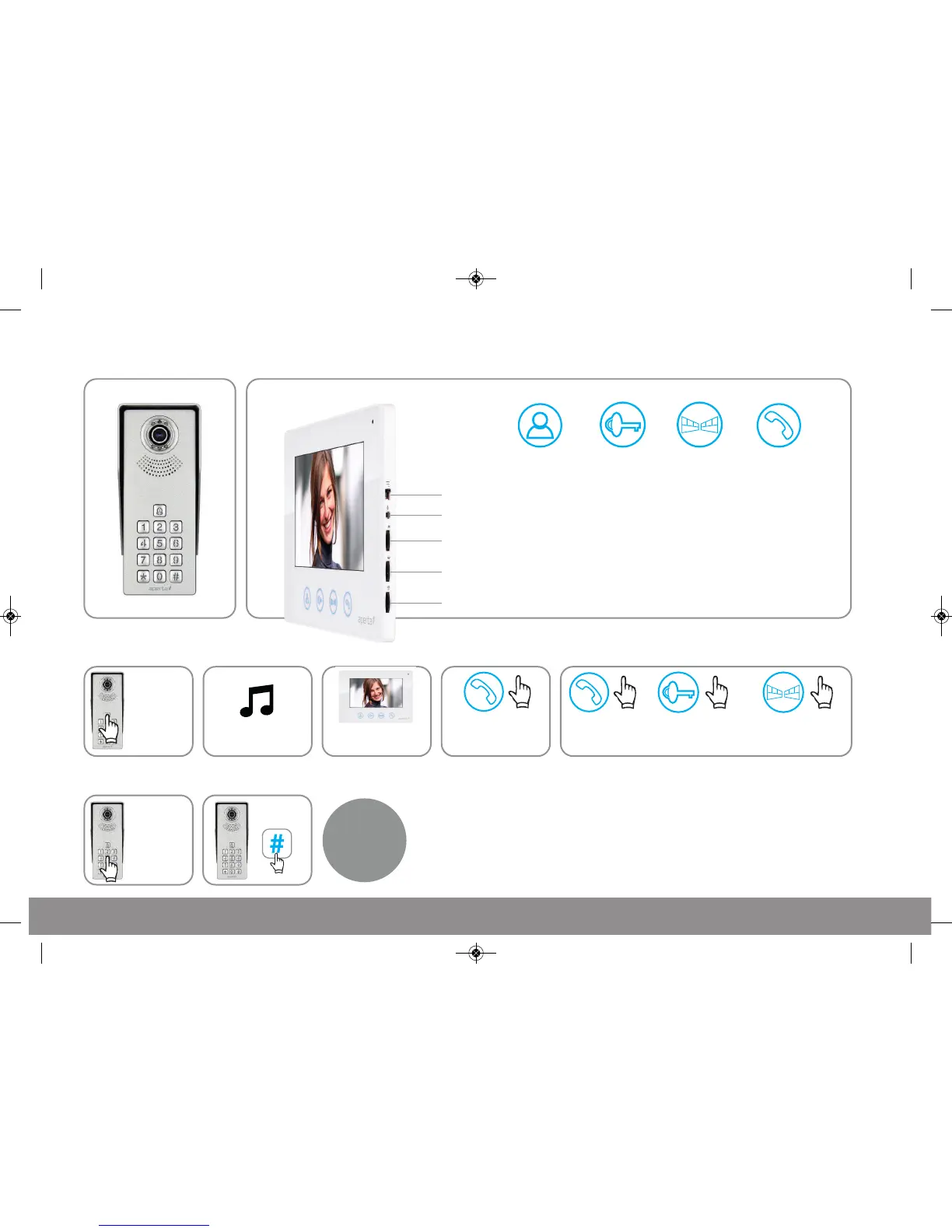
Using the lock release code
Press once to view
door station image
Preview
Press once
to release lock
Press once
to release lock 2
Press once
to talk to visitor
Lock Gate Talk
Chime Volume: Slide switch for High, Medium and Low setting
Chime Selection: Press button to select chime melody
Monitor Brightness: Adjustment for brightness levels
Monitor Chroma: Adjustment for the intensity of colour
Talking Volume: Adjust the volume level of the monitor
Press the
‘Talk’ button
to end call
Press the ‘Lock’ button
to release lock and
press ‘Talk’ to end call
Press the ‘Gate’ button
to release lock 2 and
press ‘Talk’ to end call
The visitor
presses the
call button
A chime will sound The visitor’s image will
appear on the monitor
Press the ‘Talk’
button and
begin conversation
A
B C D Then choose between these 3 options
Enter
4 digit lock
release code
Press
The lock
will release



 To Next Page