16
COPY RECORDING TO USB
Insert USB stick into the DVR, Right click on the live camera view and select Main
Menu from the Shortcut Menu.
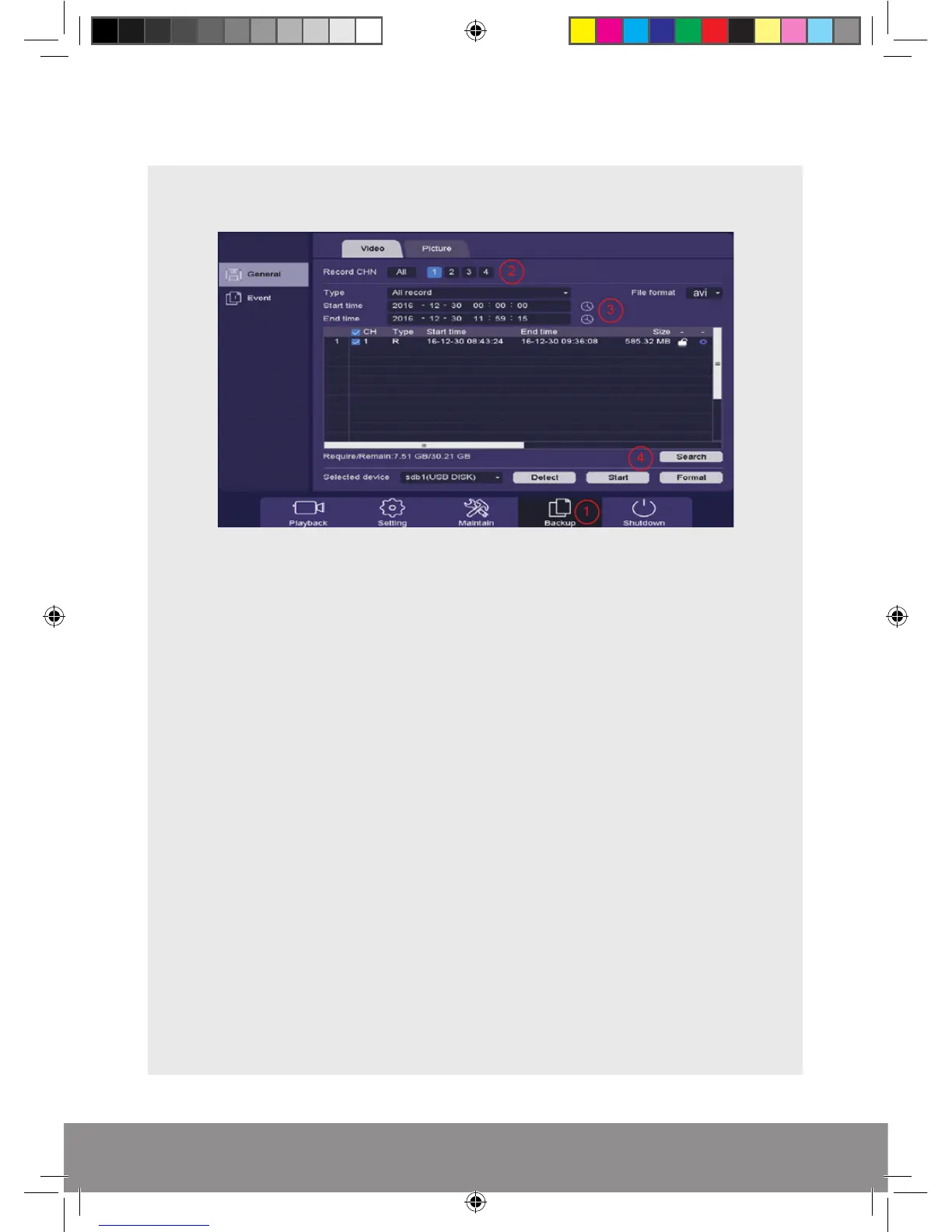
1) Select Backup
2) Select which Channel is required
3) Select required Start and End Time for the footage, also set the File Format to ; AVI
4) Select Search and the required files will be confirmed and finally select Start to
begin backup process
NB. Practice backing-up footage to familiarize yourself with the process before an
incident occurs.
NB. The AVI file will enable playback via a PC using AVI players
RekorHD DVR Manual.indd 16 09/05/2017 16:38:47



 To Next Page