2
CONTENTS
DVR Description. . . . . . . . . . . . . . . . . . . . . . . . . . . . . . . . . . . . . . . . . . . . . . . . . . 3
System Connection Diagram ....................................... 4
System Operations ............................................... 5
Record Setup ................................................... 12
Menu Layout ................................................... 17
Remote Viewing ................................................ 18
Support Guide .................................................. 19
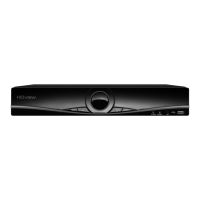
This manual is designed to be used as a quick start guide alongside the informative general user
interface (GUI) of the DVR. The menu above is not exhaustive and is designed to lead the user
quickly to the most often required aspects of the unit.
The DVR will require a connection to a monitor to be programmed.
IMPORTANT NOTICE
• Please read this manual and keep for later use
• Do not use accessory devices not recommended by the manufacturer
• Please use the power adapter equipped for the unit
• Please do not touch any control parts not mentioned in the manual. Incorrect
adjustment
of a control part not mentioned in the manual may damage the machine
• Ensure air ventilation around the unit and do not cover or block the vent hole
• Do not place the unit in direct sunlight or near a heat source
RekorHD DVR Manual.indd 2 09/05/2017 16:38:45



 To Next Page