9
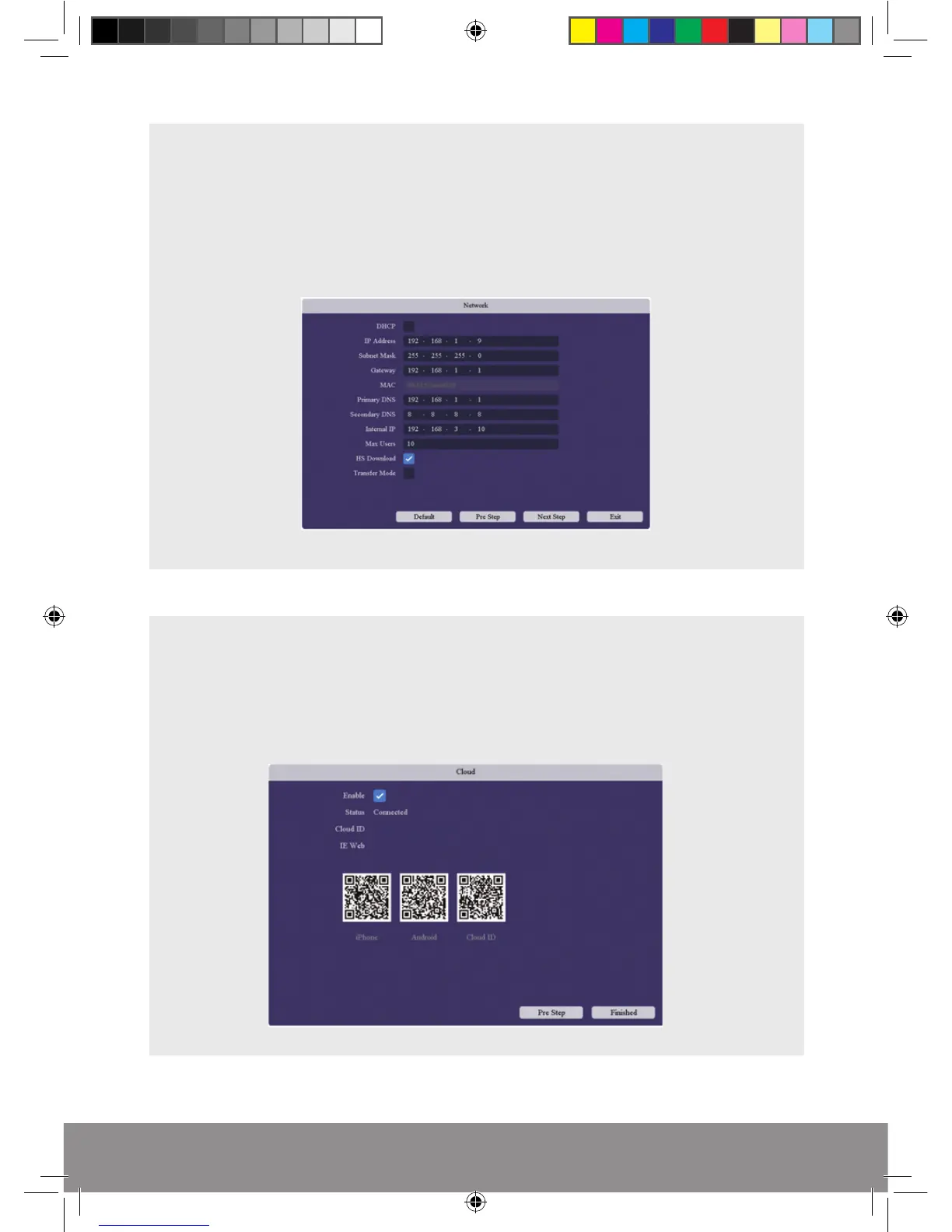
Network
The Network page displays the advanced settings for users wanting to manually
enter network details.
If DHCP has been enabled the network settings will apply automatically during
power up of the DVR.
CLOUD CONNECTION
The Cloud service makes remote viewing via smart phone simpler. If the status on the
menu states ‘Connected’, scan the applicable QR to obtain the APP and ID address. For
additional instruction, please refer to the supplied RekorHD ‘Remote Viewing Guide’.
RekorHD DVR Manual.indd 9 09/05/2017 16:38:46



 To Next Page