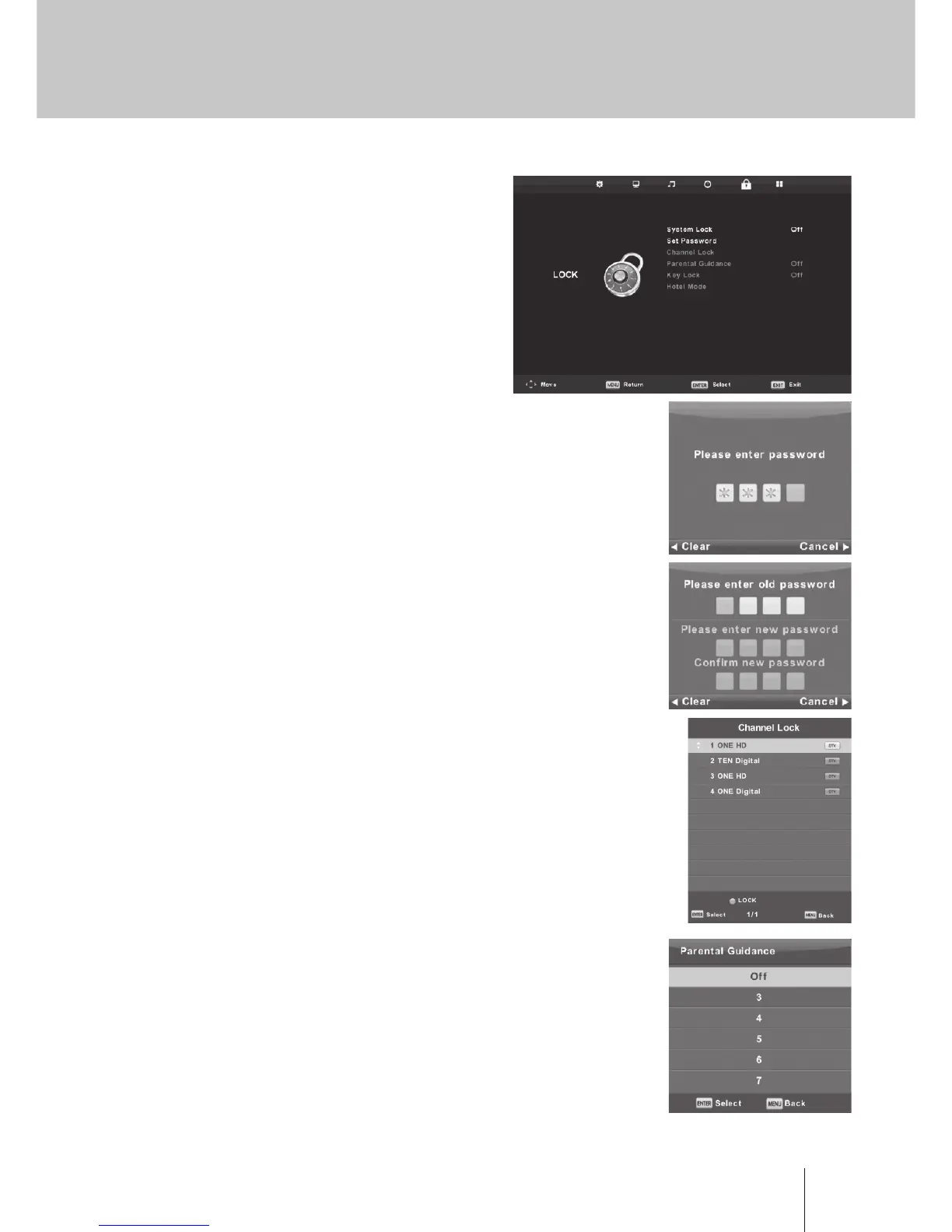
Lock Menu
Press MENU button to display the main menu.
Press ◄ / ► button to select Lock in the main menu.
1. Press ▼ / ▲ button to select the option that you
want to adjust in the LOCK SYSTEM menu.
2. Press Enter /◄ / ► button to adjust.
3. After nishing your adjustment, Press MENU button
to return back to the previous menu
Lock System
Press ▼ / ▲ button to select Lock System,
then press Enter button to make the following 3 options valid.
Default password is 0000, and if forget what you set, please call
the service center.
Set Password
Press ▼ / ▲ button to select Set Password,
then press Enter button to enter sub-menu to set new password.
Channel Lock
Press ▼ / ▲ button to select Channel Lock
then press Enter button to enter sub-menu to select.
Press Green button to lock or unlock the channel.
Parental Guidance
Press ▼ / ▲ button to select Parental Guidance,
then press Enter button to enter sub-menu to select the number
of age which is suitable for your children.
Key Lock
Press ▼ / ▲ button to select Key Lock, then press ◄ / ► button
to select Off or On. When Key Lock’s statue is on, you can’t
use the Key panel button.



 To Next Page