TV Buttons And Terminal Interface
TV Buttons
Note: The following is only functional schematic, And the actual position and arrangement of dierent
models may be dierent.
Terminal Interface
Note: The following are the various terminal interface, the actual position and arrangement, the number
of dierent models may be dierent.
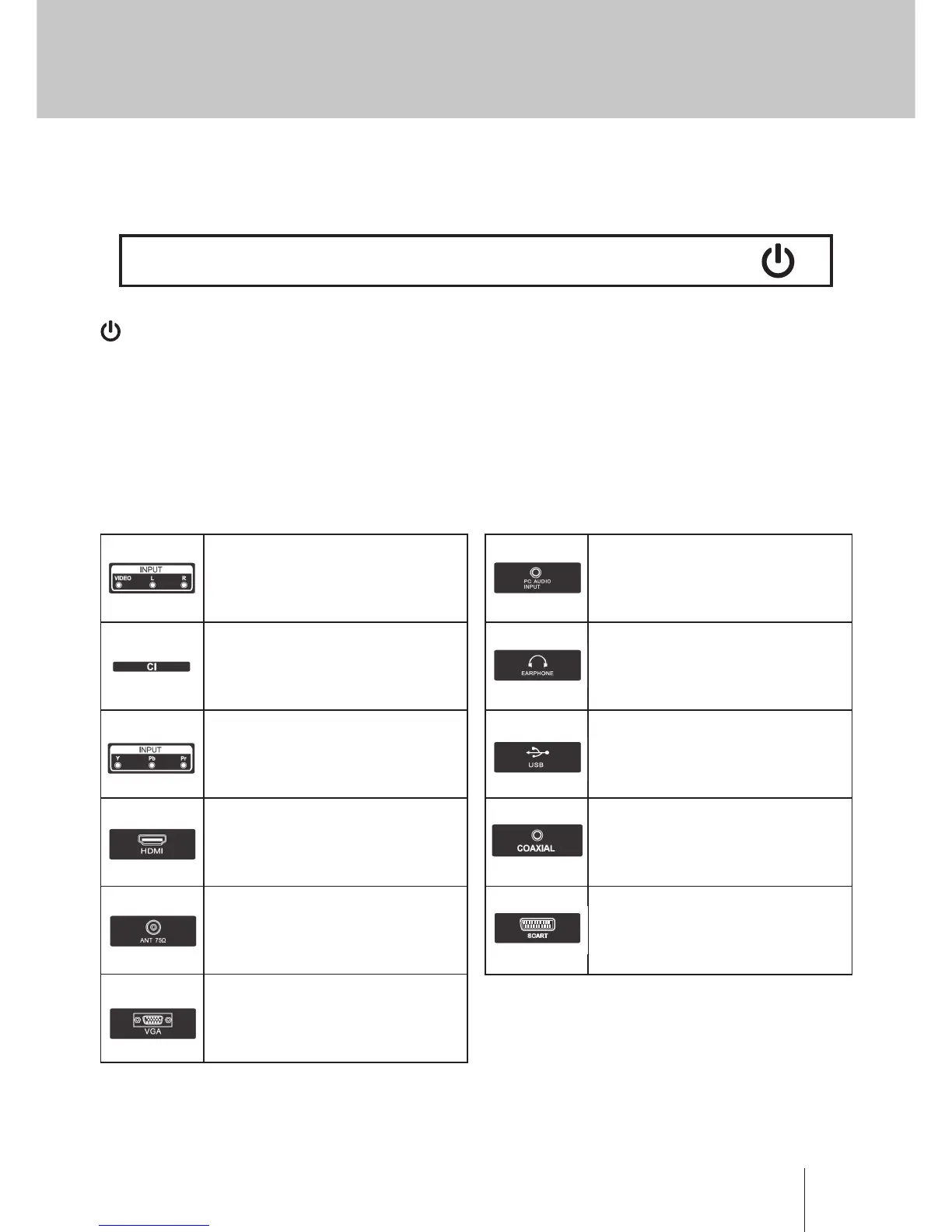
AV input
External AV Signal Input And Relevant
Right/Left Sound Channel
EARPHONE output
When earphones are plugged in,
speakers are disabled
VOL+ VOL- CH+ CH- MENU SOURCE
Turn ON/OFF Power.
SOURCE: External Signal Input Selection.
MENU: Display Main MENU And Conrm MENU Item Selection.
CH+/-: Selecting Channel.
VOL+/-: Adjusting Volume.
Cl SLOT
The card reader input CI (common
interface) this requires CAM (conditional
access module) used for pay TV.
USB input
Connect a USB device here to play its
media les or to record programs via
the PVR function.
Y Pb Pr input
Connect to the composite terminal of
your DVD/VCR (Some models without this
interface)
COAXIAL
Connect the SPDIF receiver.
HDMI input
Digital signal input from HDMI video
connector.
SCART Input
standard, it supports composite and RGB
signal input.lt is a connection for european
(Some models without this interface)
ANT 75
Connect the antennal/cable tv input
(75/VHF/UHF)
VGA input
PC analog signal input
PC AUDIO INPUT
VGA input and audio input
when VGA input


 To Next Page