Setup Menu
Hearing Impaired
Press ▼ / ▲ button to select Hearing Impaired, then press Enter
button to select On or O.
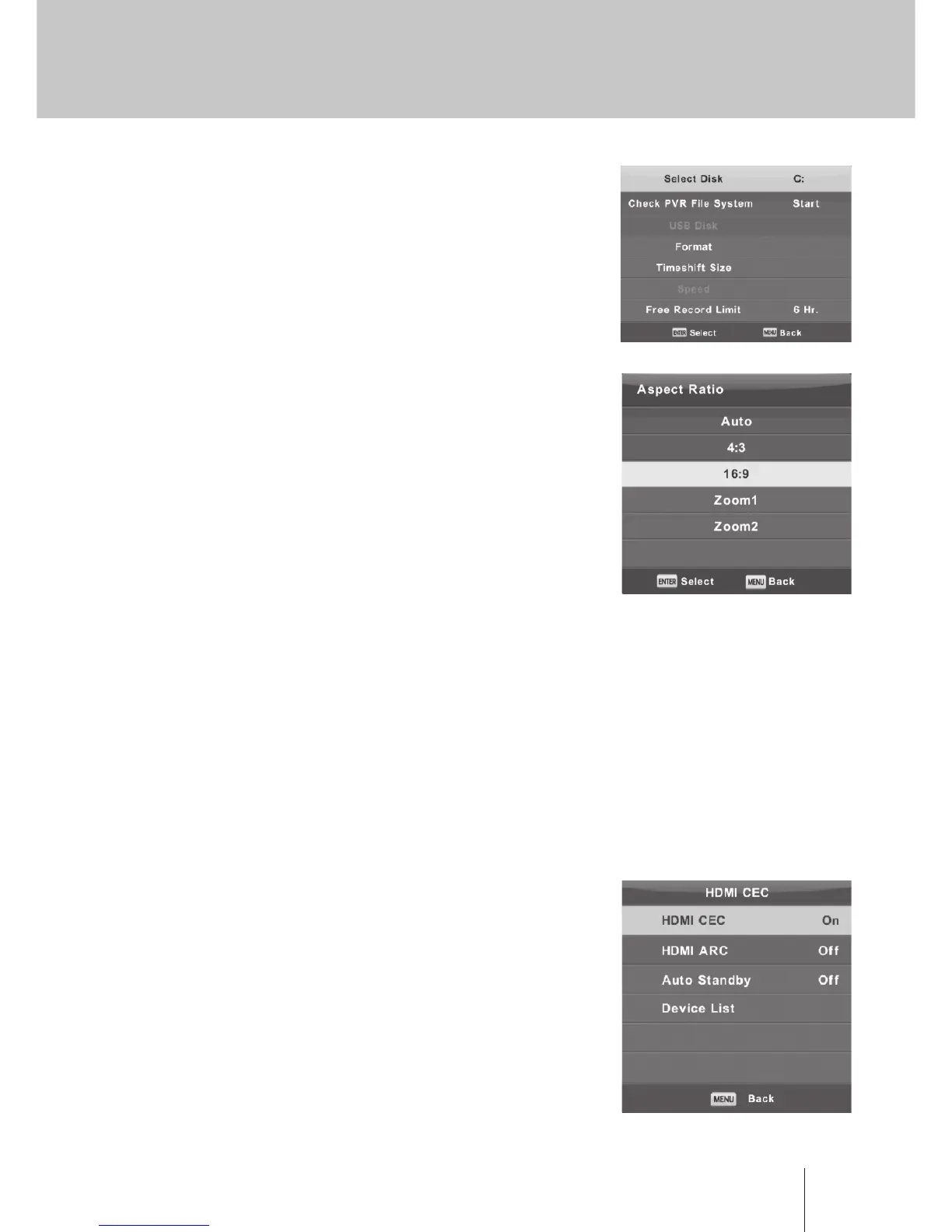
PVR File System
Press ▼ / ▲ button to select PVR File System, then press Enter
button to enter sub-menu.
Press ▼ / ▲ button to select Check PVR File System,
then press Enter button to enter. Then it will check the USB speed.
Aspect Ratio
Press ▼ / ▲ button to select Aspect Ratio, then press Enter button
to enter sub-menu.
Press ▼ / ▲ button to select aspect ratio. (Available options are:
Auto, 4:3,16:9, Zoom1, Zoom2).
HDMI CEC(Need to support the HDMI CEC/ARC function)
Press ▼ / ▲ button to select HDMI CEC, then press Enter button to
enter the sub-menu.
HDMI CEC Press ◄ / ► button to turn the HDMI CEC on or o.
HDMI ARC Press ◄ / ► button to turn the HDMI ARC on or o.
Auto Standby Press ◄ / ► button to turn the Auto Standby on or o.
Device List Press Enter button to open the main menu of device.
Blue Screen
Press ▼ / ▲ button to select Blue Screen, then press Enter button to select On or O.
First Time Installation
Press ▼ / ▲ button to select First time installation, then press Enter button to enter.
Reset
Press ▼ / ▲ button to select Reset, then press Enter button to enter sub-menu.
Software Update(USB)
Press ▼ / ▲ button to select Software Update (USB), plug your USB device in the USB slot, then press
Enter button to update the right software.



 To Next Page