3
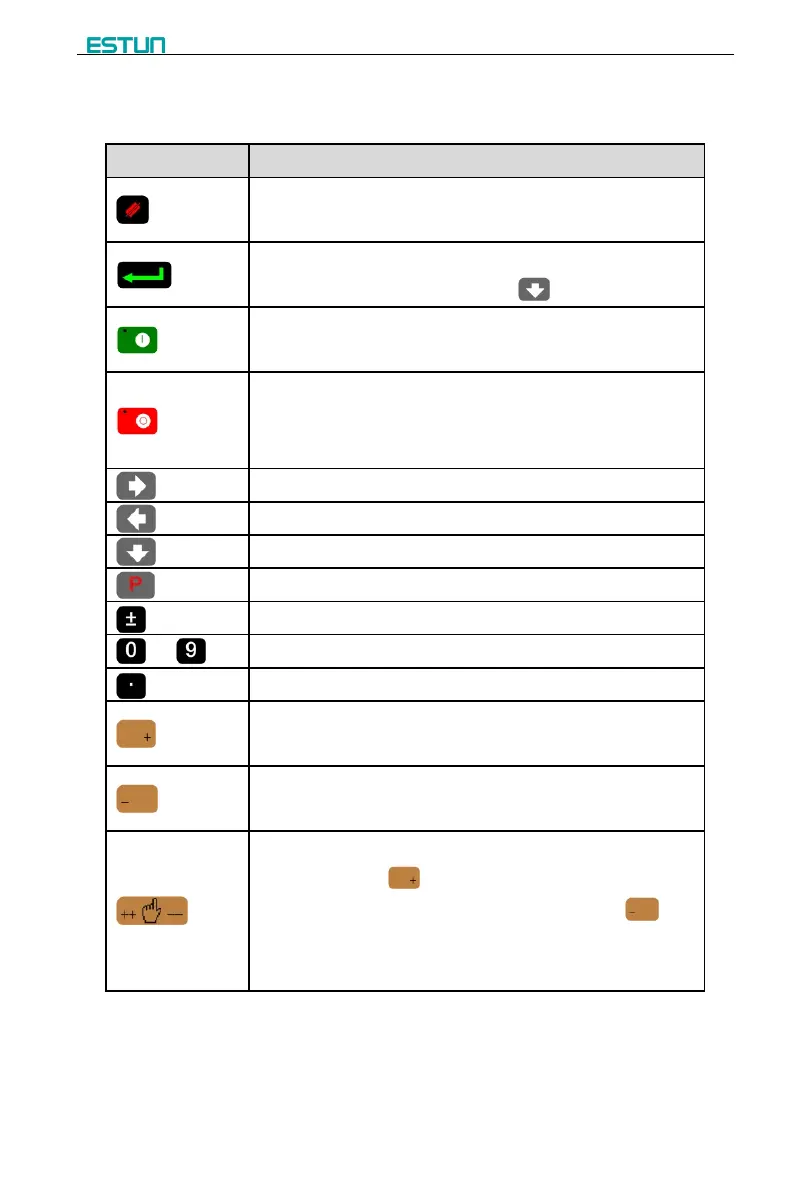
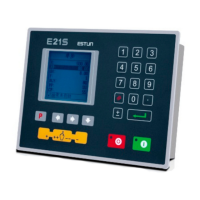
Functions of panel keys are described in Table 1-1.
Table 1-1 Description of key functions
Delete key: delete all data in input area on left bottom of
displayer.
Enter key: confirm the input content. If no content is input, the key
has the similar function to direction key .
Start key: automatic start-up, top left corner of the key is operation
indicator LED. When operation is started, this indicator LED is on.
Stop key: stop operation, top left corner of the key is Stop
indicator LED. When initialize normal start-up and no operation,
this indicator LED is on.
Left direction key: page forward, cursor remove
Right direction key: page backward, cursor remove
Down direction key: select parameter downward
Function switch: switch over different function pages
Symbolic key: user input symbol, or start diagnosis.
Numeric key: when setting parameter, input value.
Decimal point key: when set up parameter, input decimal point.
Manual movement key: in case of manual adjustment, make
adjustment object move in forward direction at low speed.
Manual movement key: in case of manual adjustment, make
adjustment object move in backward direction at low speed.
High speed selection key: in case of manual adjustment, press
this key and press simultaneously, make adjustment object
move in increasing direction at high speed, then press ,
make adjustment object move in decreasing direction at high
speed.


 To Next Page