Step 4 Click , return to programming constant page.
In single-step mode, axis movement can be controlled by pressing key manually. This
method helps user to adjust machine tool and work piece.
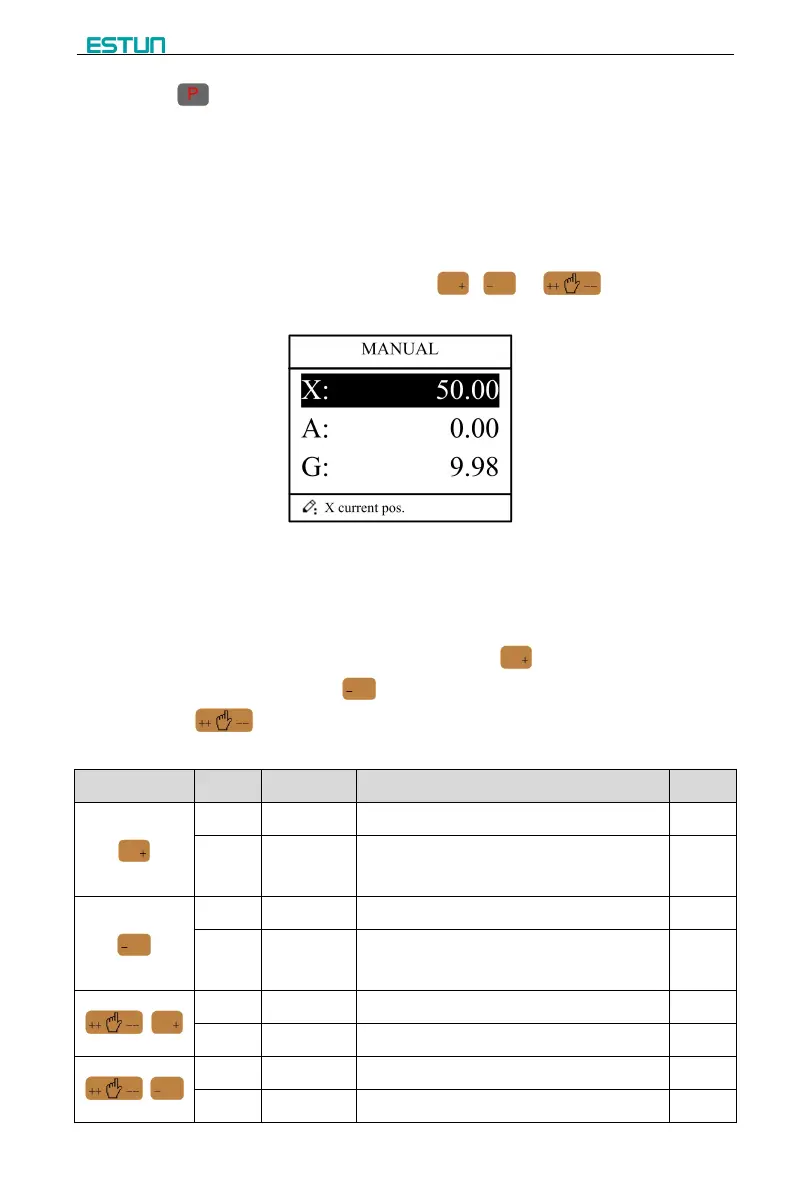
Step 1 On single step parameter setup page, click , or to enter manual
page, as shown in Figure 2-10.
Step 2 According to your actual requirement, following the above table to adjust the position
of the axis.
A-axis and G-axis are controlled by the relays, press to move them at low speed
in increasing direction; press to move them at low speed in decreasing direction.
Button is of no effect on them.
- If the drive mode of X-axis is common motor:
Press time (if it is less than “Pulse Time”)
Pulse Time (If it is less than Press time)
Press time (if it is less than “Pulse Time”)
Pulse Time (If it is less than Press time)


 To Next Page