The device has two programming methods, which are single-step programming and
multi-step programming. User can set up programming according to actual demand.
2.2.1 Single-step programming
Single-step programming is generally used for processing single step to finish work piece
processing. When controller is power on, it will automatically enter single-step program page.
Operation steps
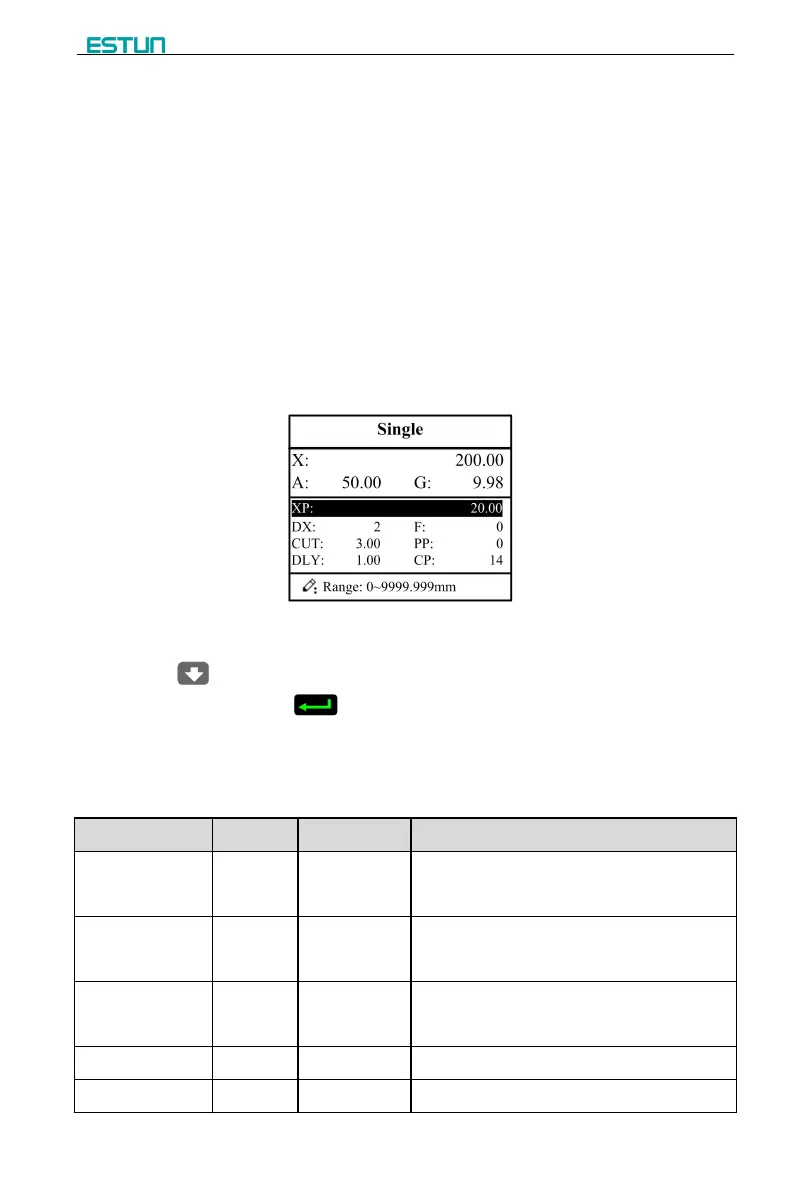
Step 1 After starting up, the device will enter setting up page of single-step program
automatically, as shown in Figure 2-2.
Figure 2-2 Single-step program setting page
Step 2 Click , select parameter that needs to be set up, press numerical key to input
program value, press to complete input.
[Note] Parameter can only be set when Stop indicator is on.
Setting range of singe step parameter is shown in Table 2-1.
Table 2-1 Set up range of singe step parameter
Current position of X axis, unable to be
modified.
Current position of A axis, unable to be
modified.
Current position of G axis, unable to be
modified.
Program position of X axis.
Retract distance of X axis;


 To Next Page