EasyManua.ls Logo

Estun E21S - User Manual

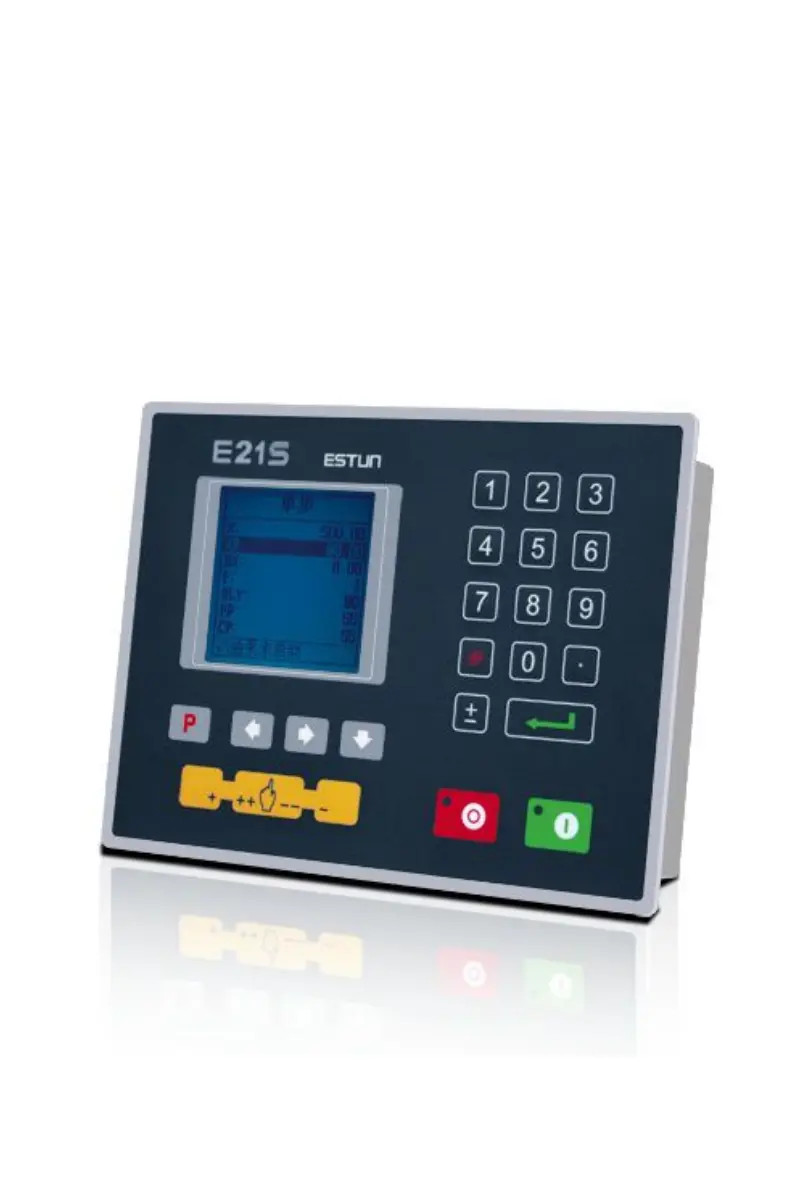
Estun E21S
21 pages
Print Icon
To Next Page IconTo Next Page
Loading...
E21S Operation Manual
(Version: V1.06)

Other manuals for Estun E21S

Questions and Answers

  • K
    Kimberly LynchAug 19, 2025
    What to do if the Estun Control Systems screen doesn't display when powered on?
    • N
      nelsonjasonAug 20, 2025
      If the screen doesn't display when you power on the Estun Control Systems, it could be due to a few reasons. First, check the power supply wiring to ensure it matches the nameplate. Rewire if necessary. It's also possible that the source voltage is too low or the connector isn't properly connected.
  • E
    Elijah KingAug 21, 2025
    Why do I lose control of the Estun E21S?
    • J
      Jeremiah BrownAug 22, 2025
      Loss of control in Estun Control Systems can occur if the encoder cable is not properly connected. Also, verify that the motor direction wiring (X+, X-, A+, A-, G+, G-) is correctly configured.
  • L
    Lisa AdamsAug 25, 2025
    What to do if the Estun E21S motor doesn’t run when operating?
    • S
      Sydney RobertsonAug 25, 2025
      If the motor doesn't run during operation, check if the machine is impeded or if the slider is back to TDC (Top Dead Center). Also, verify that the motor wire is well connected.
  • R
    Rebecca WiseAug 26, 2025
    Why is the actual position of the X-axis unchanged or unshown on Estun Control Systems?
    • S
      swebbAug 26, 2025
      If the actual position of the X-axis remains unchanged or isn't displayed, check that the encoder cable is properly connected.
  • K
    kristin12Aug 27, 2025
    What to do if the back gauge motor doesn’t run when the X-axis is operated on Estun E21S Control Systems?
    • P
      Paul NavarroAug 27, 2025
      If the back gauge motor doesn’t run when the X-axis is operated, but the slider motor does, the wires of these two motors might be reversed. Rewire them accordingly.
  • B
    Brett SmithAug 29, 2025
    Why can’t the Estun E21S Control Systems motor mutually convert from high to low?
    • J
      Jordan MillerAug 30, 2025
      If the motor can’t switch between high and low speeds, check if the signal is in effect and if the frequency converter is working normally. Also, confirm that the parameter Mute Dis. is programmed correctly.
  • C
    costajohnnySep 1, 2025
    How to fix the issue when the step can’t be changed in Multi-Step mode on Estun E21S Control Systems?
    • B
      Brenda VegaSep 1, 2025
      To resolve issues with changing steps in Multi-Step mode, verify that the STEP terminal is connected to +24V when the slider is on TDC (Top Dead Center).
  • S
    santhonySep 3, 2025
    What to do if the counter doesn’t work in Multi-Step mode on Estun E21S Control Systems?
    • Z
      Zachary BurkeSep 3, 2025
      If the counter isn't working in Multi-Step mode, check that the STEP terminal is connected to +24V when the slider is on TDC (Top Dead Center).
  • K
    kelli22Sep 4, 2025
    What to do if Estun Control Systems loses control during programming?
    • C
      Courtney GarciaSep 5, 2025
      If the Estun Control Systems device loses control during programming, check whether the encoder cable is properly connected and ensure the motor-direction wiring is correct (X+, X-, A+, A-, G+, G-).
  • R
    Rachel ClarkeSep 6, 2025
    What to do if the motor of Estun Control Systems does not move when the program is running?
    • A
      aguilarphilipSep 7, 2025
      If the motor does not move when the program is running, check whether the mechanical part has been locked or the slider returns to the upper dead center. Also, verify that the motor wiring is well connected.

Summary

Preface

Chapter 1 Product Overview

1.1 Product introduction

Details the shear machine dedicated numerical control device and its benefits.

1.2 Operation panel

Describes the physical operation panel of the E21S device with an illustrative figure.

1.3 Displayer

Explains the LCD display area and its components with a figure.

Chapter 2 Operation Instruction

2.1 Basic operation procedure

Outlines the basic operational flow of the device using a flowchart.

2.2 Programming

Introduces the two programming methods: single-step and multi-step.

2.2.1 Single-step programming

Details the process and operation steps for single-step programming.

2.2.2 Multi-step programming

Explains multi-step programming for efficient processing of complex tasks.

2.3 Constant

Describes how to set general parameters like metric/imperial and language.

System parameter setting

Details parameter setup on the Teach Page, including X-tea.in and G-tea.in.

2.4 Manual movement

Explains how to control axis movement manually for adjustment purposes.

Chapter 3 Alarm

Alarm history

Guides on how to access and view the alarm history and messages.

Appendix Common fault and troubleshooting

Estun E21S Specifications

General IconGeneral
ModelE21S
Input Voltage220V AC
Output Voltage24V DC
DisplayLCD
Number of Axes2
Backgauge ControlYes
Angle ControlYes
Stroke ControlYes
Ram ControlYes
Workpiece CounterYes

Related product manuals