12
Range of programming constant setup is shown in Table 2-5.
Table 2-5 Range of programming constant setup
Input current X axis position when
teach enable.
The duration of the pulse signal.
Software version information, V
refers to version, 1 indicates version
number, and 0 indicates version
level.
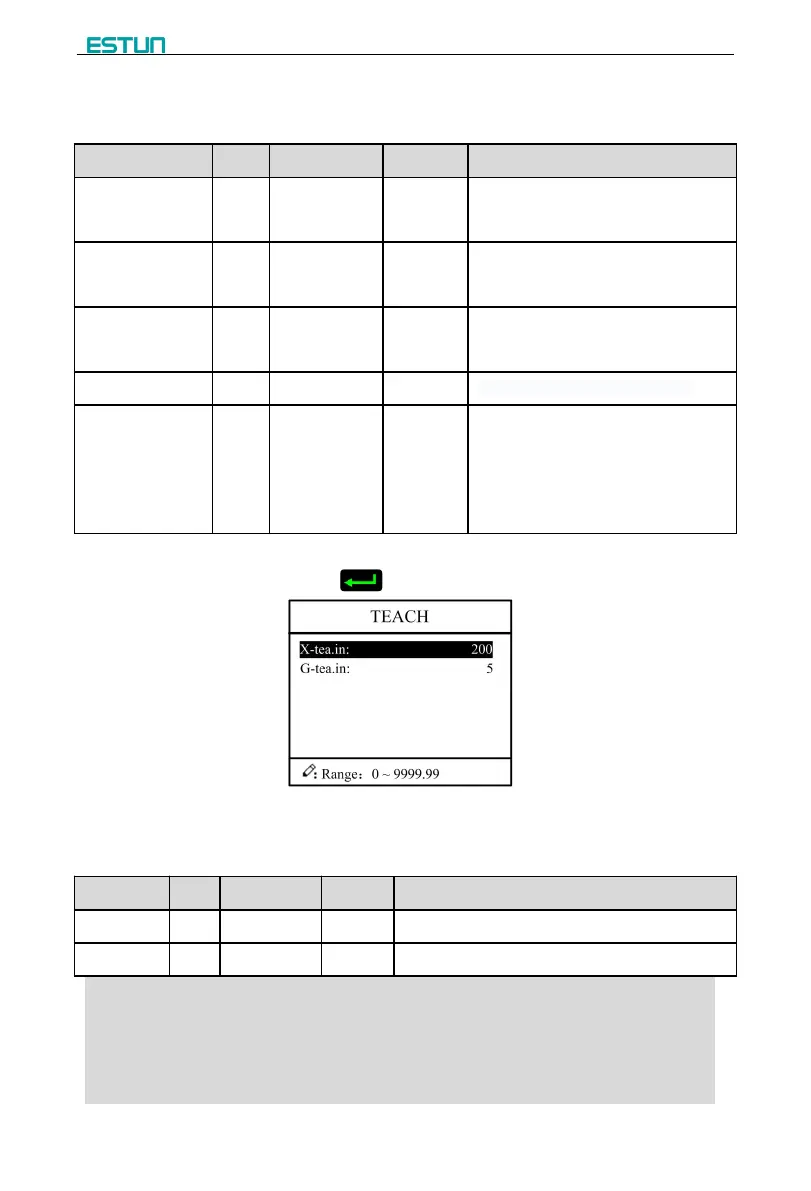
Step 2 Input password “1212”, click to enter Teach Page, as shown in Figure 2-9.
Figure 2-9 System parameter setting page
Step 3 Step up parameter, parameter setup range is shown in Table 2-6.
Table 2-6 System parameter description
Input current X axis position when teach enable.
Input current G axis position when teach enable.
<How to Teach>:
You can directly measure the positions of slider and back gauge. If
the measurement is difficult, you can program and operate any one
process, and then measure the accomplished workpiece.


 To Next Page