Need help?
Do you have a question about the ESX VE 1000.1 and is the answer not in the manual?
General advice on mounting location, air circulation, and protection from moisture.
Procedures for mounting the amplifier and connecting power, ground, and remote wires.
Benefits and use of balanced audio inputs for signal transmission.
Adjustment of the stage's acoustical center via phase shift.
Explanation of the subsonic and lowpass filter functions.
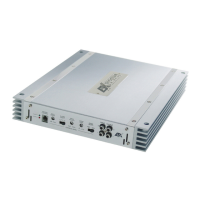
Description of front panel controls: Master/Slave, Line Input/Output, Balanced Input, Remote.
Description of rear panel terminals: Fuse, Remote, Battery, Ground, Protect Bridge, Speaker Output.
Controls for adjusting the subsonic and low pass filter frequencies.
Controls for adjusting bass boost level and input signal sensitivity.
Control for adjusting the virtual soundstage position.
Explanation of the top panel display's color codes for operation and protection modes.
Wiring diagram and instructions for connecting one subwoofer.
Wiring diagram and instructions for connecting two subwoofers.
Wiring diagram and instructions for linking two amplifiers in Master/Slave mode.
Steps to diagnose and resolve issues with the amplifier not powering up.
Solutions for noise, hiss, white noise, or no signal at channels.
Causes and solutions when the amplifier's protection mode is activated (red display).
Diagnosing and resolving electrical interference, ticking, or whining noises.


 To Next Page
 General