EasyManua.ls Logo

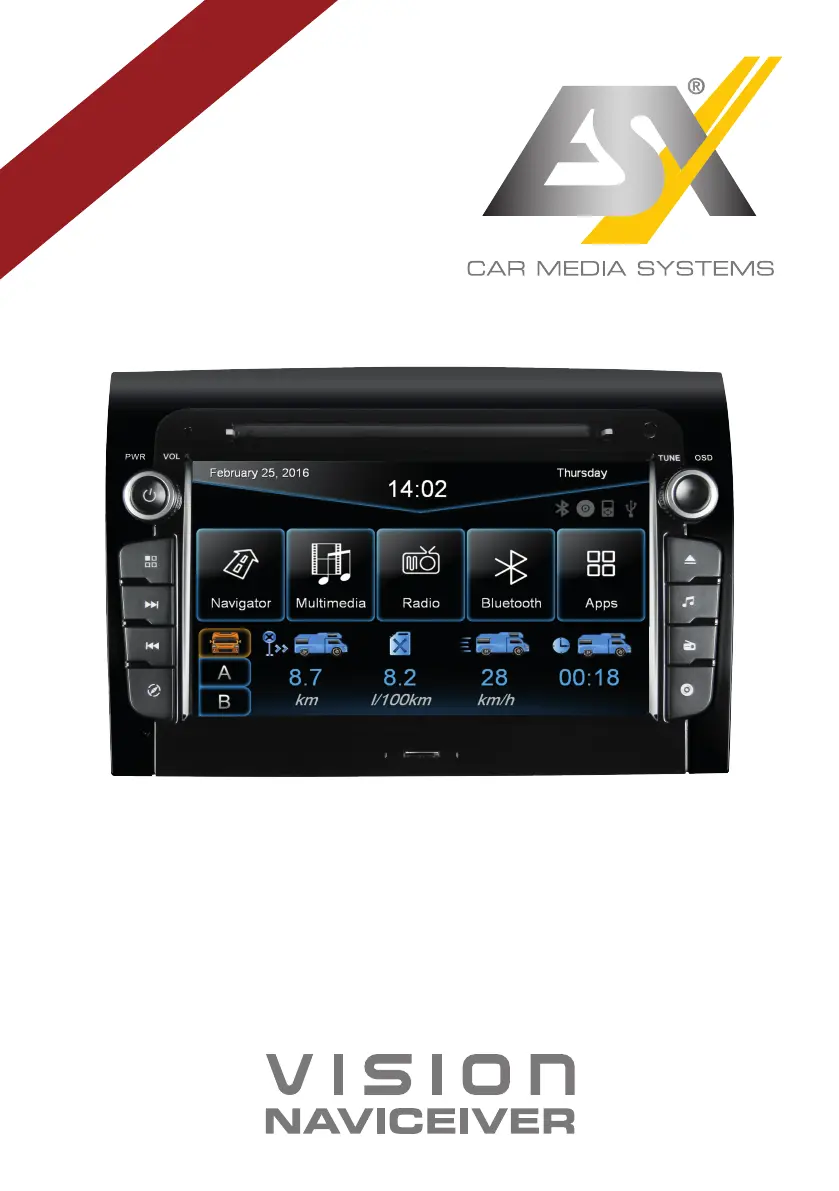
ESX VN730 FI-DUCATO - User Manual

ESX VN730 FI-DUCATO
48 pages
Print Icon
To Next Page IconTo Next Page
Loading...
VNC730 FI-DUCATO
VN730 FI-DUCATO
R-
CH
V1. 1
OWNER‘S
MANUAL

Other manuals for ESX VN730 FI-DUCATO

Questions and Answers

  • E
    Emily BryantSep 8, 2025
    How to fix E-Link connection issues on ESX VN730 FI-DUCATO?
    • Z
      Zachary CarterSep 8, 2025
      If you're experiencing E-Link connection issues with your ESX Car Receiver, the Android device might not be compatible. Try using another Android device.
  • C
    cassandra51Aug 23, 2025
    How to fix distorted sound on ESX VN730 FI-DUCATO Car Receiver?
    • J
      jason66Aug 23, 2025
      If the sound from your ESX Car Receiver is distorted, overdriven, or noisy, the equalizer settings or volume settings for each application may be unfavorable. Check the audio settings under Apps - Audio or Advanced, and correct the settings to see if the sound improves.
  • M
    Michael CaldwellAug 25, 2025
    What to do if my ESX VN730 FI-DUCATO won't turn on?
    • T
      tammy54Aug 25, 2025
      If your ESX Car Receiver won't turn on, and the ignition is off, press and hold the power button for about 2 seconds. Note that the device automatically switches off after 30 minutes. If that doesn't work, the fuse or a fuse in the vehicle electronics may be defective. Replace the blown fuse with a new fuse of the same type and value.
  • A
    Aaron HarrisAug 26, 2025
    How to fix inaccurate touchscreen input on ESX VN730 FI-DUCATO?
    • A
      Abigail MasonAug 27, 2025
      If the touchscreen function of your ESX Car Receiver is inaccurate or delayed, the touch-screen might not be properly calibrated. Calibrate the touch screen under Apps - Option - System. Alternatively, the device may be processing something. Wait until the process is completed.
  • J
    Jessica SantosAug 27, 2025
    Why is my ESX Car Receiver screen black?
    • S
      stevenarroyoAug 27, 2025
      If the screen on your ESX Car Receiver is black, the display may be disabled. Tap on the screen to activate it. Alternatively, the device might be in standby mode. Press the left knob on the device to exit standby mode.
  • N
    Nicolas ThomasSep 22, 2025
    Why is the camera showing when my ESX VN730 FI-DUCATO is off?
    • M
      Mitchell PowellSep 22, 2025
      The rear camera has priority for safety reasons and starts the transmission even when the ESX Car Receiver is turned off. The device will be operable again and can be started only after the reverse drive has finished.
  • N
    Nicholas PierceSep 16, 2025
    Why is the picture quality bad during playback on my ESX Car Receiver?
    • R
      Riley ThompsonSep 16, 2025
      If the picture quality is insufficient during playback on your ESX Car Receiver, the brightness, contrast, and color saturation might be set too low. Check the DVD player settings and adjust them.
  • B
    Benjamin Clayton Jr.Sep 18, 2025
    Why does my ESX Car Receiver have erroneous playback?
    • K
      kbakerSep 18, 2025
      If your ESX Car Receiver experiences erroneous or disrupted playback, the disc might not be loaded correctly. Insert the disc again with the print side up. The disc could be scratched, broken, or deformed. Insert another disc. Also, the disc might not be compatible with the device. Insert another disc.
  • S
    swangSep 7, 2025
    Why can't I see anything on the map of my ESX VN730 FI-DUCATO Car Receiver?
    • S
      seangreenSep 7, 2025
      If nothing is displayed on the map of your ESX Car Receiver, the display scale of the map may be set too large or too small. Change the ratio of the display scale until the map is properly displayed. A brief loss of the GPS signal can also cause this. Continue driving until the GPS signal is available again.
  • C
    Christina CooperSep 4, 2025
    How to improve GPS signal on ESX VN730 FI-DUCATO?
    • E
      Erin VegaSep 4, 2025
      If your ESX Car Receiver can't find your current location or the route guidance is disturbed, the GPS antenna might not be connected properly. Check the GPS antenna connection or get a new one if it's defective. You may be in an area with a weak GPS signal, such as a tunnel or remote road. Continue driving until the GPS signal is available again.

ESX VN730 FI-DUCATO Specifications

General IconGeneral
Vehicle BrandFiat
NavigationYes
DAB+Yes
Resolution1024 x 600
TouchscreenYes
BluetoothYes
USB PortYes
GPS NavigationYes
RadioYes
Wi-FiYes
Rear Camera InputYes
Steering Wheel ControlYes
Operating SystemAndroid
Vehicle ModelDucato
Compatible VehiclesFiat Ducato

Related product manuals