EasyManua.ls Logo

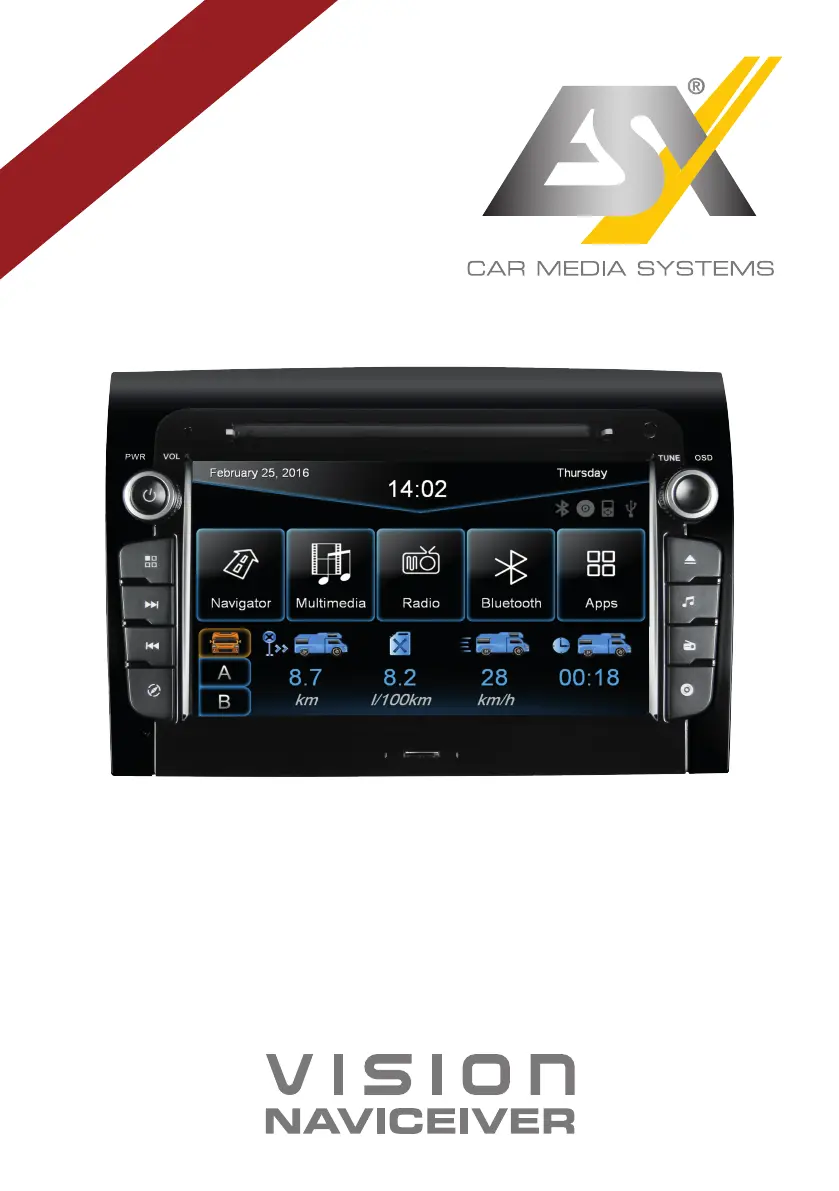
ESX VN730 FI-DUCATO - User Manual

ESX VN730 FI-DUCATO
48 pages
Print Icon
To Next Page IconTo Next Page
Loading...
VNC730 FI-DUCATO
VN730 FI-DUCATO
R-
CH
V1. 1
OWNER‘S
MANUAL

Other manuals for ESX VN730 FI-DUCATO

Questions and Answers

  • A
    Alfred FordAug 22, 2025
    Why is there no sound coming from my ESX VN730 FI-DUCATO?
    • R
      Rebecca TerrellAug 22, 2025
      If there's no sound from your ESX Car Receiver, the connection or installation might be faulty, or a cable could be defective. Check all connections and replace any damaged cables. Also, your audio settings might be incorrect or incompatible with the vehicle sound system. Review the audio settings under Apps - Audio - Advanced, testing each function step by step. As an additional step, try disconnecting the vehicle's battery for at least 30 minutes.
  • C
    Christina CooperSep 4, 2025
    How to improve GPS signal on ESX VN730 FI-DUCATO?
    • E
      Erin VegaSep 4, 2025
      If your ESX Car Receiver can't find your current location or the route guidance is disturbed, the GPS antenna might not be connected properly. Check the GPS antenna connection or get a new one if it's defective. You may be in an area with a weak GPS signal, such as a tunnel or remote road. Continue driving until the GPS signal is available again.
  • C
    cookcarlosSep 2, 2025
    Why is my ESX VN730 FI-DUCATO navigation app not starting?
    • K
      Kathryn GonzalezSep 3, 2025
      If the navigation application on your ESX Car Receiver isn't starting, the software might not be compatible with the device. Check the software's compatibility with Windows CE 6, or obtain a compatible version. The software may not have been installed correctly. Check the settings under Apps - Options - System and correct the navigation software path if necessary. Finally, the license of the installed software or its useful life may have expired. Contact the software supplier in this case.
  • S
    Scott PetersSep 1, 2025
    What to do if my ESX Car Receiver USB drive is not recognized?
    • B
      Brandon HicksSep 1, 2025
      If your ESX Car Receiver isn't recognizing a USB drive or microSD card, the storage or data format might be incorrect. Format the storage with the MS-DOS file system (FAT32).
  • S
    stewartchrisAug 30, 2025
    How to fix Bluetooth pairing issues with ESX VN730 FI-DUCATO Car Receiver?
    • M
      matthew06Aug 31, 2025
      If you're experiencing Bluetooth connection or pairing issues with your ESX Car Receiver, first ensure that the Bluetooth function on your phone is enabled. If it is enabled but the phone isn't visible, enable the “visible” setting in your phone's Bluetooth settings. Compatibility issues can also cause pairing problems, so use a compatible phone. Finally, too many Bluetooth devices registered in the device can cause connection problems. Delete unused Bluetooth devices from the storage of the device.
  • K
    Kevin FieldsAug 29, 2025
    Why is my ESX VN730 FI-DUCATO Car Receiver not finding radio stations?
    • K
      Kelly HarrisAug 29, 2025
      If your ESX Car Receiver isn't finding radio stations during an automatic search, check if a program type is selected under PTY that isn't available in your current area. Select “None” under PTY to disable the search for a specific program type. Also, disable the AF and TA functions and start the search again. Finally, check the plug connection of the original antenna to the radio or check the car antenna system.
  • J
    Jessica SantosAug 27, 2025
    Why is my ESX Car Receiver screen black?
    • S
      stevenarroyoAug 27, 2025
      If the screen on your ESX Car Receiver is black, the display may be disabled. Tap on the screen to activate it. Alternatively, the device might be in standby mode. Press the left knob on the device to exit standby mode.
  • A
    Aaron HarrisAug 26, 2025
    How to fix inaccurate touchscreen input on ESX VN730 FI-DUCATO?
    • A
      Abigail MasonAug 27, 2025
      If the touchscreen function of your ESX Car Receiver is inaccurate or delayed, the touch-screen might not be properly calibrated. Calibrate the touch screen under Apps - Option - System. Alternatively, the device may be processing something. Wait until the process is completed.
  • M
    Michael CaldwellAug 25, 2025
    What to do if my ESX VN730 FI-DUCATO won't turn on?
    • T
      tammy54Aug 25, 2025
      If your ESX Car Receiver won't turn on, and the ignition is off, press and hold the power button for about 2 seconds. Note that the device automatically switches off after 30 minutes. If that doesn't work, the fuse or a fuse in the vehicle electronics may be defective. Replace the blown fuse with a new fuse of the same type and value.
  • C
    cassandra51Aug 23, 2025
    How to fix distorted sound on ESX VN730 FI-DUCATO Car Receiver?
    • J
      jason66Aug 23, 2025
      If the sound from your ESX Car Receiver is distorted, overdriven, or noisy, the equalizer settings or volume settings for each application may be unfavorable. Check the audio settings under Apps - Audio or Advanced, and correct the settings to see if the sound improves.

ESX VN730 FI-DUCATO Specifications

General IconGeneral
Vehicle BrandFiat
NavigationYes
DAB+Yes
Resolution1024 x 600
TouchscreenYes
BluetoothYes
USB PortYes
GPS NavigationYes
RadioYes
Wi-FiYes
Rear Camera InputYes
Steering Wheel ControlYes
Operating SystemAndroid
Vehicle ModelDucato
Compatible VehiclesFiat Ducato

Related product manuals