12 SolaPix 37 User Manual
DMX Control
The SolaPix 37 fixture operates on standard DMX-512 control bus, controlled by a DMX console.
The fixture requires 186 channels of DMX-512 in standard mode.
Two XLR termination receptacles are available: one for connection of DMXInput, and one for
DMX (used when daisy-chaining to additional fixtures on the DMX control bus).
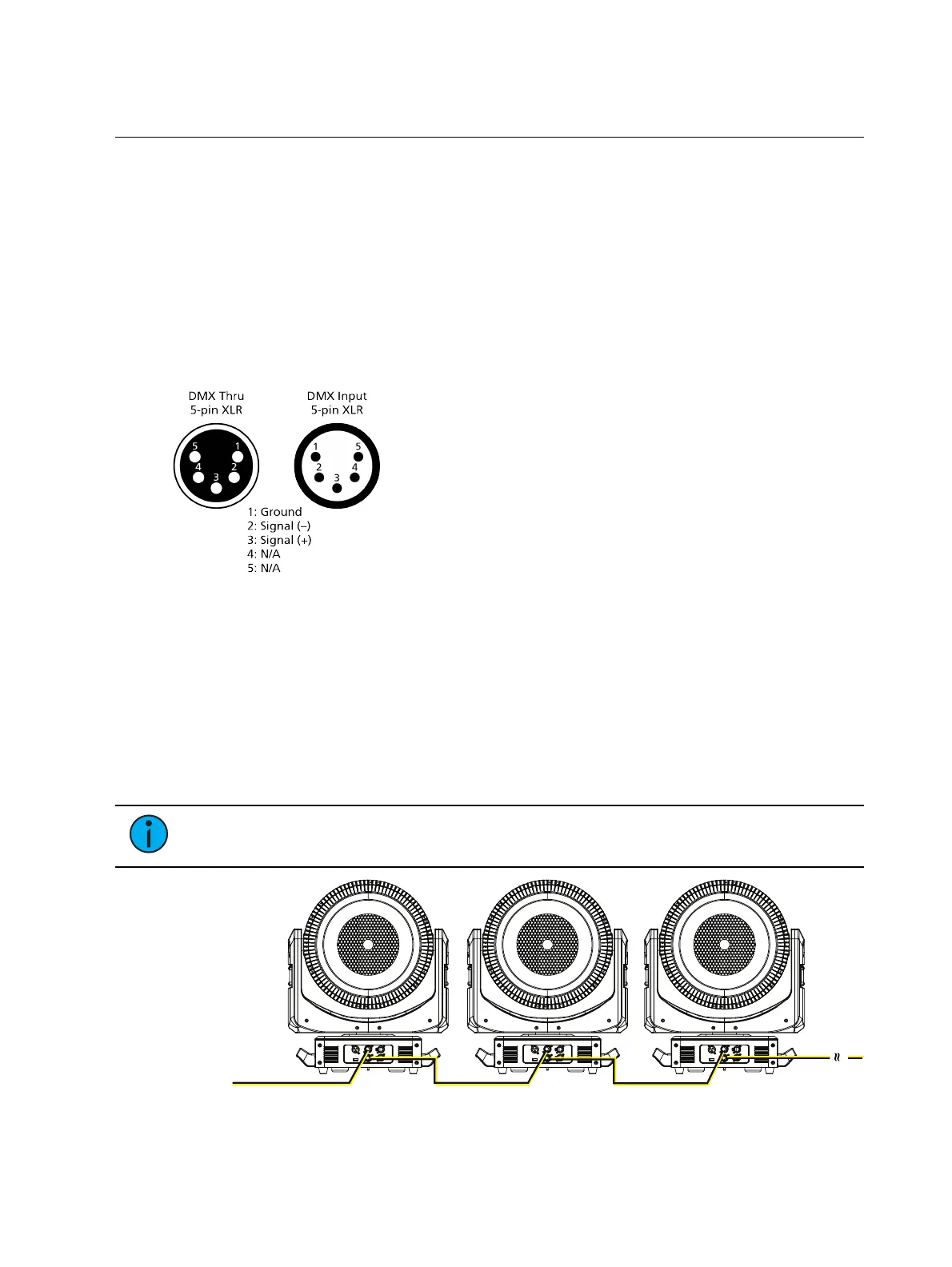
DMX Connector Pinout
For DMXInput, the DMX cable must have a male XLR connector on one end of the cable that
connects to the fixture. When daisy-chaining DMX to the next device, prepare a DMX cable with
a female XLR connector on one end and a male XLR connector on the other end. Terminate the
cable ends as indicated in the pinout image below.
Connect DMXCables to Fixture
The following instructions are guidelines for connecting DMX to your fixture. Your installation
may vary.
1. Connect the male XLR connector of a DMX data cable to the DMX connector on the DMX
control source.
2. Connect the female XLR connector of the DMX data cable to the DMX In connector of the
first fixture on the DMX control run.
3. Continue linking the remaining fixtures by connecting a cable from the DMX connector of
a fixture to the DMXIn connector of the next fixture on the control run.
Note:
A maximum of 32 DMX devices may be connected in any one DMX data run
when installed in a daisy-chain fashion.
DMX-512
(Belden 9729 or equivalent)
terminate DMX
with a 120 Ohm
resistor
DMX-512
control
source


 To Next Page