Ethernet Control 15
Set the DMX Start Address
Give each fixture a unique DMX starting address so that the correct fixture responds to the
control signals. This DMX start address is the channel number from which the fixture starts to
“listen” to the digital control information sent out from the control source.
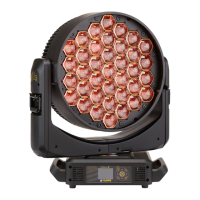
Example: The SolaPix 37 requires up to 186 channels of control depending on the
configuration of the modules. The Base module uses 21 channels. When the Flex
module is set to Compound mode, an additional 17 channels are added. If the Pixel
module is also set to Compound mode, then an additional 148 channels are added,
making 186 channels total.
If you are using the Base and Pixel modules (the Pixel module is set to Compound mode
and the Flex module is disabled) the total channel usage is 169 channels.
Set the Control Source and Universe
For Ethernet control, you must configure the control source (Art-Net or sACN) and set a universe
(000-255) for each fixture. See
Address on page17
for details.


 To Next Page