ETC Setup and Connect Guide
Paradigm
®
Touchscreen Interface
Paradigm Touchscreen Interface Setup and Connect Guide Page 3 of 12 Electronic Theatre Controls, Inc.
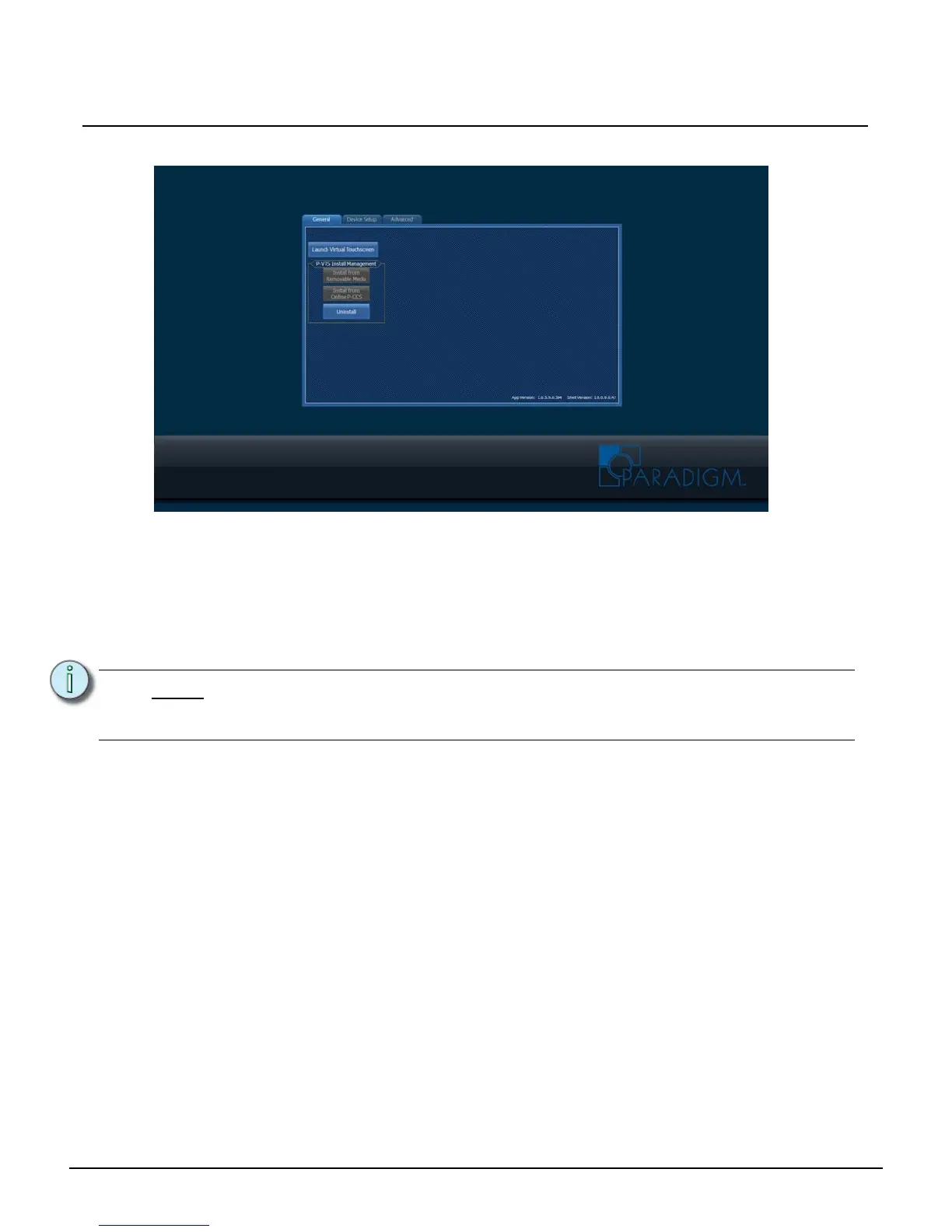
Application Shell
The Application Shell includes the interface to launch the Paradigm Virtual Touchscreen (P-VTS)
software, which was has been previously installed at the factory before shipment. In addition, the
Application Shell provides access to the P-TSI IP and network settings, as well as more advanced
features which can be password protected.
Notice the lower right hand corner of the shell displays software versions of both the “Shell Version” and
the “App Version”. The “App Version” represented is the version of Paradigm Virtual Touchscreen
software that is currently installed.
Three tabs are located on the Application Shell including “General”, “Device Setup” and “Advanced”.
General Tab
The “General” tab is provided as the interface to launch and manage the Paradigm Virtual Touchscreen
(P-VTS) software.
Note:
The Application Shell software is included with each installation of the P-TSI. Updates
to the shell are combined with Paradigm Virtual Touchscreen application when
necessary.



 To Next Page