2
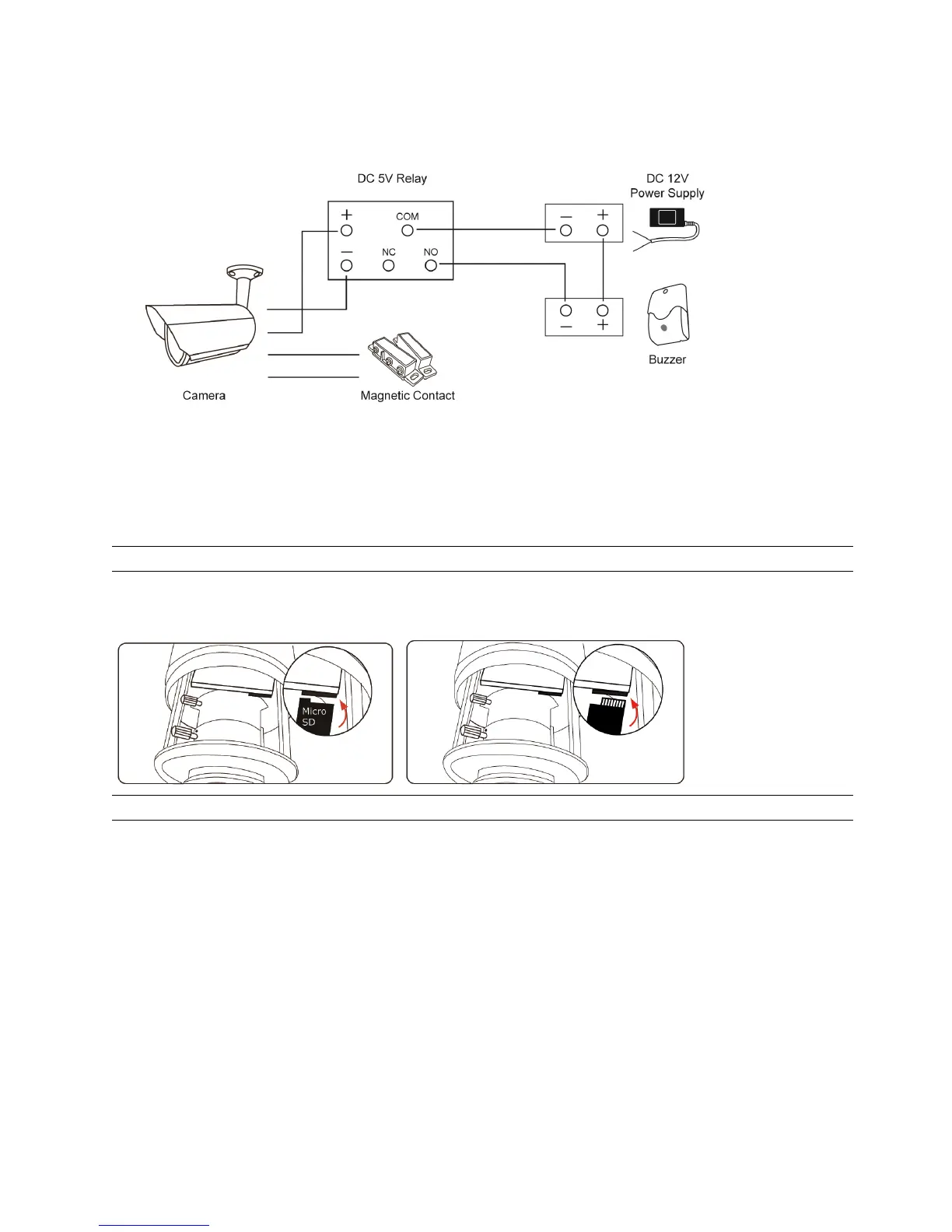
1.4 External Alarm Connection (For selected models only)
This camera supports external I/O device connection for easy connection.
Below shows you how to connect an external device to this camera.
1.5 Insert a Micro SD card (For selected models only)
For local video recording, a micro SD card slot can be found on the camera. The camera doesn’t support
hot-swapping. Please insert or remove the micro SD card with power disconnected. The data originally saved in the
micro SD card (if any) will be removed after inserting it to the camera.
Note: Only selected models are equipped with a micro SD card slot for local video recording.
Please follow the directions in the below graphic to insert Micro SD card properly:
Type A: Type B:
Note: It’s recommended to use tweezers for inserting / removing Micro SD card.



 To Next Page