20
3.3.4 Color
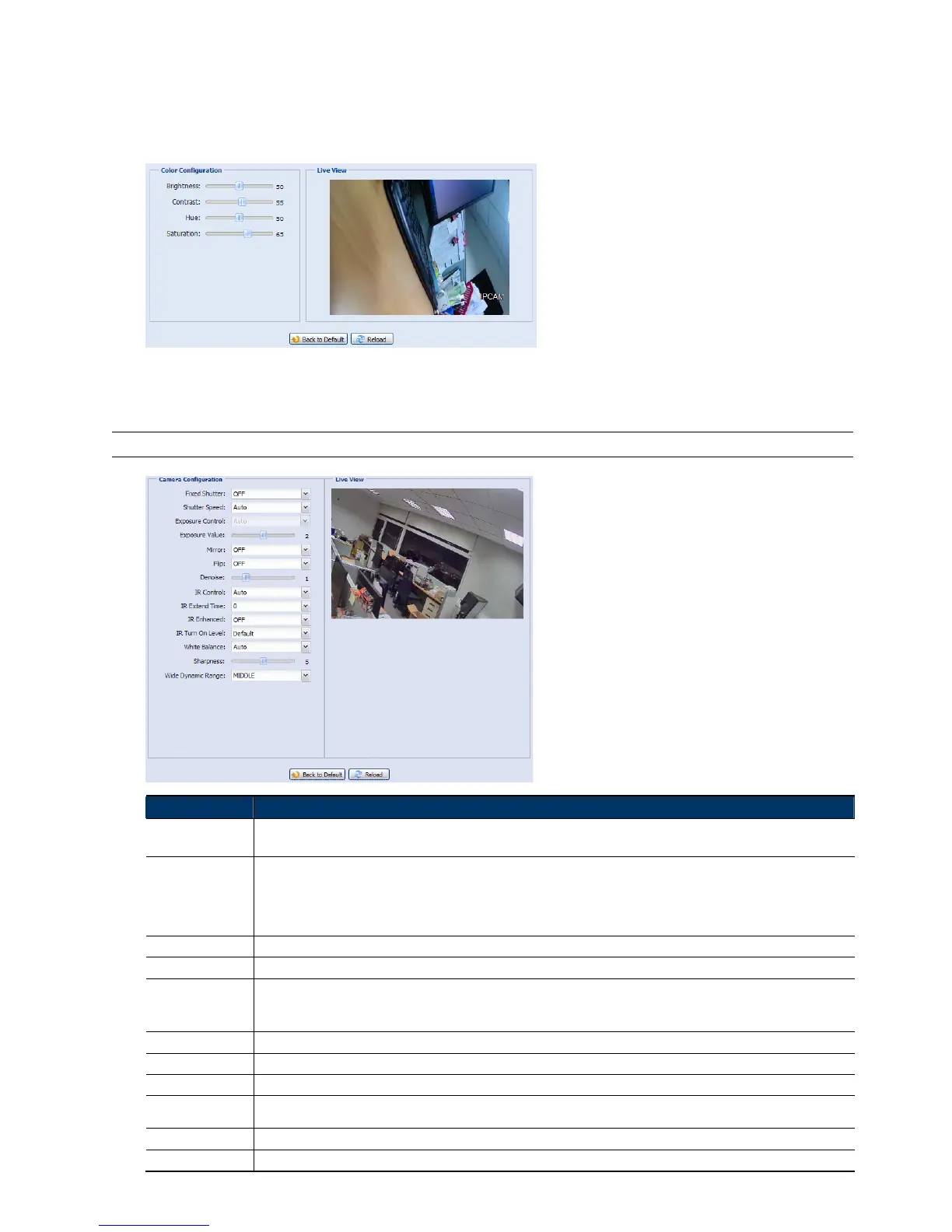
Adjust the color performance from Brightness, Contract, Saturation, and Hue (for selected models only). Click
and drag the slider to preview the color change on the right side of this page and adjust the image color.
To restore the default values, click “Back to Default”.
3.3.5 Advanced
Adjust the camera parameters if necessary.
Note: The functions available depend on the model number used.
Item Description
Fixed Shutter*
Shutter Speed is a function that can adjust the duration of the electronic shutter to produce optimum image quality. Select
the shutter speed suitable for your environment.
Shutter Speed
Select the shutter speed suitable for your environment.
A slower shutter speed in dark conditions will help to produce a brighter image, but will produce fewer frames per second,
which may cause images to get blurry during motion.
When “Auto” is selected, the iris mode is “AES”.
When a certain speed is selected, the iris mode is switched to “AI”, and the image brightness is available to adjust from “IRIS”.
Exposure Control* This function is used to synchronize the shutter time to the fluorescent light to suppress image flickering.
Exposure Value* Drag the slider to adjust the exposure level from 0 ~ 4.
Back light* It is the function to adjust the image to compensate for an area that is overpowered by brightness because of excessive light.
The image will be properly exposed for clearness. Select to activate (ON) or disable (OFF) this function.
Note: This function is available only in the day mode.
Mirror Select “ON” to rotate the images horizontally based on your installation situation when necessary.
Flip Select “ON” to rotate the image 180° when necessary.
De-noise* Click and drag the slider to adjust the level from 0 ~ 10 to decrease the noise shown in the dark environment.
IR Control Select “Auto” to automatically enable IR LEDs at night or in the dark environment, “On” to always enable IR LEDs, or “OFF”
to disable this function.
IR Enhanced* Select “On” to enhance IR LEDs performance.
IR Turn On Level* Select the level for IR light to activate.



 To Next Page