51
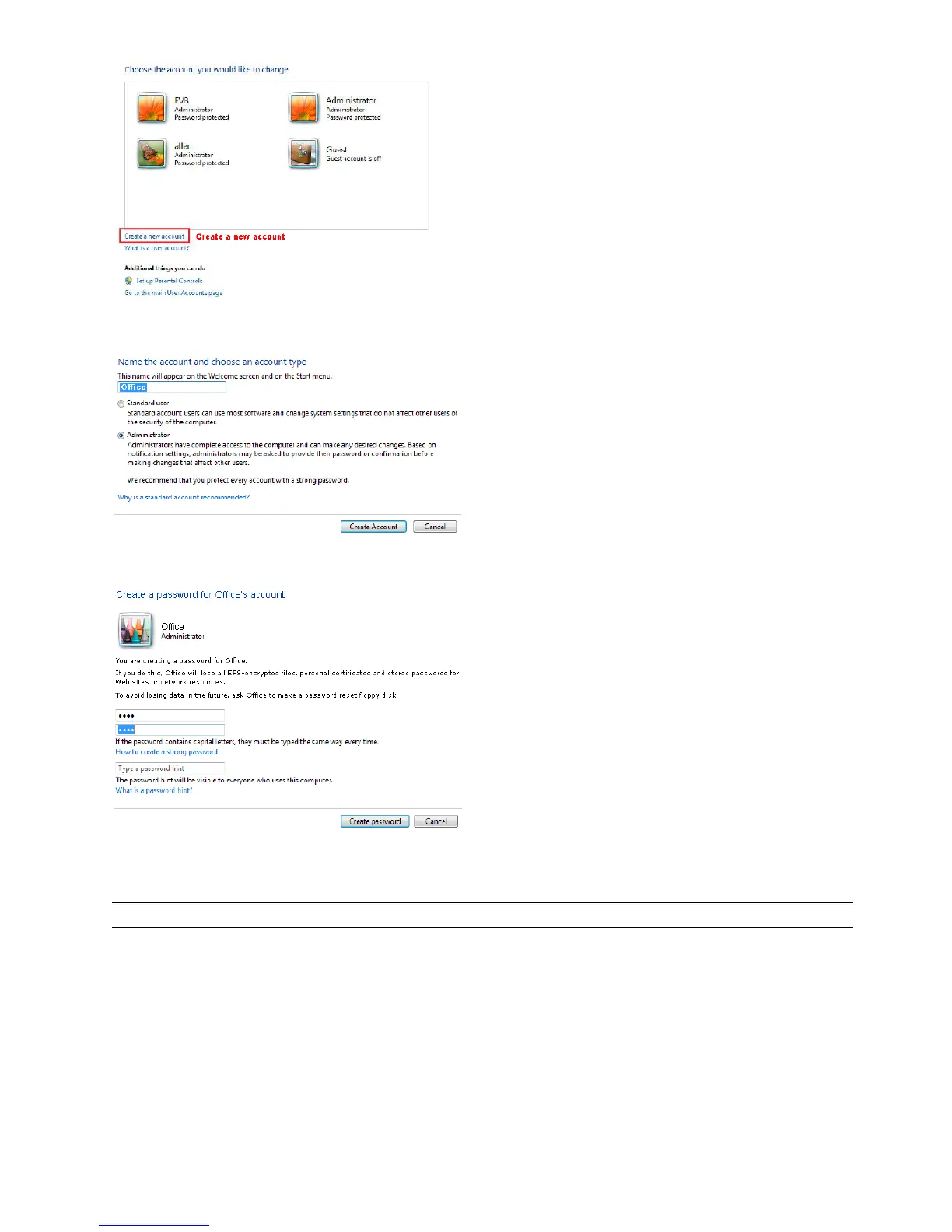
Step2: Set a user name, and choose “Administrator” for this account. Then, click “Create Account”.
Step3: Set the password, and click “Create Account”.
A9.3 Share Folder
Note: The instructions below are taking Windows 7 and 8 for an example.
Step1: Right-click the folder you want to use to save snapshots for “Network Share”, and choose “Properties”.
Step2: In “Share Properties”, select the tab of “Sharing”, and choose “Share…”.



 To Next Page