EasyManua.ls Logo

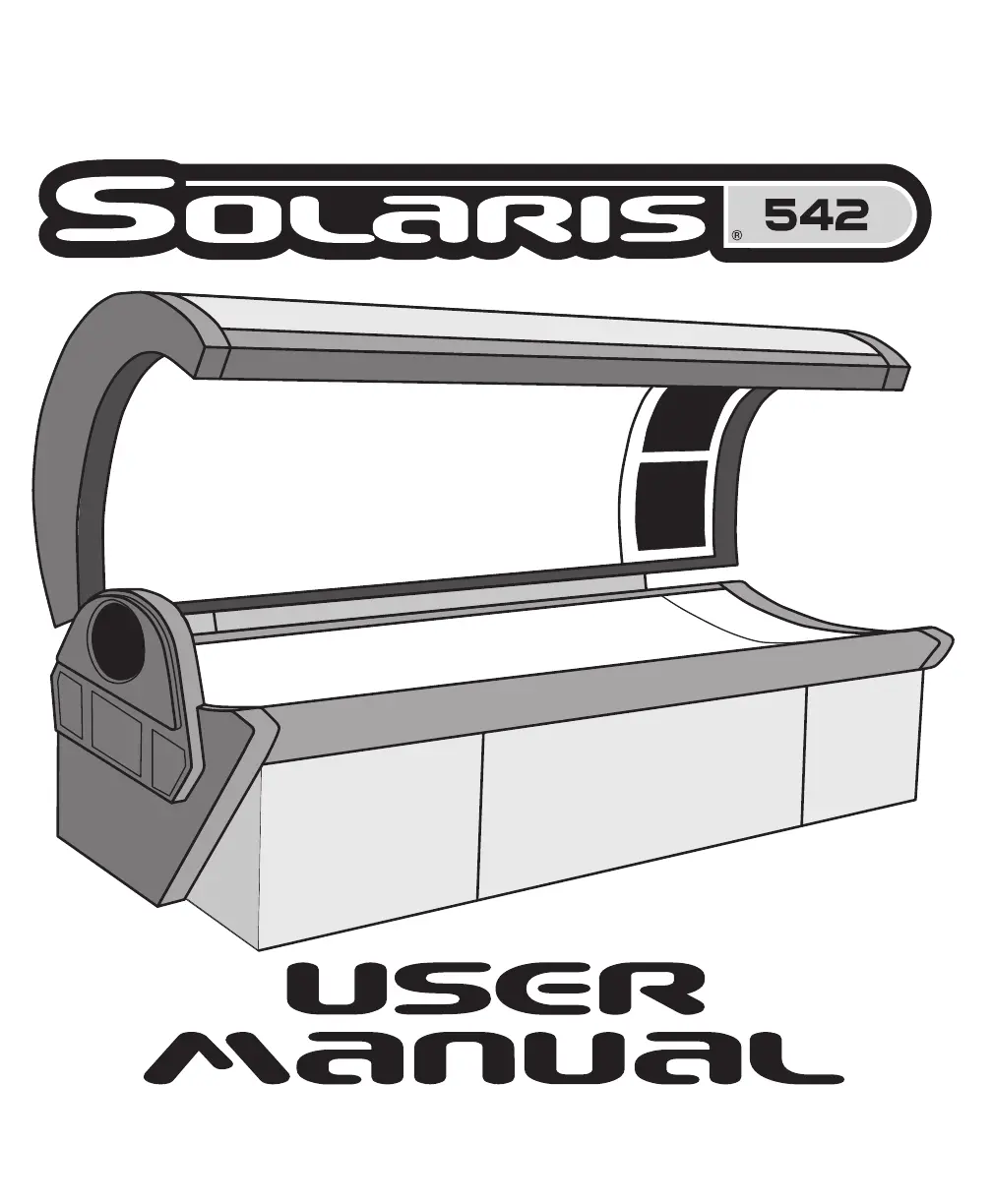
ETS Solaris 542 - User Manual

ETS Solaris 542
36 pages
Print Icon
To Next Page IconTo Next Page
Loading...
28937-01A

Questions and Answers

  • K
    Kristina SalinasAug 18, 2025
    How to make ETS Solaris 542 Personal Care Products tanning bed remember session time after power outage?
    • D
      Daniel PerkinsAug 18, 2025
      If you're using a T-Max® Manager with your ETS Personal Care Products tanning bed, you can enable the session time memory feature. By changing parameter 23 from “0” to “1”, the tanning bed will remember the remaining session time after a power outage and resume when power is restored. Please refer to your T-Max® Manager manual for detailed instructions on setting parameters.
  • G
    Gabrielle WhiteAug 20, 2025
    What to do if ETS Solaris 542 Personal Care Products lamps do not come on after timer is set?
    • T
      Tyler BrownAug 21, 2025
      If the timer display on your ETS Personal Care Products unit shows a tanning time, but the lamps don't turn on, here are a few potential causes: * **Bypass Plug:** Ensure that the bypass plug is correctly installed. Refer to the 'Electrical Connections' section for guidance. * **Non-SunStar® Bypass Plug:** Using a non-SunStar® bypass plug can cause this issue. Check 'Electrical Connections' for the correct type. * **Remote Issues:** If using a remote system other than T-Max® Manager, the external timer may not be activated. * **Incorrect Remote Wiring:** If the remote wiring is incorrect, consult the instructions provided with the remote interface kit.
  • J
    Jessica OliverAug 23, 2025
    Why my ETS Solaris 542 bed won’t work with T-Max® Manager?
    • D
      David ClarkAug 23, 2025
      If your ETS Personal Care Products tanning bed isn't working with the T-Max® Manager remote system: * First, ensure that the sunbed is set to a unique address. See 'Remote Connections' for instructions. * Also, check the bypass or terminator plug. It should only be plugged into the bed at the end of the series.
  • A
    amartinAug 26, 2025
    What to do if ETS Solaris 542 lights don't come on after delay with T-Max®?
    • C
      Catherine PerezAug 26, 2025
      If the timer display on your ETS Personal Care Products tanning bed starts counting down after the delay time expires, but the lights don't come on when connected to the T-Max® Manager remote system, the auto-start feature of the remote system might be disabled. Please refer to the instructions provided with your remote system to enable it.
  • M
    Michele SwansonAug 28, 2025
    Why ETS Solaris 542 Personal Care Products bed shows '0' but lamps don't come on with T-Max®?
    • S
      Sean BridgesAug 28, 2025
      If your ETS Personal Care Products tanning bed, connected to a T-Max® Manager, doesn't display “dL” but shows “0”, a tanning time, and the lamps haven't come on, consider these potential causes: * The remote device hasn't been set. * The sunbed hasn't been connected to the remote system (see 'Remote Connections'). * The delay time of the T-Max® Manager hasn't been set. * The delay time has expired, and the session has begun. * The auto-start function of the T-Max® Manager has been turned off. Press the timer button to turn on the lamps.
  • R
    robertrollinsAug 30, 2025
    Why does ETS Personal Care Products timer display show 0 after pressing the button?
    • K
      Kimberly SmithAug 30, 2025
      If the timer display on your ETS Personal Care Products tanning bed continues to show a 0 after pressing the timer button, it could be due to the following: * The T-Max® Manager remote system has not yet been set. * The sunbed address is not set correctly. Refer to 'Remote Connections' for instructions.
  • F
    flowersmeganSep 2, 2025
    How to get ETS Solaris 542 Personal Care Products bed into 'id' mode with T-Max®?
    • M
      Misty BrooksSep 2, 2025
      If you're having trouble getting your ETS Personal Care Products tanning bed into “id” mode while connected to a T-Max® remote system, you may have already attempted to connect the sunbed to the remote system. Try disconnecting the remote plug(s) from the ports at the back of the sunbed, wait 90 seconds, and then try again.
  • W
    Wendy RoblesSep 4, 2025
    What to do if ETS Solaris 542 Personal Care Products sunbed won’t function with T-Max® 1A?
    • M
      Michael MoonSep 4, 2025
      If your ETS Personal Care Products sunbed isn't functioning properly when using a T-Max® 1A, it might be because SunStar® Bypass plugs or terminator plugs are needed if the T-Max® 1A and the sunbed are over 100 feet apart. Install the plugs in the open remote port in the sunbed and the T-Max® 1A.
  • G
    Gloria RiceSep 7, 2025
    What to do if ETS Solaris 542 first bed doesn't register “id”?
    • S
      Shawn LevySep 7, 2025
      When using the auto address feature of the T-Max® Manager with ETS Personal Care Products, you must wait 10 seconds from the time you start the auto address function before addressing the first bed.
  • S
    Susan BarnesSep 9, 2025
    How to fix Er 91 error on ETS Solaris 542 timer display?
    • M
      Max CaldwellSep 10, 2025
      If the timer display on your ETS Personal Care Products unit is showing 'Er 91', it indicates a timer software error. Try disconnecting and then reconnecting the power to the unit.

Summary

48 Month Gold Medal Warranty

Safety Information

Recommended Exposure Times

Guidelines for tanning session duration based on skin type and tanning level.

Installation

Unpacking and Inspection

Procedures for unboxing and checking the tanning unit for damage.

Tools Required

List of tools necessary for assembling the sunbed.

Pre-Installation Planning

Essential considerations before beginning the assembly process.

Hardware Inventory

Details the hardware components included in the assembly kit.

Assembly Procedures

Step-by-step instructions for assembling the tanning unit.

Electrical Connections

Guidance on connecting the sunbed to its power source.

Final Adjustments

Instructions for making final adjustments to the sunbed's components.

Remote Connections

Information on connecting remote control systems to the sunbed.

Operation

Before You Tan

Precautions and preparation steps before using the sunbed.

Exposure Times

Recommended tanning durations based on skin type and session progression.

Using Your Sunbed

Detailed steps for operating the sunbed during a tanning session.

Care and Maintenance

Cleaning After Use

Procedures for cleaning and disinfecting the tanning unit after each use.

Thorough Periodic Cleaning

Guidelines for deep cleaning the sunbed's interior components.

Mechanical Inspection

Schedule and steps for inspecting the unit's mechanical integrity.

Lamp and Acrylic Replacement

Instructions for safely replacing lamps and acrylic shields.

Troubleshooting

Parts List

ETS Solaris 542 Specifications

General IconGeneral
BrandETS
ModelSolaris 542
CategoryPersonal Care Products
LanguageEnglish

Related product manuals