Manual EKS Electronic-Key Adapter USB
2094485-05-07/19 Subject to technical modifications Page 19/34
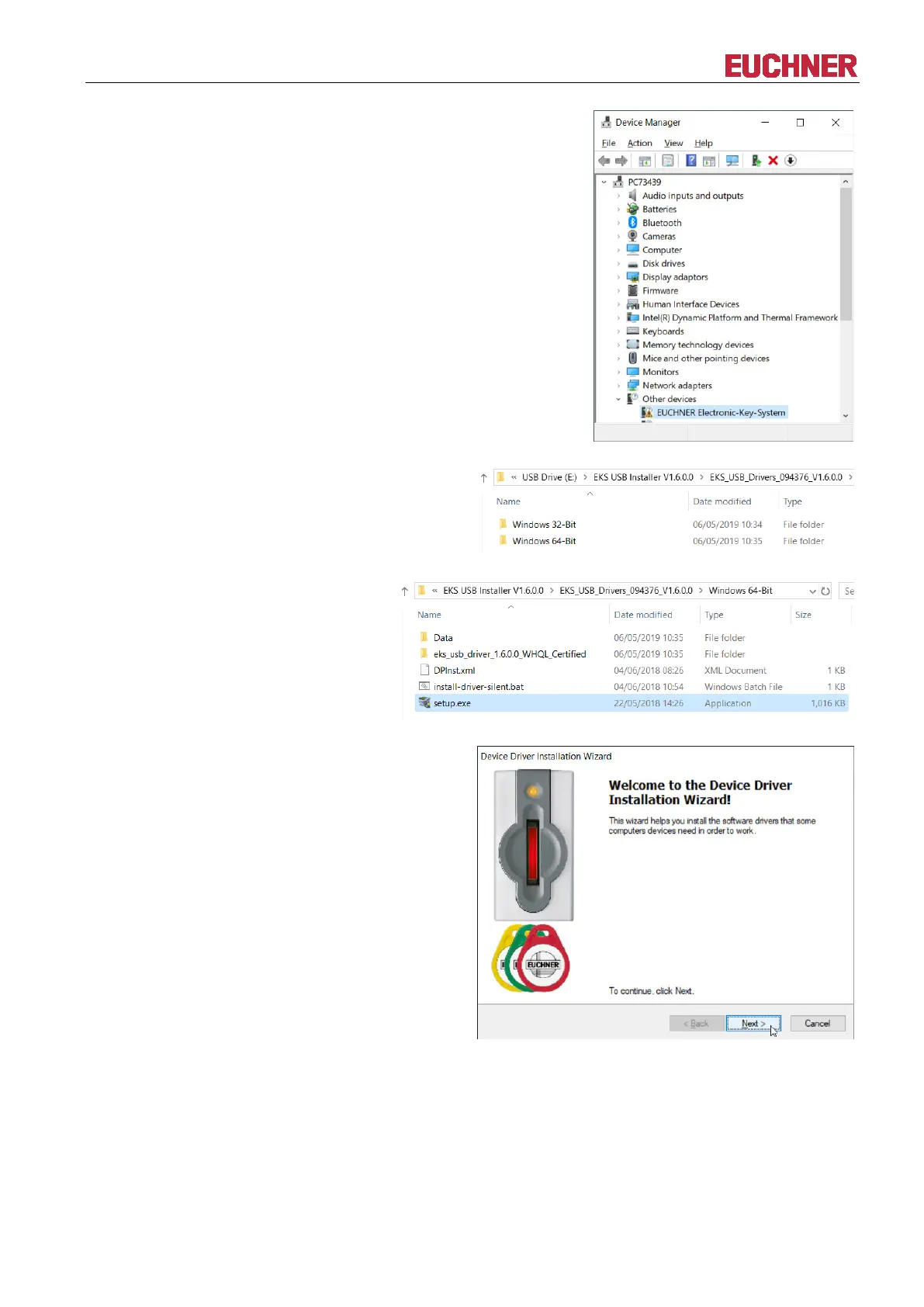
Connect the EKS read/write station to
an unoccupied USB port on the PC
using the corresponding USB cable.
The device is shown as an unknown
device under Other devices in the
Device Manager.
In File Explorer, select the folder
corresponding to the operating system
architecture.


 To Next Page