Manual EKS Electronic-Key Adapter USB
2094485-05-07/19 Subject to technical modifications Page 21/34
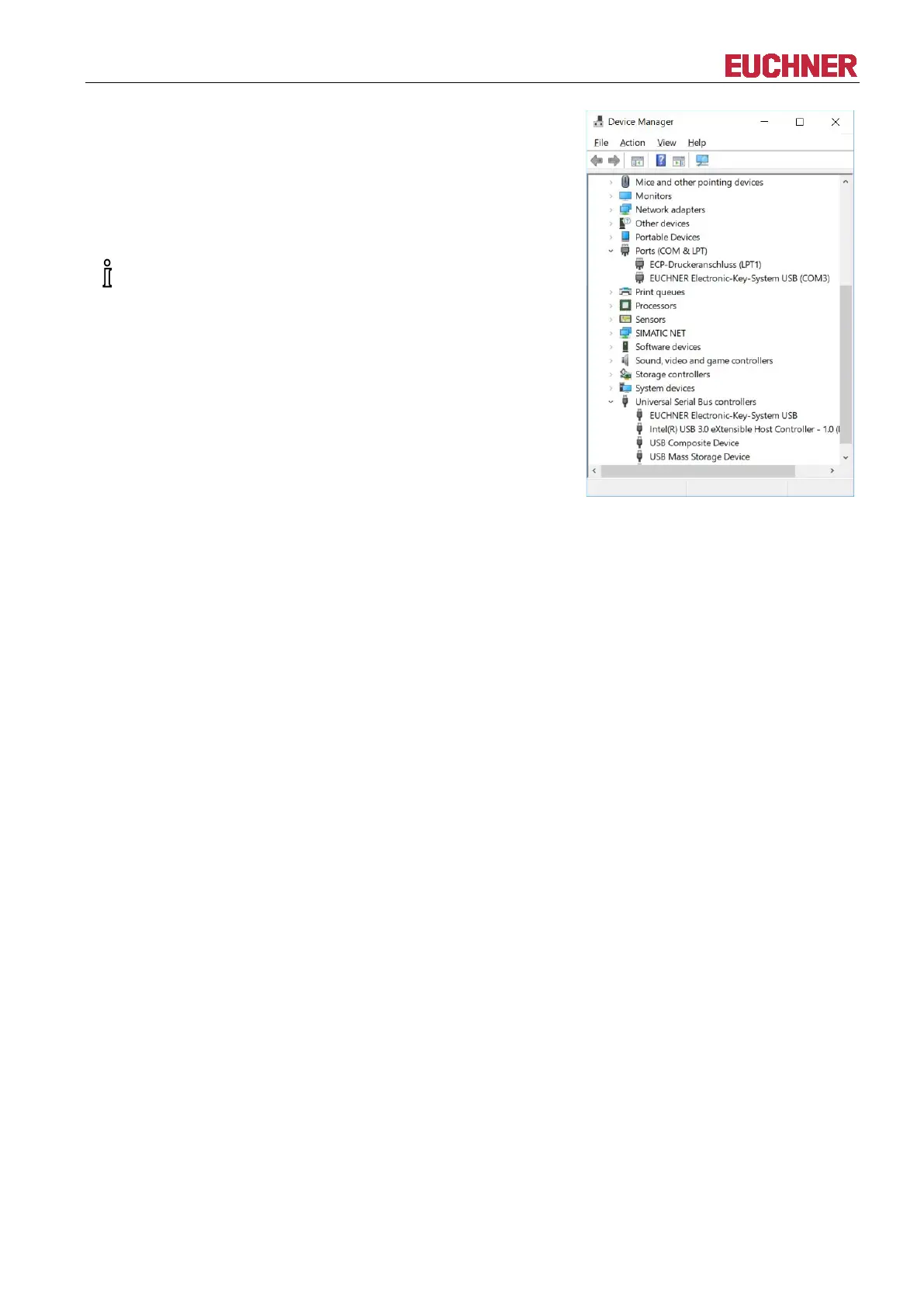
Two entries appear in the Device Manager. The EKS USB device
driver is displayed under Universal Serial Bus controllers. The
virtual serial COM port driver is displayed under Ports (COM & LPT).
The automatically assigned COM port number # (3 in this example)
can be found in the entry EUCHNER Electronic-Key-System USB
(COM#) under Ports (COM & LPT). The application can communicate
with the device using this COM port.
This entry is visible only if the Electronic
-Key adapter



 To Next Page